OKX trading bots charge no subscription. Bot orders pay the normal trading fee for your fee tier: for regular users, spot is 0.08% maker / 0.1% taker and futures is 0.02% maker / 0.05% taker. OKX lists Spot grid, Futures grid, Spot DCA (Martingale), Futures DCA (Martingale), Recurring buy, Smart portfolio, Arbitrage, Smart arbitrage, Signal bot, Iceberg and TWAP, and a spot grid can now have up to 1,000 grids (checked 2026-10-22).
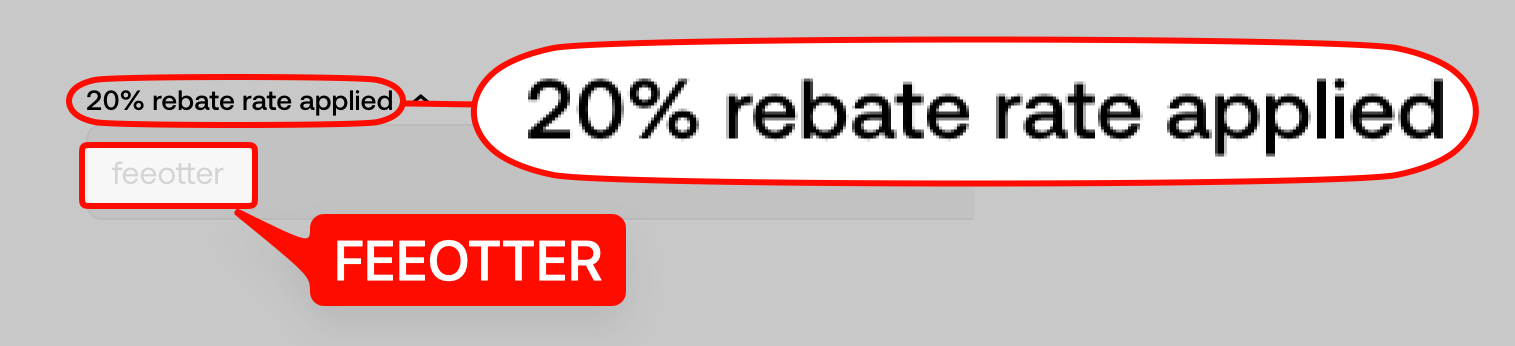
Sign up with the code FEEOTTER for a 20% automatic rebate + exclusive rewards. OKX's affiliate rules pay commission on every trading fee an invitee pays, but say nothing specific about bot orders, so for bots go by your rebate records. Bots trade often, so fees pile up faster than with manual trading; register with FEEOTTER before you start a bot, OKX returns the 20% automatically, and for exclusive OKX rewards and promotions contact support.
Which trading bots does OKX offer?
| Bot | What it does | Key numbers from OKX |
|---|---|---|
| Spot grid | Buys lower and sells higher inside a price range | Up to 1,000 grids (previously 300); idle funds can go into Simple Earn |
| Futures grid | Grid on futures, long, short or neutral | Opens a position on creation by default; reserved margin lowers liquidation risk |
| Spot DCA (Martingale) | Adds at set drops and ends the cycle at take-profit | Two multipliers: amount and price step |
| Futures DCA (Martingale) | The futures version of adding as price moves against you | Up to 100 strategies at a time |
| Recurring buy | Buys with USDT on a schedule | Up to 20 coins; minimum 2 USDT |
| Smart portfolio | Keeps a basket of assets at target weights | Crypto, stock tokens and USDT in one portfolio; 20 USDT minimum order |
| Arbitrage, Smart arbitrage | Buys spot and shorts the perpetual to collect funding, or trades a spread | Smart arbitrage is delta-neutral |
| Iceberg, TWAP | Splits a large order into smaller ones | Iceberg works on spot, perpetual, futures, margin and options |
| Signal bot | Places orders from signals | Build your own signal or subscribe to a provider's |
Sources: OKX trading bots overview (updated 2026-10-19), Spot grid bot FAQ, Futures grid bot FAQ (updated 2026-09-14), Spot DCA, Futures DCA, Recurring buy, Smart Portfolio FAQ (published 2026-10-14), Arbitrage bot, Iceberg, checked 2026-10-22. The futures grid FAQ gives no fixed leverage cap; it depends on the contract and is shown on the creation page.
Spot grid: setting one up, the parameters and stopping
Open the page
Trade → Trading bots → Spot grid, then choose Manual to set it yourself, or use the AI strategy or copy a lead trader's bot from the Marketplace.Set the range and grid count
enter the upper price, lower price and number of grids (up to 1,000), then choose arithmetic (a fixed price gap per grid) or geometric (a fixed percentage per grid).Choose how to invest
quote currency only (such as USDT) places buy orders at each level; base currency only (such as BTC) places sell orders; both places a mix. Some orders may fill at market price right away.Advanced settings (optional)
take profit and stop loss, Trailing up / down, start and stop conditions from price, RSI or TradingView signals, and Simple Earn for idle funds.Confirm
select Create, check the details and Confirm. Track open orders, fills and PnL under the Bots tab on the trading page.
- Trailing up: when price breaks the upper limit, the lowest buy order is cancelled and a new buy is placed at the old upper limit, moving the whole range up. A take profit set by price stays fixed; a stop loss by price moves up with the lower limit.
- Trailing down: when price breaks the lower limit, a new buy order is placed one level below it using extra funds from your trading account (none is placed if funds are short); the lower limit extends down while the upper limit stays put.
- Editing while running: you can change the range and grid count, but it re-initializes the bot: all orders are cancelled and new ones placed from the bot's current assets, possibly with market buys or sells, and unwithdrawn grid profit is reinvested.
- Stopping: a manual stop lets you sell the bot's assets at market or return them to your trading account; lead traders can only sell at market. A delisting, or the lead bot you copied stopping, also stops your bot.
Each grid's profit has to pay two fees, one buy and one sell, before any of it is yours: OKX's FAQ example is BTC/USDT from 100,000 to 110,000 with 10 grids, a 1,000 USDT gap per grid, or about 0.91% to 1%; a regular user pays 0.08% maker on spot each time, 0.16% per buy-sell pair, and only what is left is grid profit. OKX's futures grid FAQ adds that when you create or edit a bot, the system checks your fee tier and only allows settings where a full grid cycle's expected spread is higher than the fees.
Futures grid: direction, reserved margin and what stops a bot
- Direction: long holds only longs, short holds only shorts, and neutral places buys below and sells above the current price and may hold both. "Open position on creation" is on by default; with it off, a long grid only places buys below the current price instead of entering heavily at the start.
- Reserved margin: your investment splits into active margin for grid orders and reserved margin, which is not used for order size and serves as a buffer against liquidation and for funding. The system can allocate it automatically, or you can set it.
- Take profit and stop loss: triggered by price (last traded price) or by total PnL; on trigger, all orders are cancelled and positions close at market. OKX says these are trigger conditions, and the actual fill price can differ.
- Stop options: a manual stop can close all positions at market or stop the bot and keep positions. If you keep positions, the stopped bot cannot be restarted or have positions added, and you close them yourself.
- When a bot stops on its own: OKX lists liquidation (most common), delisting, the copied lead bot stopping, position limits, and contract parameter changes for risk control, such as a lower maximum leverage. When leverage caps drop, some grid orders turn yellow and cannot be placed; OKX suggests closing the bot and recreating it under the new limit.
- Pause and resume: pausing cancels all pending orders but keeps the position and parameters, and TP/SL keep working; on resume, orders missed during the pause are filled at market.
OKX says Unpaired PnL includes floating PnL, funding, liquidation fees and part of the trading fees; in a sharp move a limit order may fill as taker at a higher rate, and the extra fee is recorded there. For now the futures grid shows fees per order only, with no total. For margin and liquidation rules on OKX futures itself, see the OKX futures guide.
DCA (Martingale), Recurring buy and Smart portfolio
- Spot DCA: places an initial order, then a larger safety order each time price falls one "price step"; the cycle ends at take profit, at the last safety order or at stop loss. OKX's example: a 100 USDT safety order with an amount multiplier of 2 gives 100, 200, 400 USDT; a 1% price step with a multiplier of 2 triggers at drops of 1%, 3% and 7%. Once created, the funds are isolated from your trading account for the bot.
- Futures DCA: up to 100 strategies at a time. The leverage you pick is nominal; the page shows effective leverage, which rises if the position grows while margin stays the same. OKX splits the risk into market, high-leverage and liquidation risk, and says it may close some or all of your positions at its discretion.
- Recurring buy: up to 20 coins with your own split (for example BTC 50%, ETH 30%, OKB 20%), from 2 USDT, buying only inside the price range you set.
- Smart portfolio: you set a check interval (every 5 minutes up to monthly) and a drift threshold, and both apply together; OKX's "BTC Core" preset is 50% BTC / 50% USDT, checked hourly, rebalanced at 2% drift. OKX also says rebalancing is no promise of profit and frequent rebalancing in a one-way market adds trading costs.
How bot fees are charged
| Type | Regular user maker | Regular user taker |
|---|---|---|
| Spot bots (Spot grid, Spot DCA, Recurring buy, Smart portfolio) | 0.08% | 0.1% |
| Futures bots (Futures grid, Futures DCA) | 0.02% | 0.05% |
| Zero-fee pairs (DAI, PYUSD, USDC, USDG against USDT, plus USDT-USD) | 0% | 0% |
Sources: OKX fee page and the global fee framework notice, checked 2026-10-22. OKX's bot pages all carry the same note: using trading bots may require you to pay fees charged by OKX for the underlying trades. The futures grid FAQ says fees follow your VIP level, and if your VIP level drops and the fee rises, the original grid spacing may turn into "negative arbitrage", which the bot management page flags. For tier thresholds, see OKX VIP fee tiers.
When you copy a lead trader's bot from the Marketplace, the lead can take up to 30% of the copier's profit (Marketplace FAQ); that is profit sharing, not a trading fee.
Do bot orders earn the rebate? What OKX's terms say
We read the OKX Affiliate Program rules (updated 2026-09-29) and the affiliate FAQ (updated 2026-09-15), checked 2026-10-22:
- Where commission comes from: every trading fee paid by invitees, covering spot, futures, options and CeDeFi trading. The rules do not mention trading bots, grids or API.
- When no commission applies: trades in coins that charge no fee; fees offset by rebate cards, futures credits, contract vouchers and the like; a special fee rate; market makers or brokers; VIP5 and VIP6 once the 100,000 monthly cap is reached; VIP7 and above; managed sub-accounts; and residence in a non-commissionable country or region.
A grid on a zero-fee pair (such as USDC-USDT) pays no fee, so it earns no rebate. OKX also has trading bot vouchers and loss protection vouchers; its pages do not say whether these count as the fee-offsetting vouchers in the rules. Bot orders are ordinary fills charged at normal rates, but no official sentence says that bot orders count toward affiliate commission, so we will not answer for OKX. Once your bot is running, go by your Fee Otter rebate records and check that the fees from those days have matching rebate entries. Rules for your own API orders are in OKX API trading setup.
Sign up for OKX with the code FEEOTTER for a 20% automatic rebate + exclusive rewards; OKX returns the 20% straight to your trading account, and for exclusive OKX rewards and promotions contact support. The code is in OKX referral code; if you already have an account, read the OKX rebind guide first.


%2C2026-10-05%20%E5%8F%96%E6%A8%A3%3A%0A%20%20%20%20%20%20%20%E5%BA%95%E8%89%B2%20%230E3452%2C%E5%AD%97%E7%AC%A6%20%2303CA9B)%E3%80%82%0A%20%20%20%20%20%20%20%E7%94%A8%20potrace%20%E6%8F%8F%E5%AD%97%E7%AC%A6%E8%BC%AA%E5%BB%93%2C%E6%95%B4%E5%BC%B5%E7%95%AB%E5%B8%83%E7%9B%B4%E6%8E%A5%E6%98%A0%E5%B0%84%E5%88%B0%E9%80%99%E8%A3%A1%E7%9A%84%2032%20%E5%96%AE%E4%BD%8D%20%E2%80%94%E2%80%94%20%E4%B8%8D%E9%87%8D%E6%96%B0%E7%BD%AE%E4%B8%AD%2C%E4%BF%9D%E7%95%99%E5%AE%98%E6%96%B9%E7%9A%84%E7%95%99%E7%99%BD%E6%AF%94%E4%BE%8B%E3%80%82%0A%20%20%20%20%20%20%20%E8%A6%81%E6%94%B9%E8%AB%8B%E9%87%8D%E8%B7%91%E6%8F%8F%E5%9C%96%2C%E4%B8%8D%E8%A6%81%E6%86%91%E5%8D%B0%E8%B1%A1%E8%AA%BF%E3%80%82%20--%3E%0A%20%20%3Crect%20x%3D%221.5%22%20y%3D%221.5%22%20width%3D%2229%22%20height%3D%2229%22%20rx%3D%228%22%20fill%3D%22%230E3452%22%2F%3E%0A%20%20%3Cpath%20fill%3D%22%2303CA9B%22%20d%3D%22M23.02%205.97C22.14%206.02%2021.54%206.07%2021.22%206.1C20.72%206.15%2019.6%206.28%2019.41%206.31C19.31%206.33%2019.1%206.37%2018.94%206.39C18.29%206.5%2017.94%206.57%2017.2%206.73C16.92%206.79%2016%207.03%2015.8%207.09C15.36%207.23%2014.42%207.54%2014.39%207.56C14.38%207.57%2014.3%207.6%2014.23%207.62C13.82%207.76%2012.7%208.28%2012.13%208.6C11.95%208.7%2011.8%208.78%2011.79%208.78C11.7%208.78%2010.42%209.71%209.98%2010.08C9.16%2010.79%208.07%2012.09%207.6%2012.91C7.28%2013.46%207.18%2013.65%207.06%2013.91C6.87%2014.3%206.76%2014.53%206.68%2014.74C6.56%2015.08%206.37%2015.64%206.34%2015.73C6.33%2015.78%206.3%2015.91%206.27%2016C6.06%2016.79%205.93%2017.87%205.94%2018.62L5.95%2019.05L6.69%2019.04C7.78%2019.03%208.57%2018.94%209.73%2018.68C10.18%2018.58%2011.05%2018.33%2011.45%2018.18C11.52%2018.15%2011.7%2018.08%2011.84%2018.03C13.58%2017.38%2015.67%2016.19%2017.55%2014.77C17.8%2014.58%2018.67%2013.89%2018.74%2013.83C18.76%2013.81%2018.94%2013.66%2019.14%2013.48C19.34%2013.31%2019.54%2013.14%2019.58%2013.11C19.61%2013.07%2019.78%2012.92%2019.95%2012.77C20.94%2011.88%2022.24%2010.57%2023.2%209.48C23.68%208.94%2023.69%208.93%2023.86%208.73C23.94%208.63%2024.02%208.54%2024.03%208.53C24.17%208.4%2025.09%207.25%2025.52%206.67C25.67%206.47%2025.81%206.28%2025.83%206.26C25.86%206.23%2025.89%206.19%2025.9%206.16C25.92%206.13%2025.94%206.12%2025.95%206.13C25.98%206.15%2025.3%207.5%2024.99%208.07C24.88%208.28%2024.78%208.45%2024.78%208.46C24.78%208.46%2024.66%208.67%2024.51%208.93C24.24%209.4%2024.17%209.52%2024.07%209.69C24%209.81%2023.72%2010.27%2023.39%2010.8C22.69%2011.91%2021.44%2013.66%2020.74%2014.52C20.25%2015.12%2020.09%2015.31%2019.72%2015.73C19.01%2016.55%2018.19%2017.38%2017.42%2018.08C17.07%2018.39%2016.92%2018.52%2016.5%2018.87C16.37%2018.98%2016.24%2019.09%2016.2%2019.12C15.83%2019.43%2014.7%2020.21%2014.16%2020.54C13.69%2020.82%2012.69%2021.34%2012.41%2021.45C12.33%2021.48%2012.23%2021.52%2012.17%2021.55C12.01%2021.62%2011.45%2021.84%2011.11%2021.95C10.97%2022%2010.05%2022.26%209.84%2022.31C9.23%2022.45%208.97%2022.5%208.56%2022.56C8.43%2022.58%208.25%2022.61%208.16%2022.62C8.06%2022.64%207.79%2022.67%207.56%2022.69C7.32%2022.71%207.12%2022.74%207.12%2022.76C7.12%2022.85%207.58%2023.42%207.97%2023.82C9.2%2025.09%2010.67%2025.8%2012.52%2026.02C16.51%2026.48%2020.99%2024.06%2023.2%2020.25C23.32%2020.05%2023.43%2019.86%2023.46%2019.81C23.51%2019.73%2023.96%2018.81%2024.04%2018.62C24.67%2017.21%2025.19%2015.43%2025.52%2013.67C25.66%2012.9%2025.73%2012.45%2025.81%2011.77C25.99%2010.32%2026.05%209.33%2026.05%207.64C26.05%206.06%2026.04%206.01%2025.97%205.98C25.9%205.95%2023.53%205.94%2023.02%205.97Z%22%2F%3E%0A%3C%2Fsvg%3E%0A)


%2C2026-10-05%20%E5%8F%96%E6%A8%A3%3A%0A%20%20%20%20%20%20%20%E5%BA%95%E8%89%B2%20%23FFFFFF%2C%E5%AD%97%E7%AC%A6%20%235227FF)%E3%80%82%0A%20%20%20%20%20%20%20%E7%94%A8%20potrace%20%E6%8F%8F%E5%AD%97%E7%AC%A6%E8%BC%AA%E5%BB%93%2C%E6%95%B4%E5%BC%B5%E7%95%AB%E5%B8%83%E7%9B%B4%E6%8E%A5%E6%98%A0%E5%B0%84%E5%88%B0%E9%80%99%E8%A3%A1%E7%9A%84%2032%20%E5%96%AE%E4%BD%8D%20%E2%80%94%E2%80%94%20%E4%B8%8D%E9%87%8D%E6%96%B0%E7%BD%AE%E4%B8%AD%2C%E4%BF%9D%E7%95%99%E5%AE%98%E6%96%B9%E7%9A%84%E7%95%99%E7%99%BD%E6%AF%94%E4%BE%8B%E3%80%82%0A%20%20%20%20%20%20%20%E5%AE%98%E6%96%B9%E6%98%AF%E7%99%BD%E5%BA%95%E7%B4%AB%E8%89%B2%E5%AD%97%E7%AC%A6%3B%E7%99%BD%E5%BA%95%E5%8A%A0%E6%B7%A1%E9%82%8A%2C%E5%85%8D%E5%BE%97%E5%9C%A8%E7%99%BD%E8%89%B2%E8%83%8C%E6%99%AF%E4%B8%8A%E6%B6%88%E5%A4%B1%E3%80%82%0A%20%20%20%20%20%20%20%E8%A6%81%E6%94%B9%E8%AB%8B%E9%87%8D%E8%B7%91%E6%8F%8F%E5%9C%96%2C%E4%B8%8D%E8%A6%81%E6%86%91%E5%8D%B0%E8%B1%A1%E8%AA%BF%E3%80%82%20--%3E%0A%20%20%3Crect%20x%3D%221.5%22%20y%3D%221.5%22%20width%3D%2229%22%20height%3D%2229%22%20rx%3D%228%22%20fill%3D%22%23FFFFFF%22%20stroke%3D%22%23E4E4E7%22%2F%3E%0A%20%20%3Cpath%20fill%3D%22%235227FF%22%20d%3D%22M13.31%208.92L13.31%2012.28L9.94%2012.28L6.56%2012.28L6.57%2015.71C6.58%2019.51%206.57%2019.29%206.79%2020.2C7.56%2023.33%2010.21%2025.78%2013.38%2026.31C14.1%2026.43%2014.44%2026.44%2019.24%2026.44L23.91%2026.44L23.91%2023.05L23.91%2019.66L19.2%2019.65L14.48%2019.64L14.28%2019.56C13.89%2019.41%2013.63%2019.16%2013.44%2018.76L13.36%2018.58L13.35%2015.46L13.34%2012.34L18.56%2012.34L23.78%2012.34L23.78%208.95L23.78%205.56L18.55%205.56L13.31%205.56L13.31%208.92Z%22%2F%3E%0A%3C%2Fsvg%3E%0A)