OKX copy trading is under Trade → Bots & Copy → Copy trading in the app. In fixed-amount mode, futures and spot copying both take 10 to 100,000 USDT per order; you can also copy proportionally (0.01x to 100x) or with smart sync. The lead trader's profit share is withheld up front and settled every Monday at 00:00 (UTC+8) (checked September 2026).
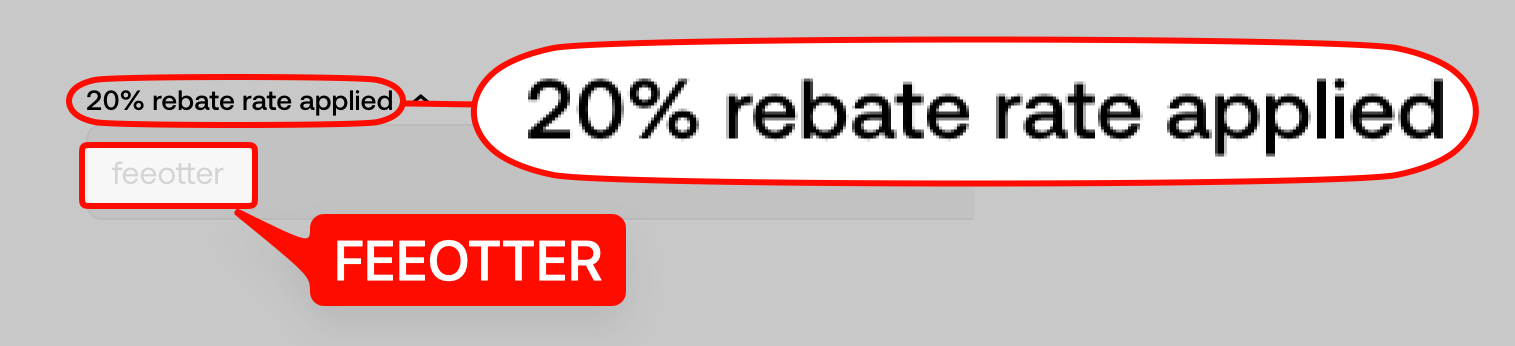
On OKX, how you copy matters as much as who you copy: the same lead trader copied by fixed amount, proportional amount or smart sync gives you different margin, leverage and risk on every trade. This guide uses OKX Help Center pages updated in August and September 2026 to cover the limits for futures, spot and bot copy trading, how the three modes calculate each order, how profit share is withheld and refunded, what happens to positions when you stop copying, and why copy trades fail. Register on OKX with code FEEOTTER for a 20% auto-rebate + exclusive rewards; ask support about our exclusive OKX rewards and promotions.
Risk first: copy trading places orders from your own account on the market, futures copy trading can lose your entire margin just like manual trading, a lead trader's past results do not predict future ones, and no copy mode can guarantee a profit.
What kinds of copy trading OKX offers, and where
The entry point in the app is Trade → Bots & Copy → Copy trading, where you can switch between futures and spot copy trading and use both at once. Copy trading funds sit in your trading account, and sub-accounts can copy trade too (copy trading FAQ, copy traders FAQ). There is also bot copy trading, which copies a lead trader's futures grid or spot grid strategy; when the lead trader changes parameters, your strategy syncs automatically.
| Item | Futures copy trading | Spot copy trading |
|---|---|---|
| Fixed amount per order | 10–100,000 USDT | 10–100,000 USDT |
| Proportional multiplier | 0.01x–100x | 0.01x–100x |
| Maximum total amount | 10–10,000,000 USDT | 10–5,000,000 USDT |
| Lead traders copied at once | 10 in hedge mode, 1 in one-way mode | 10 |
| Profit share settlement | Mondays 00:00 (UTC+8), only with no linked open positions | Mondays 00:00 (UTC+8), only once that week's buys are all sold |
Sources: futures copy limits, spot copy limits, profit sharing rules (all updated August 2026). Note that the official pages disagree: the proportional copy page gives a 0.01–10 multiplier and a 20–30,000 USDT total, and the FAQ gives a 200,000 USDT cumulative limit per lead trader. The ranges you can actually set are the ones shown on the copy settings page at the time; the table uses the limits pages.
Three ways to copy: fixed amount, proportional, smart sync
Fixed amount
Every copied order uses the fixed margin you set, for example 10 USDT, however large the lead trader's order is. Once the maximum total amount is reached, new orders are not copied until existing positions close and margin drops below the limit. The official example: 100 USDT per order and a 1,000 USDT total means that after the lead trader's tenth position you are fully used, and later orders are skipped.
Proportional
You set a multiplier that is applied to the value of each lead trade. At 0.1x, a 10,000 USDT lead position becomes a 1,000 USDT copy order. The system suggests a range: recommended multiplier = modifier × min{maximum total amount, your USDT equity} ÷ the lead trader's USDT equity, with a modifier of 0.5 for the low end and 1 for the high end. With a 30,000 total, 10,000 of your own equity and a lead trader with 20,000, the suggested range is 0.25x to 0.5x (proportional copy trading). A multiplier set too high means copying with more effective leverage than the lead trader, and you tend to be liquidated first.
Smart sync
You only set a total investment (at least 100 USDT) and everything else follows the lead trader: for each position they open, the system works out that position's margin as a share of their trading account equity and applies the same share to your total investment, syncing leverage and margin mode as well. Official example: a lead trader with 10,000 USDT equity opens a 5x BTC long with 1,000 USDT (10%); with a 1,000 USDT total investment you open a 5x long with 100 USDT (smart sync guide).
- Smart sync positions are separate from your manual trading, and funds are isolated per lead trader; the invested funds are marked "in use" and cannot be used for anything else.
- You can turn on "Copy ongoing positions" to immediately copy the lead trader's existing positions at market price and in proportion, so your entry prices will differ from theirs.
- Existing copy trades cannot be converted to smart sync; stop copying first and copy again with smart sync.
- If your allocation to a position is higher than the lead trader's, the system pauses new copies for that contract and direction until the allocation is back in line.
Lead traders can also turn on "Copy mode restriction" to limit which modes their followers may use, so you may see fewer than three options.
Advanced settings: what each one changes
- Copied contracts: all contracts the lead trader supports are selected by default, and you can customise them.
- Margin mode and leverage: margin mode can be cross, isolated or the same as the trader. Leverage is shared with the manual futures page, so changes in copy trading sync to manual trading; your copy leverage cap equals your manual cap, and OKX recommends staying below 20x (copy settings guide).
- Take profit / stop loss per order: up to 150% take profit and 75% stop loss, closing that order automatically when reached.
- Total stop loss for trader: the cumulative loss limit across all your copies of this lead trader. When hit, copying stops automatically, and remaining positions can be closed immediately at market, closed when the trader closes, or closed manually.
- Spread protection: if your opening price differs from the lead trader's by more than 0.5%, the order is not copied.
Changing copy settings only affects copy trades opened afterwards; positions already open are not changed (managing copied trades).
Lead trader profit share: ratio, daily withholding and weekly settlement
Copy trading adds no charges beyond trading fees, but part of your profit goes to the lead trader. Each profitable copied order has fees deducted first and then the profit-share ratio withheld when it closes; at the Monday 00:00 (UTC+8) settlement, the week's profits and losses are netted, profit share is charged only on the net profit, any excess is returned to your trading account, and the rest goes to the lead trader's funding account. The official example (10% ratio):
| Closed during the week | PnL after fees | Withheld at close |
|---|---|---|
| BTCUSDT long | +200 USDT | 20 USDT |
| BTCUSDT long | −50 USDT | 0 |
| ETHUSDT short | +300 USDT | 30 USDT |
| ETCUSDT short | −500 USDT | 0 |
| ETCUSDT short | +500 USDT | 50 USDT |
| BTCUSDT short | +100 USDT | 10 USDT |
| Monday settlement | Net profit 550 USDT | 110 withheld, 55 paid, 55 returned |
Futures copy trading settles only when you and the lead trader have no linked open positions; otherwise it rolls to the next period. Spot copy trading settles only when everything bought that week has been sold (profit sharing rules).
The maximum profit-share ratio is described differently on different official pages, so read carefully:
- The profit sharing rules page updated 2026-08-19 and the lead traders FAQ say up to 30%, depending on the lead trader's level.
- The older copy trading FAQ says 8%–13%, and the spot copy FAQ gives a 13% cap.
- Private copy trading: for followers who join through a lead trader's private invitation link, the ratio can be set anywhere from 0% to 50%; it currently applies to futures, signal and futures grid copy trading, not spot (private copy trading).
- Lead traders can change their ratio up to three times a month; a level upgrade only raises the cap they may set, and the actual ratio does not change automatically.
Before you click a copy trading invitation link someone sent you privately, check the profit-share ratio. Private mode can go up to 50% and the lead trader sets it; the ratio on the lead trader's page is what you will actually pay.
Stopping, closing and liquidation: what happens to positions
To stop copying, go to Trade → Bots & Copy → My copies → Manage → Stop copying in the app, then transfer the funds back to your funding account (official steps). Copied positions close in these cases:
- You close them: under Copy trading → My trades (the details view only supports closing everything at market) or directly under open positions on the futures trading page.
- The lead trader closes: when the lead trader closes, your matching copy position closes automatically.
- TP/SL or total stop loss: positions close automatically per your settings, and after a total stop loss the rest are handled as you chose.
- Liquidation: if your margin is insufficient, or the lead trader's position is liquidated, your copied position is liquidated too (official FAQ).
Two more points: copy traders cannot see the lead trader's liquidation price, and in extreme markets the system may be unable to close copy positions because of price-limit rules and similar factors, in which case OKX emails you and sends an in-app notice asking you to close manually (copy trade failures). Stopping copying is not the same as closing positions; check that whatever is left has been dealt with.
Why copy trades fail
When a copy trade fails, OKX sends an in-app notice and an email. The official reasons for failed openings:
- Your trading account does not have enough USDT for the order's margin.
- Your amount per order is so low that it falls below the contract's minimum order size.
- You have reached the maximum total amount you set.
- Your fill price differs from the lead trader's by more than 0.5% (spread protection).
- Under smart sync, your allocation is higher than the lead trader's.
- Thin order books leave part of an IOC order unfilled and cancelled, and repeated retries fail.
- The combined position of the lead trader and followers in one contract and direction hits that contract's cap (caps vary by contract, and OKX's limits page and failure-reasons page give different figures, so the current rule prevails).
- The lead trader has already opened 500 new positions that day (the cap), has less than 500 USDT in the trading account, or has stopped leading or lost lead status.
Choosing a lead trader: the data on the page
The copy trading marketplace can be sorted by these indicators, updated every hour (choosing a lead trader):
| Indicator | Official definition |
|---|---|
| PnL% | Profit ÷ cost, with cost adjusted for transfers in and out |
| PnL | Change in assets over the period, net of transfers |
| Win rate | The choosing page says "profitable orders ÷ total orders"; the FAQ says "profitable days ÷ days leading" |
| AUM | Total value of assets currently copying this lead trader |
| Copy traders, copy traders' PnL | Current number of copy traders and their total profit for the period |
The "Overview" ranking weights are: cumulative PnL% 20%, 30-day PnL% 15%, 7-day PnL% 10%, historical max drawdown 10%, weekly max drawdown 10%, number of copy traders 20%, copy traders' PnL 15%, and the weights may be adjusted at any time. The leaderboard page also shows max drawdown and profit/loss ratio.
Lead trader thresholds are useful context too. Since 2025-09-29, a lead trader needs at least 100,000 USDT in lead assets to appear on the list; for futures, Silver requires at least 100,000 USDT in lead assets plus 200 copy traders or AUM above 5 million USDT, and Legend requires at least 500,000 USDT plus 1,150 copy traders or AUM above 20 million USDT. Traders below the bar can still lead with 500 USDT in their trading account but do not appear on the list (trader level upgrade notice). So a "lead trader" who approaches you through a private link is not necessarily on the public list.
Copy trading fees and rebates
OKX's FAQ states that copy trading fees are the same as regular fees for your tier and that no other transaction fees apply besides profit share; the copy trading service terms also say copy trades are charged on the same basis as the same type of trade on the platform (copy trading service terms). Regular VIP 0 users pay 0.02% maker / 0.05% taker on perpetuals and 0.08% / 0.1% on spot (OKX fee page, checked 2026-09-24). Profit share is taken from profit and does not offset fees.
Do copy trading fees count for rebates? The OKX affiliate rules list spot, futures, options and CeDeFi, and do not mention copy trading separately; they also state that fees offset by vouchers or futures credits, and trades in managed sub-accounts, generate no share (affiliate rules). So our position is: copy trading orders still incur futures trading fees; whether they count toward your rebate is determined by your settlement records, and support can help if you have questions.
For scale: 100,000 USDT of futures copy trading in a month, all taker, costs 50 USDT in fees; if counted, the 20% auto-rebate is 10 USDT. OKX gets a 20% auto-rebate + exclusive rewards; the code FEEOTTER is built into our referral link, and support can tell you about our exclusive OKX rewards and promotions. More on the code in OKX referral code, payouts and examples are in the OKX fee rebate guide, and existing accounts should read the OKX rebind guide.
If you are already a VIP on another exchange or copy and trade futures in size, contact Fee Otter support; we can help you apply for special trading perks and exclusive rewards (subject to the exchange's approval). OKX's own tier thresholds are in OKX VIP tiers.
 Telegram · @feeotter