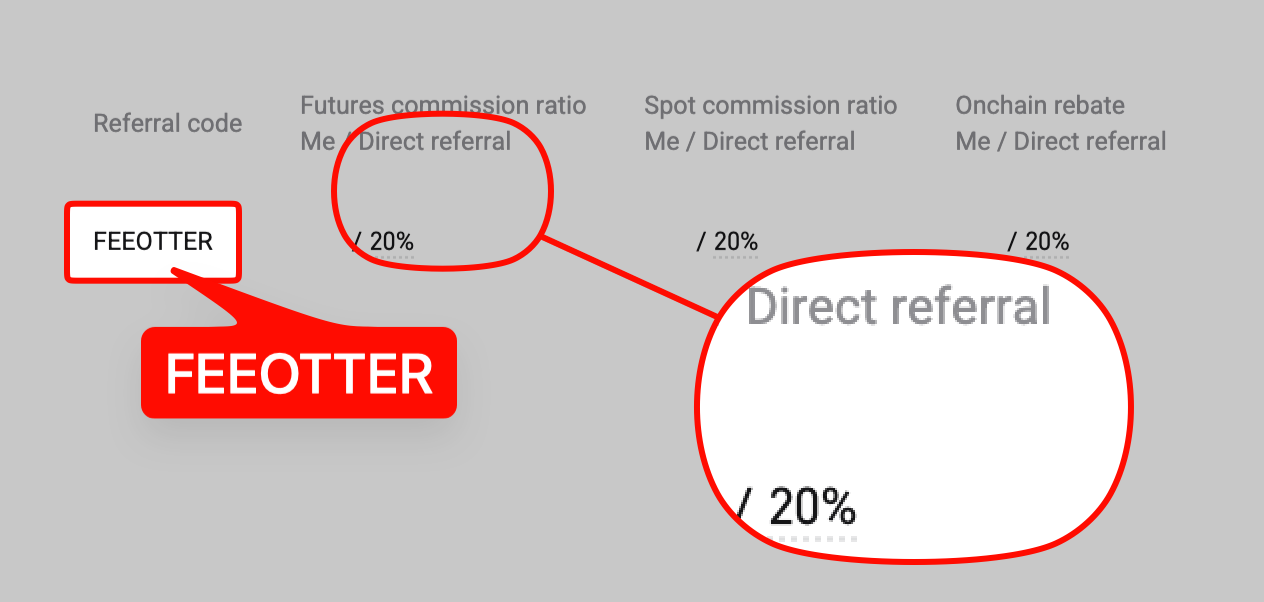
Fee Otter's Bitget referral code is FEEOTTER, already built into the dedicated link. Registering with it gets you a 50% futures rebate, 20% returned automatically by Bitget plus 30% from Fee Otter, which is 2.5 times a typical 20% code (checked October 2026). Full rates and evidence: referral codes and rebate rates for every exchange we support.
The code is built into the dedicated link. Registering with it earns a fee rebate of 50%: 20% returned automatically by Bitget, plus 30% more from Fee Otter. Most referral codes out there pay 20% (some 25%); with your UID bound on Fee Otter you get 50%, 2.5 times a typical code. On 1,000 USDT of monthly fees, a typical 20% code returns 200 USDT; Fee Otter's code returns 500 USDT.
This page covers the code itself. For the full walkthrough, see the Bitget registration guide.
What is the Bitget referral code?
The Bitget referral code is FEEOTTER. The button below opens the dedicated link, which carries the code automatically. A no-VPN mirror link is available for mainland China users, also pre-filled.
Referral code, invite code, referral ID: the same thing?
Yes. "Referral code", "invite code" and "referral ID" all mean the same thing: the code you enter at sign-up that places your account under a referrer. Bitget's sign-up page labels the field "Referral code (optional)", some guides call it an invite code, and the Chinese interface says 邀請碼. Different names, same field.
Bitget calls the fee-sharing arrangement behind these codes its Affiliate program; settlement details are in the Bitget Affiliates FAQ. For you, whose code sits in that field decides how much of your fees comes back.
Where do you enter the code?
Bitget collapses the field by default, labelled "Referral code (optional)". Expand it, check that the code is already filled in, and submit. Full steps are in the Bitget registration guide.
Step by step on the app and the website
The app and the website use the same sign-up flow; only the screen layout differs. Follow this order and the code won't get lost:
- Open Bitget's official sign-up page through the button on this page (desktop or mobile browser); the code fills in automatically. Signing up directly in the app skips the dedicated link, so start from the button instead.
- Register with an email address or phone number you actually use, and set a strong password.
- Expand the "Referral code (optional)" field and check that it is already filled in. Once submitted, it cannot be changed.
- Complete verification and submit. After logging in, turn on two-factor authentication (2FA) right away, then complete KYC.
- Click the avatar in the top-right corner, copy your UID (a string of digits), then on the Fee Otter rebate site choose Bitget, paste it and submit. The extra rebate starts accruing from that moment.
How do I check the code was applied?
If the code did not stick, you get no rebate. Check it this way:
- At sign-up: before you submit, look at the referral code field and make sure it says FEEOTTER. Signing up through our link fills it in for you.
- Bind your UID on Fee Otter: enter your Bitget UID on the Fee Otter rebate site. After you submit it, we check Bitget's referral list, the first time within about 5 minutes. If you are under our code, the status changes to "Verified" and we email you. If it still says "Pending review" after 5 hours, your UID is not on the list: check that you signed up with FEEOTTER, or contact support.
If you trade large volumes and want to confirm before your first trade, contact support and we will check it by hand. If the code did not stick, see the Bitget rebinding guide for your options.
How much does it earn?
50%: 20% automatic plus 30% from Fee Otter, well above the plain 20% that most circulating codes offer.
How much more does Fee Otter's code pay than a typical 20% or 25% code?
When bound through Fee Otter, the Bitget rebate is the 20% automatic rebate plus a 30% extra rebate, 50% in total. Against the 20% and 25% codes common online:
| Binding | Rebate | vs a typical 20% code | vs a 25% code |
|---|
| Via Fee Otter | 50% | 2.5× | 2× |
On 1,000 USDT of monthly fees, a typical 20% code returns 200 USDT while Fee Otter's code returns 500 USDT, 3,600 USDT more a year; against a 25% code (250 USDT a month), that is still 3,000 USDT more a year.
To work out your own number: monthly fees × (Fee Otter's code rate − the other code's rate) × 12 = the yearly difference. For example, 300 USDT of monthly fees at 50% against a typical 20% code: 300 × 30% × 12 = 1,080 USDT. If you are already a VIP on an exchange and want to rebind or sign up on another one, contact support and we can help you apply for special trading benefits or a higher rebate rate.
The three ways people get this wrong
- Submitting without expanding the field. Bitget collapses the referral field by default.
- Clicking another referral link mid-signup. The later one overwrites the first.
- Assuming you can check or change it later. Bitget does not show which code your account sits under, so afterwards you can neither verify nor edit it, more awkward than the other four.
What is this code actually worth?
Using Bitget futures rates (taker 0.06%, maker 0.02%; see Bitget's official fee schedule) at 70% taker / 30% maker, the blended rate is 0.048%:
| Monthly volume | Monthly fee | At 20% (auto only) | At 50% (bound via Fee Otter) | Yearly gap |
|---|
| 100,000 USDT | 48 USDT | 9.6 | 24 | ~173 |
| 500,000 USDT | 240 USDT | 48 | 120 | ~864 |
| 2,000,000 USDT | 960 USDT | 192 | 480 | ~3,456 |
Bitget's futures list rate is among the highest (taker 0.06%, tied with XT.COM and HTX, second only to WEEX's 0.08%), but its rebate is high too, so the cost you actually bear can end up lower, which list rates alone don't show. The effective rate calculator compares post-rebate rates directly.
Specific to Bitget: mainland-China KYC can skip the rebind cooldown
Mainland-China KYC has a distinct rebind route: after closing the account, support can lift the 30-day cooldown directly, usually within a business day. See the Bitget rebind guide.
Does the code expire?
No. The relationship is written at account creation and is effectively fixed, with no expiry and no quota. What changes is the percentage, not the code. And because a binding is nearly impossible to change, binding to the wrong party is hard to undo.
Do you still get Bitget's new-user rewards with Fee Otter's code?
Yes. Signing up with Fee Otter's code still qualifies you for Bitget's official new-user rewards (such as trial bonuses); the rebate and the new-user campaign don't conflict. These rewards usually come with deposit, volume and time conditions and are mostly non-withdrawable trial funds or futures vouchers; the actual terms and amounts are whatever Bitget's official campaign page says.
A welcome bonus is paid once, while the rebate applies to every trade, so compare rebate rates first and new-user offers second.
Already registered without a code?
Bitget publishes no way to add a code after signup, so in practice it cannot be added later. Two rebind routes exist: open a fresh account, or close the existing one and re-register after a 30-day cooldown (during which the same phone number, email and ID cannot register again; see Bitget's account closure guide). For mainland-China KYC, support can lift the 30-day cooldown directly after closure, usually within a business day.
Conditions are in the Bitget rebind guide.
Why do different sources offer different rebates?
1. Direct partnership versus a resold sub-affiliate
We hold direct, long-term agreements with each exchange. Many codes online belong to individuals operating as sub-affiliates, and affiliate status is reviewed. If that person fails review or is downgraded, the rate their users receive is affected directly. You are bound to them, not to the exchange.
2. Whether they are still around
A common pattern: an individual code promises manual top-ups, pays for a few months, then stops answering, and a binding is almost impossible to change, so you stay locked in while still paying fees.
3. How much they give back
We pass most of the share to users and rely on the relationship lasting. Actual percentages are in the rate table above and shown live on the rebate platform (Fee Otter).
How Bitget compares
FAQ
How much does the Bitget code earn?
50%: 20% returned automatically by Bitget plus 30% more from Fee Otter. That is 2.5 times a typical 20% code and 2 times a 25% one.
Can the code be added after registering?
Bitget publishes no official way to do so; the relationship is generally written at account creation only, and does not show you which code your account sits under. Existing accounts should rebind.
Can mainland China users use it?
Yes. A no-VPN mirror link is available with the code already applied. Mainland KYC also has a route to lift the rebind cooldown; see the rebind guide.
Does using a code cost more in fees?
No. You pay Bitget's published rates either way; the code only determines how much comes back.
When does the rebate arrive?
Bitget charges first and refunds later. Once your UID is bound, rebates are recorded on the rebate platform (Fee Otter).
How do I find out which code my account is under?
Bitget does not display it, so you cannot verify it yourself. If you are unsure and want certainty that a rebate applies, the reliable route is a fresh account or the rebind flow.
Bitget charges more. Is it still worth choosing?
Judge on the post-rebate rate, not the list rate. Bitget's taker is 0.06% (tied second-highest with XT.COM and HTX, behind WEEX's 0.08%) but its 50% rebate is high too (Gate, WEEX, XT.COM and Ourbit at 70% and MEXC at 60% are higher), and the two partly cancel. The effective rate calculator settles it with your own numbers.
Does a rebate affect my VIP level?
No. VIP follows volume; a rebate is returned afterwards. They stack.
For every exchange's code and what distinguishes each one, see the crypto exchange referral code list. For how the Bitget rebate is calculated and what it pays back, see the complete Bitget fee rebate guide. Whether each exchange lets you add a code after signup, and how to rebind, is covered in the referral code late-entry and rebind rules by exchange.
Get started: no Bitget account yet? Sign up with code FEEOTTER through our link and get 50%, 2.5 times a typical 20% code. Follow the Bitget registration guide step by step, then bind your UID on the rebate site. Already have an account? The Bitget rebind guide shows how to move it under Fee Otter's code.
Information only, not investment advice. Rebate percentages and exchange policy can change; Bitget's official announcements and the live Fee Otter platform are authoritative.



%2C2026-10-05%20%E5%8F%96%E6%A8%A3%3A%0A%20%20%20%20%20%20%20%E5%BA%95%E8%89%B2%20%230E3452%2C%E5%AD%97%E7%AC%A6%20%2303CA9B)%E3%80%82%0A%20%20%20%20%20%20%20%E7%94%A8%20potrace%20%E6%8F%8F%E5%AD%97%E7%AC%A6%E8%BC%AA%E5%BB%93%2C%E6%95%B4%E5%BC%B5%E7%95%AB%E5%B8%83%E7%9B%B4%E6%8E%A5%E6%98%A0%E5%B0%84%E5%88%B0%E9%80%99%E8%A3%A1%E7%9A%84%2032%20%E5%96%AE%E4%BD%8D%20%E2%80%94%E2%80%94%20%E4%B8%8D%E9%87%8D%E6%96%B0%E7%BD%AE%E4%B8%AD%2C%E4%BF%9D%E7%95%99%E5%AE%98%E6%96%B9%E7%9A%84%E7%95%99%E7%99%BD%E6%AF%94%E4%BE%8B%E3%80%82%0A%20%20%20%20%20%20%20%E8%A6%81%E6%94%B9%E8%AB%8B%E9%87%8D%E8%B7%91%E6%8F%8F%E5%9C%96%2C%E4%B8%8D%E8%A6%81%E6%86%91%E5%8D%B0%E8%B1%A1%E8%AA%BF%E3%80%82%20--%3E%0A%20%20%3Crect%20x%3D%221.5%22%20y%3D%221.5%22%20width%3D%2229%22%20height%3D%2229%22%20rx%3D%228%22%20fill%3D%22%230E3452%22%2F%3E%0A%20%20%3Cpath%20fill%3D%22%2303CA9B%22%20d%3D%22M23.02%205.97C22.14%206.02%2021.54%206.07%2021.22%206.1C20.72%206.15%2019.6%206.28%2019.41%206.31C19.31%206.33%2019.1%206.37%2018.94%206.39C18.29%206.5%2017.94%206.57%2017.2%206.73C16.92%206.79%2016%207.03%2015.8%207.09C15.36%207.23%2014.42%207.54%2014.39%207.56C14.38%207.57%2014.3%207.6%2014.23%207.62C13.82%207.76%2012.7%208.28%2012.13%208.6C11.95%208.7%2011.8%208.78%2011.79%208.78C11.7%208.78%2010.42%209.71%209.98%2010.08C9.16%2010.79%208.07%2012.09%207.6%2012.91C7.28%2013.46%207.18%2013.65%207.06%2013.91C6.87%2014.3%206.76%2014.53%206.68%2014.74C6.56%2015.08%206.37%2015.64%206.34%2015.73C6.33%2015.78%206.3%2015.91%206.27%2016C6.06%2016.79%205.93%2017.87%205.94%2018.62L5.95%2019.05L6.69%2019.04C7.78%2019.03%208.57%2018.94%209.73%2018.68C10.18%2018.58%2011.05%2018.33%2011.45%2018.18C11.52%2018.15%2011.7%2018.08%2011.84%2018.03C13.58%2017.38%2015.67%2016.19%2017.55%2014.77C17.8%2014.58%2018.67%2013.89%2018.74%2013.83C18.76%2013.81%2018.94%2013.66%2019.14%2013.48C19.34%2013.31%2019.54%2013.14%2019.58%2013.11C19.61%2013.07%2019.78%2012.92%2019.95%2012.77C20.94%2011.88%2022.24%2010.57%2023.2%209.48C23.68%208.94%2023.69%208.93%2023.86%208.73C23.94%208.63%2024.02%208.54%2024.03%208.53C24.17%208.4%2025.09%207.25%2025.52%206.67C25.67%206.47%2025.81%206.28%2025.83%206.26C25.86%206.23%2025.89%206.19%2025.9%206.16C25.92%206.13%2025.94%206.12%2025.95%206.13C25.98%206.15%2025.3%207.5%2024.99%208.07C24.88%208.28%2024.78%208.45%2024.78%208.46C24.78%208.46%2024.66%208.67%2024.51%208.93C24.24%209.4%2024.17%209.52%2024.07%209.69C24%209.81%2023.72%2010.27%2023.39%2010.8C22.69%2011.91%2021.44%2013.66%2020.74%2014.52C20.25%2015.12%2020.09%2015.31%2019.72%2015.73C19.01%2016.55%2018.19%2017.38%2017.42%2018.08C17.07%2018.39%2016.92%2018.52%2016.5%2018.87C16.37%2018.98%2016.24%2019.09%2016.2%2019.12C15.83%2019.43%2014.7%2020.21%2014.16%2020.54C13.69%2020.82%2012.69%2021.34%2012.41%2021.45C12.33%2021.48%2012.23%2021.52%2012.17%2021.55C12.01%2021.62%2011.45%2021.84%2011.11%2021.95C10.97%2022%2010.05%2022.26%209.84%2022.31C9.23%2022.45%208.97%2022.5%208.56%2022.56C8.43%2022.58%208.25%2022.61%208.16%2022.62C8.06%2022.64%207.79%2022.67%207.56%2022.69C7.32%2022.71%207.12%2022.74%207.12%2022.76C7.12%2022.85%207.58%2023.42%207.97%2023.82C9.2%2025.09%2010.67%2025.8%2012.52%2026.02C16.51%2026.48%2020.99%2024.06%2023.2%2020.25C23.32%2020.05%2023.43%2019.86%2023.46%2019.81C23.51%2019.73%2023.96%2018.81%2024.04%2018.62C24.67%2017.21%2025.19%2015.43%2025.52%2013.67C25.66%2012.9%2025.73%2012.45%2025.81%2011.77C25.99%2010.32%2026.05%209.33%2026.05%207.64C26.05%206.06%2026.04%206.01%2025.97%205.98C25.9%205.95%2023.53%205.94%2023.02%205.97Z%22%2F%3E%0A%3C%2Fsvg%3E%0A)


%2C2026-10-05%20%E5%8F%96%E6%A8%A3%3A%0A%20%20%20%20%20%20%20%E5%BA%95%E8%89%B2%20%23FFFFFF%2C%E5%AD%97%E7%AC%A6%20%235227FF)%E3%80%82%0A%20%20%20%20%20%20%20%E7%94%A8%20potrace%20%E6%8F%8F%E5%AD%97%E7%AC%A6%E8%BC%AA%E5%BB%93%2C%E6%95%B4%E5%BC%B5%E7%95%AB%E5%B8%83%E7%9B%B4%E6%8E%A5%E6%98%A0%E5%B0%84%E5%88%B0%E9%80%99%E8%A3%A1%E7%9A%84%2032%20%E5%96%AE%E4%BD%8D%20%E2%80%94%E2%80%94%20%E4%B8%8D%E9%87%8D%E6%96%B0%E7%BD%AE%E4%B8%AD%2C%E4%BF%9D%E7%95%99%E5%AE%98%E6%96%B9%E7%9A%84%E7%95%99%E7%99%BD%E6%AF%94%E4%BE%8B%E3%80%82%0A%20%20%20%20%20%20%20%E5%AE%98%E6%96%B9%E6%98%AF%E7%99%BD%E5%BA%95%E7%B4%AB%E8%89%B2%E5%AD%97%E7%AC%A6%3B%E7%99%BD%E5%BA%95%E5%8A%A0%E6%B7%A1%E9%82%8A%2C%E5%85%8D%E5%BE%97%E5%9C%A8%E7%99%BD%E8%89%B2%E8%83%8C%E6%99%AF%E4%B8%8A%E6%B6%88%E5%A4%B1%E3%80%82%0A%20%20%20%20%20%20%20%E8%A6%81%E6%94%B9%E8%AB%8B%E9%87%8D%E8%B7%91%E6%8F%8F%E5%9C%96%2C%E4%B8%8D%E8%A6%81%E6%86%91%E5%8D%B0%E8%B1%A1%E8%AA%BF%E3%80%82%20--%3E%0A%20%20%3Crect%20x%3D%221.5%22%20y%3D%221.5%22%20width%3D%2229%22%20height%3D%2229%22%20rx%3D%228%22%20fill%3D%22%23FFFFFF%22%20stroke%3D%22%23E4E4E7%22%2F%3E%0A%20%20%3Cpath%20fill%3D%22%235227FF%22%20d%3D%22M13.31%208.92L13.31%2012.28L9.94%2012.28L6.56%2012.28L6.57%2015.71C6.58%2019.51%206.57%2019.29%206.79%2020.2C7.56%2023.33%2010.21%2025.78%2013.38%2026.31C14.1%2026.43%2014.44%2026.44%2019.24%2026.44L23.91%2026.44L23.91%2023.05L23.91%2019.66L19.2%2019.65L14.48%2019.64L14.28%2019.56C13.89%2019.41%2013.63%2019.16%2013.44%2018.76L13.36%2018.58L13.35%2015.46L13.34%2012.34L18.56%2012.34L23.78%2012.34L23.78%208.95L23.78%205.56L18.55%205.56L13.31%205.56L13.31%208.92Z%22%2F%3E%0A%3C%2Fsvg%3E%0A)
