XT.COM API access is not instant. You first apply for API trading under "API Management" on the website by clicking "Create API"; XT.COM says review takes 3 to 5 business days and goes faster if your account balance is above 50,000 USDT. Only after approval can you create keys. Each account can hold up to 10 keys, the IP whitelist is optional and accepts single IPs or IP ranges, and new keys come with query permission only, so trading and withdrawals must be enabled separately. Spot orders are limited to 20 per second and futures orders to 200 per second per key, and not every pair is open to the API (checked 2026-10-17).
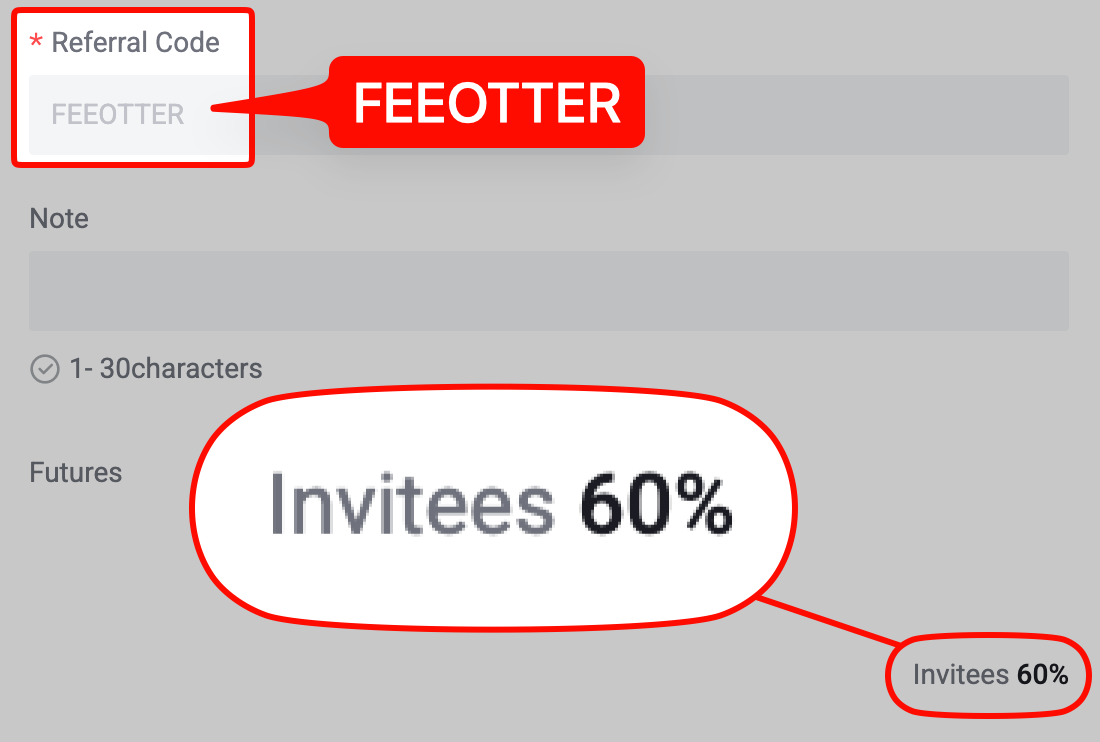
This guide is based on XT.COM's help center article on applying for API trading and the official API docs at doc.xt.com. It covers the application and key creation, permissions and IP whitelists, the two different signing schemes for spot and futures, rate limits, which pairs the API can trade, and what XT.COM's pages say about fees and rebates on API orders. Sign up on XT.COM with code FEEOTTER for a 70% futures rebate (60% automatic exchange rebate + 10% extra rebate), 3.5 times a common 20% code; XT.COM does not say whether API orders count, and we explain below how to check.
Key points
- Apply before you create a key: API Management → Create API → Submit for Review, 3 to 5 business days; XT.COM suggests a balance above 50,000 USDT to speed it up.
- How many: up to 10 keys on the main account, and up to 10 on each sub-account.
- Permissions: query only by default; trading and withdrawals need separate authorisation. Leave withdrawal permission off for any strategy key.
- The secret is shown once: it cannot be recovered; delete the key and create a new one.
- Two hosts, two signatures: spot is
sapi.xt.com; USDT-M futuresfapi.xt.comand coin-Mdapi.xt.com. Spot and futures build the string to sign differently. - Rebate: XT.COM's referral rules do not mention the API, so your rebate records show whether API trades count. Binding a rebate only needs your UID, never an API key.
Step 1: apply for API trading
From the official How to apply for API trading and create an API key (checked 2026-10-17):
- Log in at www.xt.com and click "API Management" in the User Center.
- Click "Create API", then "Submit for Review" to apply for API trading.
- Wait for review. XT.COM says API licensing goes through a risk control review, usually 3 to 5 business days, and a balance above 50,000 USDT speeds it up.
The official page does not say whether accounts well below 50,000 USDT are approved or rejected; it only gives the condition for a faster review. If you plan to run a bot, apply a week before you want to go live.
Step 2: create the key
- After approval, go back to "API Management".
- Enter an "Alias Name" (required) and "Whitelist IP" (optional). The whitelist takes single IPs or IP ranges, separated by commas, such as
192.168.1.1, 192.168.1.2. - Enter your Google verification code and click "Create API".
- The Public Key and Private Key (secret) appear once only. Save them straight away and do not share the page.
- Later you can "Modify" the alias, permissions and IP, or "Delete" the key.
Sub-accounts: User Center → Sub-account → API Management, pick the sub-account and click "Create API", then pass the security check. According to the Sub-Account FAQs, each sub-account can have up to 10 keys for orders, queries and position management, and transfers between main and sub-accounts are free. One strategy per sub-account keeps limits and risk apart.
Permissions and the IP whitelist
- Read-only by default: XT.COM says new keys have query permission only; trading and withdrawal services work only after you authorise them. Monitoring or bookkeeping tools can stay on the default.
- Earn has its own permission: the Earn API docs require Earn permission for subscribe and redeem endpoints.
- Permission errors: error code
AUTH_106means "exceeded apikey permission" andAUTH_104means "unbound IP request"; the futures side returns HTTP 403 when the IP is not whitelisted (spot response codes, futures error codes). - Expiry: the official pages do not say whether keys without an IP whitelist expire.
If your bot runs on a cloud server with a fixed IP, whitelist the server's outbound IP. XT.COM also advises against connecting through a proxy because of latency and instability.
Signing: spot and futures differ
Spot (sapi.xt.com)
From Signature generation and Signature Instructions:
- Headers:
validate-algorithms(HmacSHA256 recommended),validate-appkey,validate-recvwindow,validate-timestamp(milliseconds) andvalidate-signature. - X: the first four headers sorted alphabetically and joined with
&. - Y:
#method#path#query#body; sort query keys, sign a JSON body as the raw string without reordering, and leave out empty parts. - Signature: HmacSHA256 of X + Y with your secret, as hex.
- Timing: server time minus timestamp must be below recvwindow (default 5 seconds, and XT.COM advises against going above 5); a timestamp more than 1 second ahead of the server is also rejected (
AUTH_105). Keep the host clock in NTP sync.
Futures (fapi.xt.com / dapi.xt.com)
According to the futures signature page, the string to sign is validate-appkey=…&validate-timestamp=…, then # and the endpoint path, then # and the query string or request body, signed with HmacSHA256. Send validate-appkey, validate-timestamp and validate-signature headers. Futures recvwindow also defaults to 5 seconds, with a 60-second maximum.
A minimal example that reads your spot USDT balance (GET /v4/balances). Keys come from environment variables, never hard-coded; get it working with a read-only key first:
import hashlib, hmac, os, time, requests

KEY = os.environ["XT_API_KEY"]        # read-only key is enough
SECRET = os.environ["XT_API_SECRET"]
HOST = "https://sapi.xt.com"
path, query = "/v4/balances", "currencies=usdt"

headers = {
    "validate-algorithms": "HmacSHA256",
    "validate-appkey": KEY,
    "validate-recvwindow": "5000",
    "validate-timestamp": str(int(time.time() * 1000)),
}
x = "&".join(f"{k}={headers[k]}" for k in sorted(headers))
y = f"#GET#{path}#{query}"
headers["validate-signature"] = hmac.new(
    SECRET.encode(), (x + y).encode(), hashlib.sha256).hexdigest()
headers["Content-Type"] = "application/json"

r = requests.get(f"{HOST}{path}?{query}", headers=headers)
print(r.status_code, r.json().get("rc"), r.json().get("mc"))
If you get AUTH_103 (signature error), check that the query string is sorted, the header order in X, and that no stray space was copied with the secret.
Rate limits
XT.COM's docs put a limit on each endpoint, plus some general rules (checked 2026-10-17):
| Area | Endpoint | Limit |
|---|---|---|
| Spot | Place order POST /v4/order | 20 per second per apikey |
| Spot | Balances GET /v4/balances | 10 per second per apikey |
| Futures | Create order /future/trade/v1/order/create | 200 per second per apikey |
| Futures (general rule) | Asset endpoints | 3 per second |
| Futures (general rule) | Other endpoints | 10 per second per user, 1,000 per minute per IP |
The futures general rule says "10 requests per second per user" for other endpoints, while the create order page says 200 per second; the two do not match, so trust the actual responses. Exceeding a limit returns HTTP 429 and can block the IP or key, and the futures docs say the account is locked for 10 minutes. Throttle in your own code rather than waiting for 429s.
Not every pair is open to the API
XT.COM's 2023 API opening announcement says it opened the API "for some trading pairs". The public data on 2026-10-17: of 1,032 online, tradable pairs in the spot symbol API, 484 are flagged openapiEnabled; of 723 displayed, tradable contracts in the futures symbol API, 662 are flagged isOpenApi. BTC_USDT and ETH_USDT are open on both spot and futures. Check your pairs against these two public endpoints before going live.
The official API docs give no testnet host. XT.COM has web-based futures demo trading, but its pages do not say it can be reached through the API, so testing means small live orders. Check order size, precision and minimum notional in the pair specs first.
Fees and rebates on API orders
Fees: the public API on 2026-10-17 shows BTC_USDT spot at 0.2% maker and taker, and BTC_USDT futures at 0.04% maker and 0.06% taker. XT.COM lists no separate API fee schedule; how VIP levels lower fees is covered in XT.COM VIP levels.
Rebate: XT.COM's referral and affiliate pages say commission is paid on every valid trading fee an invited user generates across spot, margin and futures. They do not mention the API, neither excluding API orders nor confirming they count, so whether API fees count is shown in your rebate records. A related but separate scheme is the XT Broker Program for trading platforms, bot providers and others who place orders for users through the API. Approved brokers bind a Broker ID to their API trades, and XT.COM advertises up to 60% tiered rebates and higher API rate limits. The official pages do not say whether broker rebates can be combined with referral commission.
Never give an API key to anyone who offers to trade for you or promises guaranteed profits, and never hand over a key with withdrawal permission. Scams often pitch "can't lose" or "high return, low risk" deals, then demand an unfreezing fee, deposit or tax before you can get your money out.
Fee Otter's XT.COM rate is 70% on futures (60% automatic exchange rebate + 10% extra rebate) with code FEEOTTER. At a typical bot volume of 5 million USDT a month, all taker, fees are 3,000 USDT. If API trades count, about 2,100 USDT comes back each month, compared with 600 USDT on a common 20% code. XT.COM pays the 60% straight into your exchange account and Fee Otter settles the 10% daily; screenshots are on the rebate rates page. Before scaling up, place a few small API orders and check your rebate records the next day. Sign-up steps are in how to register on XT.COM, existing users can follow the XT.COM rebind guide, and examples across exchanges are in fee rebates for quant traders.
If you are already a VIP on an exchange or a high-volume, high-frequency trader and want to switch or sign up elsewhere, contact Fee Otter support. We work directly with the exchanges' official teams to request special trading benefits or a higher rebate rate; the exchange decides what is granted.
 Telegram · @feeotter