The most important point first: orders placed through the KuCoin API earn no rebate. KuCoin's Invite Friends page says "API trading is currently not eligible for commission", so API orders from your own scripts and bots do not get KuCoin's 60% automatic rebate. The API itself works as usual. When you create a key you write down three items (Key, Secret, Passphrase) and none of them can be recovered. A classic account at VIP0 gets 4,000 requests per 30 seconds for spot and 2,000 for futures, and the withdrawal permission requires an IP restriction (KuCoin official API docs, checked 2026-10-17).
This guide is based on KuCoin's official API documentation (kucoin.com/docs-new), the Invite Friends page, the affiliate program announcement and live data from the public API. It covers how to create a key, which permissions to tick, how rate limits differ between classic and unified accounts, a script you can run to check your fee rate, and, with numbers, what having no rebate on API orders does to your fee cost.
Key takeaways
- No rebate on API orders: KuCoin's Invite Friends page says API trading is currently not eligible for commission. Count the rebate as 0 when you cost out a strategy.
- KuCoin's own trading bots do count: the same page says commissions apply to "spot trades (including spot, margin, and trading bots), ETFs, and futures trades". That means the bots built into KuCoin, not API programs you write yourself.
- Three credentials: KuCoin generates the Key and Secret, and you set the Passphrase. None of them can be recovered; if you lose one, create a new key.
- Two account types, two rate-limit models: classic accounts count quota per 30 seconds and master and sub-accounts are independent. Unified accounts (UTA) get 300 requests per second at VIP0, shared by the master and its sub-accounts.
- Fees: on the day we checked, BTC perpetual (XBTUSDTM) was 0.02% maker and 0.06% taker, and BTC-USDT spot is class A at 0.1%.
No rebate on API orders: the official wording and what it costs
The rules on KuCoin's Invite Friends page say: "API trading is currently not eligible for commission." A rebate is paid out of the commission the exchange pays the referrer. API orders generate no commission, so there is nothing to pay back to you. KuCoin's September 2025 affiliate program announcement has no separate API clause, but it does say zero-fee trades earn no commission and that when the affiliate's commission rate becomes 0, the invitee's cashback becomes 0 too.
The same announcement has another rule to watch: invitees stop generating commission once they reach a certain VIP level. One passage says Level 3 or above and another says LV4 or above. High-volume scripts level up quickly; see KuCoin VIP levels.
Here is the difference in numbers. Say a script trades 2 million USDT a month of BTC perpetual as taker, at the 0.06% taker rate on the day we checked:
| Case | Monthly fees | Rebate | Net cost |
|---|---|---|---|
| Same volume, manual orders, our code (60%) | 1,200 USDT | 720 USDT | 480 USDT |
| Same volume, orders sent through the API | 1,200 USDT | 0 | 1,200 USDT |
This is our own example using the official rate. If you run your own API strategy on KuCoin, you pay the full fee. KuCoin's 0.06% futures taker fee is on the high side among major exchanges, so a taker-heavy strategy should price this in first. For API costs across exchanges, see crypto exchange API comparison and fee rebates for quant traders.
KuCoin's API docs also describe a Broker Program, split into API brokers and exchange brokers, for platforms that place orders on behalf of others. That is an arrangement between the platform and KuCoin and is separate from referral-code rebates.
Creating an API key: three credentials and two account types
- Log in and create a key on the API management page, setting your own Passphrase.
- Write down the Key, Secret and Passphrase. The official docs say these three cannot be recovered once lost; the only fix is a new key.
- Every private request carries five headers: KC-API-KEY, KC-API-SIGN, KC-API-TIMESTAMP (milliseconds), KC-API-PASSPHRASE and KC-API-KEY-VERSION. The version number is shown on the API management page, and the official samples use 3.
- Check whether your account is classic or unified (UTA). Classic spot uses
https://api.kucoin.comand classic futures useshttps://api-futures.kucoin.com; unified accounts usehttps://api.kucoin.comfor both. KuCoin recommends that new programs upgrade to a unified account and use UTA API V2.
Sources: KuCoin Authentication, KuCoin API Introduction, checked 2026-10-17.
The docs give the rules for sub-account keys: up to 20 IPs per key, and an expiry of 30, 90, 180 or 360 days or never (Add Sub Account API). Whether a master-account key without an IP restriction expires is not stated in the official docs we checked; go by what the API management page shows.
Which permissions to tick
| Permission | What it allows | Needed for a strategy? |
|---|---|---|
| General | Read-only: account info, statements, orders; no orders, no withdrawals | Always on |
| Spot / Margin / Futures | Place and cancel orders in that market | Only the markets you trade |
| Unified | Trade spot and derivatives from one unified account | Unified accounts only |
| Earn | Subscribe, redeem and early-redeem Earn products | Only if used |
| FlexTransfers | Transfers across several account types; requires an IP restriction | Only if used |
| Withdrawal | Withdraw, get deposit addresses, cancel withdrawals; requires an IP restriction | Leave off |
| LeadtradeFutures | For futures copy-trading lead traders only, not followers | Lead traders only |
Source: the api-permission section of the KuCoin API Introduction, checked 2026-10-17. The docs also note that with the Transfer permission, API transfers need no email or Google verification. A strategy never needs the withdrawal permission, so leave it off; even if the key leaks, nobody can use it to withdraw your funds.
Rate limits: classic and unified accounts are counted differently
Classic accounts
| VIP level | Spot (incl. margin) | Futures | Management | Public |
|---|---|---|---|---|
| VIP0 | 4,000 / 30 s | 2,000 / 30 s | 2,000 / 30 s | 2,000 / 30 s |
| VIP2 | 8,000 / 30 s | 4,000 / 30 s | 4,000 / 30 s | 2,000 / 30 s |
| VIP5 | 16,000 / 30 s | 7,000 / 30 s | 7,000 / 30 s | 2,000 / 30 s |
| VIP12 | 40,000 / 30 s | 20,000 / 30 s | 20,000 / 30 s | 2,000 / 30 s |
- Unit: endpoints that need a key are limited per UID, public endpoints per IP. Master and sub-accounts have separate quotas, so you can spread strategies across sub-accounts for more headroom.
- Over the limit: you get HTTP 429 with error code 429000 and must stop until the quota resets. Every response carries
gw-ratelimit-limit,gw-ratelimit-remainingandgw-ratelimit-reset(milliseconds); have your script read them and slow down. - The docs disagree with themselves: the quota table is per 30 seconds, while the weight section on the same page says the quota updates every 1 second and gives VIP5 as 700 per second. Go by the response headers.
- WebSocket: up to 800 concurrent connections; 100 messages per 10 seconds per connection; up to 100 topics per subscribe request; up to 400 topics per spot connection.
Unified accounts (UTA)
- Quota: the trading pool (including WebSocket orders) is 300 per second at VIP0, 900 at VIP5 and 4,000 at VIP12; public endpoints get 2,000 per 30 seconds.
- Shared by master and sub-accounts: the total is set by VIP level and you allocate it to sub-accounts yourself. A new sub-account gets 10 per second by default, outside the total.
- V1 and V2 share one pool: moving to V2 does not add quota.
Sources: Rate Limit Rule (Classic), Rate Limit Rule (UTA), checked 2026-10-17. Professional traders and market makers who need more can email api@kucoin.com with their account, the reason and expected volume.
Testing: get the signature working with a read-only key first
The KuCoin API docs index we checked lists no testnet or paper-trading environment. A safer route is to create a key with only the General permission, get the signature working, then switch to a key with trading permission and test with the minimum order size and low leverage.
The example below checks your real BTC-USDT fee rate and follows the official signing rules: HMAC-SHA256 of "timestamp + method + path + body" with your Secret, then base64; the Passphrase is also HMAC-SHA256 with the Secret, then base64. Read the key from environment variables instead of hard-coding it:
import base64, hashlib, hmac, os, time, requests

KEY = os.environ["KUCOIN_API_KEY"]          # General (read-only) is enough
SECRET = os.environ["KUCOIN_API_SECRET"]
PASSPHRASE = os.environ["KUCOIN_API_PASSPHRASE"]

def b64_hmac(msg):
    return base64.b64encode(hmac.new(SECRET.encode(), msg.encode(), hashlib.sha256).digest()).decode()

path = "/api/v1/trade-fees?symbols=BTC-USDT"
ts = str(int(time.time() * 1000))
headers = {
    "KC-API-KEY": KEY,
    "KC-API-SIGN": b64_hmac(ts + "GET" + path),
    "KC-API-TIMESTAMP": ts,
    "KC-API-PASSPHRASE": b64_hmac(PASSPHRASE),
    "KC-API-KEY-VERSION": "3",
    "Content-Type": "application/json",
}
r = requests.get("https://api.kucoin.com" + path, headers=headers)
print(r.status_code, r.json())
The response is your account's maker and taker rate on BTC-USDT. If the signature fails, first check that the method is upper case and that the path includes the query string; the official docs call out both.
Fees: API orders pay the normal rate
KuCoin publishes no separate API fee schedule. Data from the public API on the day we checked:
| Market | Pair | Maker | Taker |
|---|---|---|---|
| USDT-margined perpetual | XBTUSDTM (BTC), up to 125x | 0.02% | 0.06% |
| Spot class A | BTC-USDT and others, 487 of 968 pairs | 0.1% | 0.1% |
| Spot class B | 229 pairs | 0.2% | 0.2% |
| Spot class C | 252 pairs | 0.3% | 0.3% |
Sources: KuCoin futures public API, KuCoin spot symbol list (feeCategory field), checked 2026-10-17; class B and C rates from KuCoin's help-center VIP fee structure. When a script scans the whole market, class C small caps cost three times the class A fee, so check feeCategory before you pick symbols. For how VIP levels work, see KuCoin VIP levels.
Where KuCoin is available
The KuCoin Terms of Use (updated 2026-09-29) list as restricted the United States and its territories, Singapore, mainland China and Hong Kong, Malaysia, Kazakhstan, Uzbekistan, Ontario and British Columbia in Canada, France, the Netherlands, and the Crimea, Donetsk, Luhansk, Zaporizhzhia and Kherson regions of Ukraine. The list can change at any time. The Invite Friends page adds that residents of Belgium, France, the Netherlands and other countries cannot join the referral program. If you run your strategy on a cloud server, both the server's location and your own residence matter. Licences by country: crypto exchange licences by country.
Security and risk
- One key per purpose: keep your own strategy, third-party bots and tax tools on separate keys, so you only delete the one that goes wrong.
- Bind an IP: if your strategy runs on a host with a fixed IP, bind it. KuCoin requires an IP restriction for the withdrawal and FlexTransfers permissions.
- Keep the Passphrase separate: it is for the API only; don't reuse your login password.
- Code risk: bugs, disconnects or price gaps can all cause losses, and futures add liquidation risk. Start small with low leverage.
Never hand an API key to anyone who offers to trade for you with guaranteed profits, least of all a key with withdrawal permission. KuCoin's reserves are covered in KuCoin proof of reserves.
If you want automation and a rebate
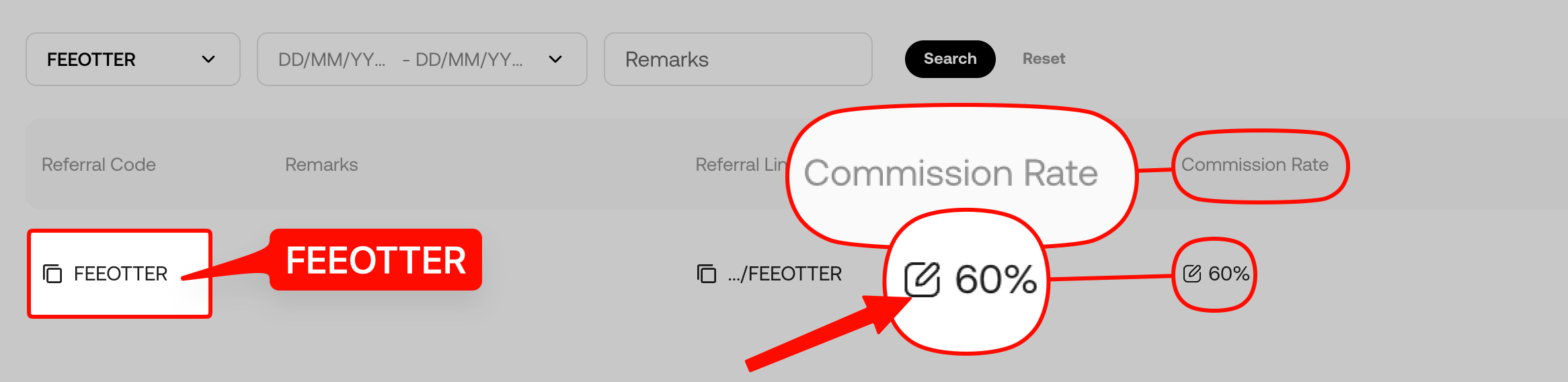
On KuCoin the rebate only applies to non-API trading. Sign up with our code FEEOTTER and manual trading gets a 60% fee rebate (all paid automatically by KuCoin), the same for spot and futures, with no withdrawal request needed on Fee Otter. The rebate covers trading fees only, not funding or liquidation, and orders placed through the API get no rebate on KuCoin.
If you want automation and still want the rebate, start with KuCoin's built-in trading bots, which the Invite Friends page counts toward commission: see KuCoin trading bot guide. If you mainly write your own API code, compare other exchanges' rules: Bybit API setup, Binance API setup, OKX API setup. MEXC also pays no rebate on API orders; see MEXC API setup.
 Telegram · @feeotter