Gate API keys are created on the web under API Management, and you need identity verification, a fund password and two-factor authentication set up first. Permissions come in five groups (spot/margin, perpetual futures, delivery futures, wallet and withdrawal), each of which can be off, read-only or read-write; a trading bot never needs withdrawal. Each key can be bound to up to 20 IPv4 addresses, and a key with no IP binding is valid for only 90 days. Perpetual order placement and amendment share 100 requests per second; spot gets 10 per second (verified 17 October 2026).
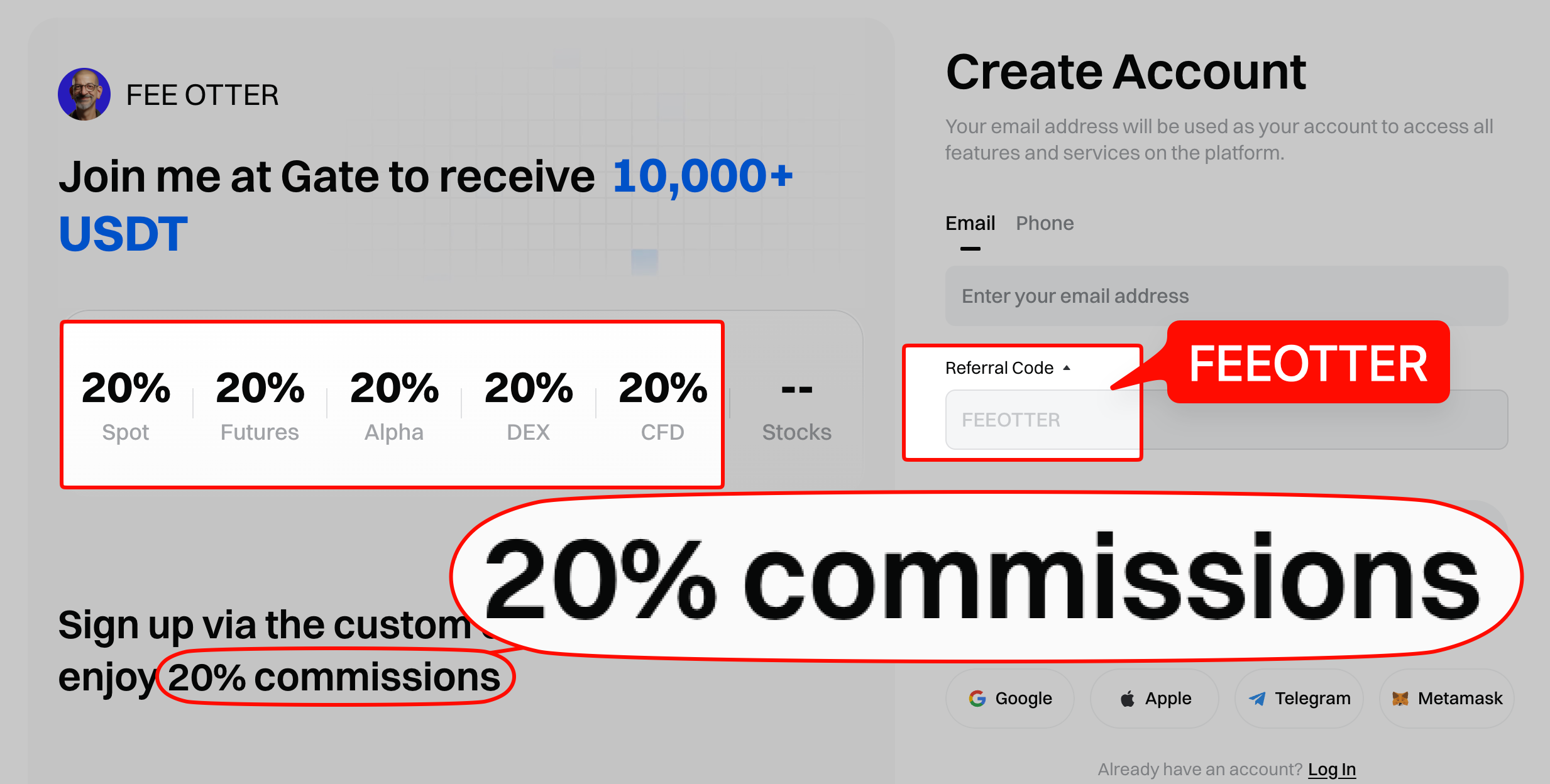
This guide uses Gate's help center tutorial on creating API keys and the official API v4 documentation: how to create a key, which permissions to tick, IP whitelisting and expiry, signing and timestamps, rate limits by endpoint group, the testnet, and finally what Gate's terms say about fees and rebates on API trades. Sign up for Gate with code FEEOTTER and get a 70% futures fee rebate (20% exchange automatic rebate + 50% extra rebate), 3.5 times the usual 20% code, so part of the fee on every fill your strategy makes comes back.
Quick answers
- Created on the web: profile menu → API Management → Create API Key. You need identity verification, a fund password and 2FA, and you confirm with the fund password and 2FA.
- Five permission groups: spot/margin, perpetual futures, delivery futures, wallet and withdrawal, each off, read-only or read-write. For a futures bot, perpetual read-write is enough; never enable withdrawal.
- IP whitelist: up to 20 IPv4 addresses per key, no ranges. A key without IP binding works from any address and is valid for 90 days.
- Rate limits: perpetual placement plus amendment 100 requests/s, cancellation 200/s; spot placement plus amendment 10/s. Counted per main account or sub-account.
- Testnet: live keys don't work on testnet; create testnet keys separately under the "Futures TestNet APIKeys" tab.
- Rebate: Gate's referral rules don't mention API trading, so your rebate statement is the record. Binding a rebate only needs your UID, never an API key.
Creating a key
From Gate's How to Create and Manage API Keys on Gate (Web) (checked 2026-10-17):
- Complete account verification and set a fund password and two-factor authentication (2FA).
- On the website, hover over your profile icon, choose "API Management" and click "Create API Key".
- Choose an APIv4 key: add a note, set IP binding, choose the account type, and tick permissions and trading pairs.
- Read and accept the risk reminder, enter your fund password and confirm with 2FA.
- Afterwards you can view, edit or delete keys on the API Management page.
The same tutorial still describes the legacy APIv2 key: spot only, one set per user, and creating a new set expires the old one immediately. APIv4 covers spot, margin and futures, and you can have several at once. Use APIv4 for anything new. The tutorial was published in 2020, so option names may differ from what you see; go by the actual screen.
Gate's API documentation is inconsistent about how many keys you can have. One section says "Each account can create 20 API keys, and the permission configuration of each key is independent of each other", another says "Each user can create at most 5 keys with separate permissions" (Gate API v4 docs, checked 2026-10-17). Go by what your API Management page lets you create. The docs also note that changes to a key can take up to 5 minutes to take effect, so don't assume a change failed straight away.
Permissions: which to enable
From the permissions section of the API v4 docs:
| Group | Read-only | Read-write | For a trading bot |
|---|---|---|---|
| Spot/margin | Query orders | Query orders + place orders | Read-write for spot or margin strategies |
| Perpetual futures | Query orders | Query orders + place orders | Read-write for perpetual strategies |
| Delivery futures | Query orders | Query orders + place orders | Only if you trade them |
| Wallet | Query withdrawal and transfer records | Query account records + transfer funds | Only if you need automated transfers |
| Withdrawal | Query withdrawal records | Query + withdraw | Leave off |
Monitoring and bookkeeping tools only need read-only everywhere. Sub-account keys have two limits: they can't transfer between main and sub-accounts (POST /wallet/sub_account_transfers) and they can't withdraw (POST /withdrawals). Operations are also rejected if the sub-account lacks the relevant business permission. Giving each strategy its own sub-account keeps limits and risk separate.
Gate's tutorial says API withdrawals have two conditions: the destination address must be one you've withdrawn to manually before, and at least 24 hours must have passed since your last manual withdrawal. Even so, leave withdrawal off on trading keys, so a leaked key can't be used to move your funds out.
IP whitelist and key expiry
- Up to 20 IPs: the docs say each key can hold at most 20 IPv4 addresses, and IP ranges aren't supported.
- No whitelist, no check: if no whitelist is set, the server skips client IP validation.
- 90 days without IP binding: the help center says a key without IP binding allows access from any address and is valid for 90 days. Whether IP-bound keys expire isn't stated on Gate's pages.
If your bot runs on a cloud server with a fixed IP, bind that server's outbound IP. If you run from a home connection with a changing IP, remember to recreate the key within 90 days. If every request suddenly fails authentication, check whether the key has expired.
Signing, timestamps and hosts
From the API v4 docs:
- Hosts: live
https://api.gateio.ws/api/v4; a futures-only alternativehttps://fx-api.gateio.ws/api/v4; testnethttps://api-testnet.gateapi.io/api/v4. - Headers: private endpoints need
KEY,TimestampandSIGN. - Signature:
HexEncode(HMAC_SHA512(secret, signature_string)). The signature string is five parts joined by newlines: request method, request path, query string, the hex SHA512 of the request body, and the timestamp. With no body, use the SHA512 of an empty string. - Timestamp: Unix seconds, no more than 60 seconds from server time. Keep the host clock synced with NTP.
Here's a minimal example that queries the USDT perpetual futures account with a testnet key. Read the key from environment variables rather than hard-coding it:
import hashlib, hmac, os, time, requests

KEY = os.environ["GATE_TESTNET_KEY"]        # testnet key, read-only is enough
SECRET = os.environ["GATE_TESTNET_SECRET"]
HOST = "https://api-testnet.gateapi.io"
PREFIX = "/api/v4"
path, query = "/futures/usdt/accounts", ""

ts = str(int(time.time()))
body_hash = hashlib.sha512(b"").hexdigest()
payload = "\n".join(["GET", PREFIX + path, query, body_hash, ts])
sign = hmac.new(SECRET.encode(), payload.encode(), hashlib.sha512).hexdigest()

r = requests.get(HOST + PREFIX + path, headers={
    "KEY": KEY, "Timestamp": ts, "SIGN": sign, "Accept": "application/json",
})
print(r.status_code, r.headers.get("X-Gate-RateLimit-Requests-Remain"))
Once it works, switch the host to api.gateio.ws and use a live key; the same code runs unchanged.
Rate limits by endpoint group
Gate counts limits separately for each main account and sub-account (API v4 docs, checked 2026-10-17):
| Group | Endpoints | Limit |
|---|---|---|
| Public market data | Per endpoint, by IP | 200 per 10 s |
| Spot | Place + amend (single and batch combined, per UID + market) | 10/s |
| Cancel (single and batch combined) | 200/s | |
| Other private endpoints | 200 per 10 s each | |
| Perpetual futures | Place + amend | 100/s |
| Cancel | 200/s | |
| Other endpoints | 200 per 10 s | |
| Delivery futures | Place, cancel | 500 per 10 s each |
| Sub-account | Per endpoint | 80 per 10 s |
| Wallet | Withdraw POST /withdrawals | 1 per 3 s |
| Other private endpoints | Per endpoint | 150 per 10 s |
Every response carries X-Gate-RateLimit-Requests-Remain (requests left), X-Gate-RateLimit-Limit (the limit) and X-Gate-RateLimit-Reset-Timestamp (reset time), so your code can slow itself down.
Fill-ratio rule: the docs add a spot rule that applies only to VIP 14 and above. A UID that frequently places, cancels or amends orders within a short period but has a low fill ratio is limited to 10 place/amend requests per 10 seconds. Fill ratio = USDT trading amount ÷ total place, cancel and amend requests, calculated hourly over the last 24 hours, and Gate recommends keeping it above 0.1. The futures version, with tiers from 100 to 400 requests/s, is marked "not currently in effect".
Test on testnet first
The docs say the futures testnet is a separate environment and live API keys cannot be used on it. Testnet keys are created under the "Futures TestNet APIKeys" tab on the API Management page; apart from the host and key, requests are identical. The web futures testnet gives 0.1 BTC or 1,000 USDT of demo funds a day and charges no real fees (see the Gate futures guide).
Fees and rebates on API trades
Fees: Gate's VIP 0 USDT perpetual fees are maker 0.02% and taker 0.05% (Gate fee announcement). The official fee page doesn't list separate API rates; your actual rate is what the official fee page shows after login. For effective rates after rebate, see the Gate fee rebate guide.
Rebate: Gate's referral program rules say commission is a percentage of the trading fees a referee generates on spot, Alpha, futures or margin trades, and the affiliate program page lists spot, futures, Alpha, Web3, CFD and options. Neither page mentions API trading. They don't exclude it, and they don't say it's included, so whether API-generated fees count isn't stated; your rebate statement is the record. Two related but separate programmes:
- The Broker Program is for brokers that integrate the API and route users' orders. It's a different programme from ordinary referrals.
- The Market Maker Program offers maker fee rebates, higher API rate limits and COLO access, with eligibility checked by your VIP account manager. The page doesn't say whether market maker benefits can be combined with referral commission, so confirm before you apply.
Never hand an API key to anyone who offers to trade for you with guaranteed profits, and never a key with withdrawal permission. Scammers lure people into crypto with promises of "no-loss" or "high return, low risk" trading, then demand payments framed as unfreezing fees, deposits or taxes.
Fee Otter's Gate rebate is 70% on futures (20% exchange automatic rebate + 50% extra rebate), code FEEOTTER. At a typical bot volume of 5 million USDT a month in futures, all taker, fees come to 2,500 USDT and about 1,750 USDT comes back each month; a common 20% code returns 500 USDT. The 20% part is paid by Gate straight to your exchange account and the 50% part is settled daily by Fee Otter; see the screenshots on our rebate rates page. For sign-up steps see how to register on Gate; if you signed up with someone else's code see the Gate rebind guide; for numbers across exchanges see fee rebates for quant traders.
If you're already a VIP at an exchange or a high-volume, high-frequency trader and want to rebind or sign up elsewhere, contact Fee Otter support. We work directly with the exchanges' official teams and can help apply for special trading benefits or a higher rebate rate; the exchange makes the final call on any benefit.
 Telegram · @feeotter