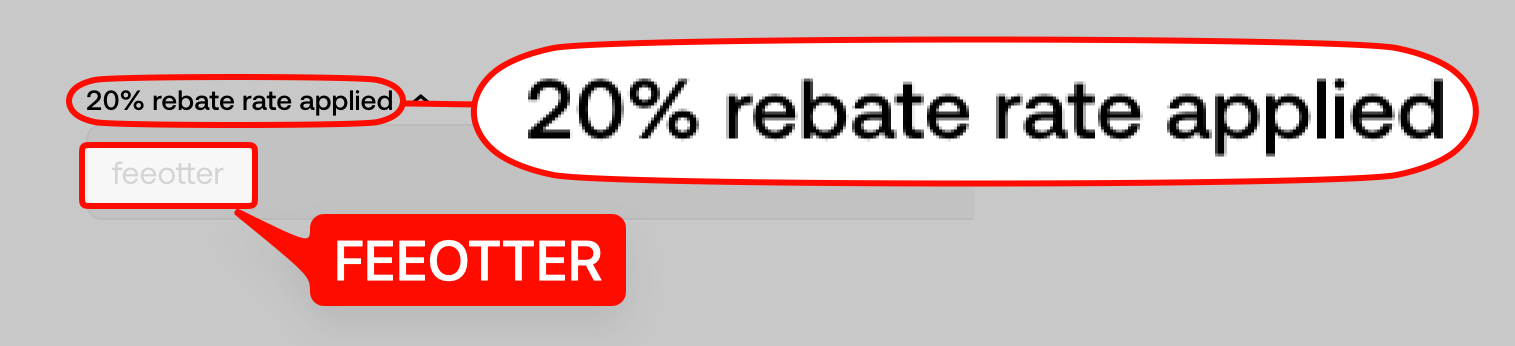
OKX Jumpstart is a new-token programme inside your OKX exchange account: you stake set coins such as OKB or BTC to "mine" a new project's token (Mining), or tokens are allocated by "pledge + draw" (On Sale). When we checked on 2026-10-22, the Jumpstart page listed only previous projects, and the latest announcement was ANIME on 2025-01-17, with mining from 2025-01-20 to 01-23. OKX Wallet is a self-custody wallet kept apart from the exchange account. The 20% automatic rebate + exclusive rewards you get by signing up with code FEEOTTER comes only from trading fees in the exchange account, and staking in Jumpstart charges no fee, so it earns no rebate.
This guide puts together the official Jumpstart rules, how OKX Wallet differs from the exchange account, and which actions earn a rebate. Everything comes from the OKX Help Center and official terms, checked 2026-10-22. Each Jumpstart round has its own rules, so read that round's announcement before you take part.
What Jumpstart is: two models
According to the FAQ on the OKX Jumpstart page, Jumpstart launches new blockchain projects from time to time, and OKX warms up each event and publishes the rules in advance. You need three things: an OKX account, completed identity verification, and the staking coin that round requires. There are two models:
- Mining: stake the required coin and receive the project's token in proportion. Each round has its own staking period and total staking cap, on a "more staking, more tokens" basis.
- On Sale: tokens are distributed by "pledge + draw", covering position census, pledging, reward census and distribution.
OKX also says neither model is open to users in restricted countries or regions, and eligible regions are set in each round's announcement. OKX's restricted list compared with the other big exchanges is in restricted countries at Binance, OKX, Bybit and BingX.
Where Jumpstart stands in 2026
On 2026-10-22 the Jumpstart page header showed 11 projects and a cumulative amount of about USD 5.16 billion. Below that there were only "Previous projects", with nothing live or upcoming. The Jumpstart announcements section lists 10 announcements; the newest is ANIME on 2025-01-17, and the rest are from 2024: MAX, ULTI, NOT, RSIC, MSN, ZK, GPT, ZETA and DMAIL.
OKX now places "subscribe with your assets to receive new-token airdrops" under Flash Earn, where the menu calls it Stake to Earn. Flash Earn's airdrop maths, redemption and tiers are in the OKX Earn guide. The official FAQ does not say Jumpstart has ended, only that projects come from time to time, so this guide uses the latest round's rules.
The latest round, ANIME: what the rules said
From the ANIME Jumpstart announcement (published 2025-01-17):
| Item | Rule |
|---|---|
| Coins staked | OKB, BTC |
| Mineable tokens | OKB pool 53,333,334 ANIME; BTC pool 26,666,666 ANIME |
| Mining period | 2025-01-20 06:00 to 2025-01-23 06:00 (UTC), 72 hours |
| Cap per person | 600 OKB, 0.3 BTC; no minimum |
| Unstaking | Stake and unstake at any time |
| Eligibility | Identity verification required; Hong Kong and South Korea excluded; sub-accounts excluded |
| Rewards | Calculated in real time and withdrawable at any time; sent to the funding account within 2 hours after the event |
The official formula for rewards per minute is your staked amount ÷ total staked × tokens released per minute. The announcement also says only OKB or BTC in the funding account can be staked, and staked coins are frozen while staked.
Worked example: what 600 OKB could earn
The OKB pool releases 53,333,334 ANIME over 72 hours (4,320 minutes), about 12,345.68 tokens a minute. Say you stake the 600 OKB cap and total OKB staked stays at 2,000,000 the whole time (an assumed figure; the real total changes every minute). Your share is 0.03%:
- Per minute: 12,345.68 × 0.03% ≈ 3.70 ANIME
- Over 72 hours: 53,333,334 × 0.03% ≈ 16,000 ANIME
Staking OKB is not a trade and charges no fee, so this step earns no rebate. If you later sell the ANIME on the spot market, say for 1,000 USDT, the regular-user spot taker fee of 0.10% (OKX fee page, checked 2026-10-22) is 1 USDT, and the 20% automatic rebate returns 0.2 USDT. The rebate comes from the sale, not from mining.
How to take part
Check eligibility
complete identity verification and check the eligible regions in that round's announcement; sub-accounts can't join.Move coins to the funding account
only the required coin in the funding account can be staked, so transfer it before the event starts.Open Jumpstart
log in to the OKX app, find Jumpstart under Grow, and once mining starts tap Stake, enter the amount and confirm.Unstake any time or wait for the end
tap Unstake to return coins to the funding account; if you leave them, they unfreeze automatically when the event ends and rewards arrive within 2 hours.
Jumpstart risks
- Token prices move: the announcement says reward value fluctuates and OKX is not responsible for price changes; taxes and costs fall on the recipient.
- The staked coin moves too: OKB and BTC keep rising and falling while staked, and the new tokens may not make up for a drop.
- You can be disqualified: for click farming, multiple accounts, using someone else's account or KYC, false KYC, wash trading and similar abuse, OKX can disqualify you and confiscate all rewards.
- Listing times come later: deposits, withdrawals and trading for the new token are announced separately.
From the ANIME announcement: OKX may exclude any participant without notice, and buying and selling under Jumpstart is also subject to OKX's Terms of Service, Privacy Policy and the Jumpstart Risk Disclosure.
OKX Wallet vs the exchange account
The OKX app holds both an exchange account and OKX Wallet. An OKX help article (published 2026-10-22) says that for some users the wallet entry has moved from the home screen to Services → OKX Wallet, or they may be asked to use the standalone OKX Wallet app; available features depend on region.
| Compared | Exchange account | OKX Wallet |
|---|---|---|
| Who holds the assets | OKX, under the OKX Terms of Service | You (self-custody); you hold the private key or seed phrase |
| Private key | You don't keep one | OKX's wallet software has no access to private keys; OKX is not responsible for storing or recovering them, or for freezing or restoring the wallet |
| Trading costs | Trading fees on spot, futures and so on (regular-user spot maker 0.08%, taker 0.10%) | On-chain gas plus an OKX DEX interface fee of 0% to 0.5% |
| Referral | OKX affiliate programme, invite code set at sign-up | A separate DEX referral programme, tied to the wallet and device |
| Fee Otter rebate | Yes: 20% automatic rebate + exclusive rewards | No official page says the exchange referral carries over to the wallet, so we treat it as not applying |
Sources: OKX Web3 terms, OKX DEX fees, DEX referral programme (updated 2026-10-12), checked 2026-10-22.
The OKX DEX interface fee depends on token groups: Others to Others is free, Group 1 to Group 1 is 0.1%, Group 1 to Group 2 or Group 2 to Group 2 is 0.25%, and Group 1 or Group 2 to Others is 0.5%; all tokenized stocks count as Group 2. In the DEX referral programme the code is bound to the wallet: one wallet can bind only one code per device, and the binding can't be changed afterwards. Each referral code can give invitees a 0% to 10% discount on the interface fee.
OKX Wallet is self-custody: if your seed phrase or private key leaks or is lost, OKX is not responsible for getting it back. When the wallet needs gas and is linked to your exchange account, you can top up the native token straight from the exchange (gas top-up guide, updated 2026-08-05); that is an exchange withdrawal.
CeDeFi: on-chain trading inside the exchange
The "DEX" item in the exchange menu is what OKX calls CeDeFi trading. The OKX help article (updated 2026-09-27) says you can buy on-chain tokens with your exchange balance, the assets sit in a self-custody smart contract wallet run with passkeys, and OKX does not control, freeze or move those on-chain funds. Supported chains include Solana, Ethereum, X Layer, Base and BNB Smart Chain.
The OKX Passkey Wallet terms add a few limits: each exchange account can create only one Passkey Wallet, and sub-accounts can't create their own; you can't deposit into it directly from outside addresses, and such deposits, along with assets of the same type, may become inaccessible; and a token bought through the DEX that the exchange doesn't support can't be moved back to the exchange account.
OKX on CeDeFi rebates: the rebate rate for CeDeFi trades is the same as for spot and futures, gas fees are excluded, users must complete identity verification, and no rebate is generated where the user's region doesn't support it.
That comes from OKX's CeDeFi rebate FAQ (updated 2026-08-26). So an account registered with our code should get the same rebate rate on CeDeFi trades as on spot and futures; whether it actually arrived is shown in your OKX rebate records.
Which actions earn a rebate
The OKX affiliate program rules (updated 2026-09-29) say commission is a rebate of the trading fees invitees pay, covering spot, futures, options and CeDeFi trading (where available). Applied to this guide:
| Action | Trading fee? | Rebate |
|---|---|---|
| Staking OKB or BTC in Jumpstart | No | No |
| Claiming Jumpstart or Flash Earn rewards | No | No |
| Selling the new token on exchange spot | Yes (spot fee) | Yes |
| Exchange futures and options | Yes | Yes |
| CeDeFi (DEX) trades in the exchange | Yes | Same rate as spot and futures per OKX; gas excluded |
| DEX swaps in OKX Wallet | Interface fee and gas | Not listed in the affiliate rules; treated as no |
The same rules list cases with no commission, including coins that charge no fee, fees offset with vouchers or futures credits, special fee rates, residence in a non-commissionable region, VIP7 and above, and managed sub-accounts.
The OKX invite code can only be entered at first sign-up. Sign up with code FEEOTTER for a 20% automatic rebate + exclusive rewards; ask our support about exclusive OKX rewards and promotions. If you already have an account, see the OKX rebind guide; fees and rebate details are in the OKX fee rebate guide.

 Telegram · @feeotter