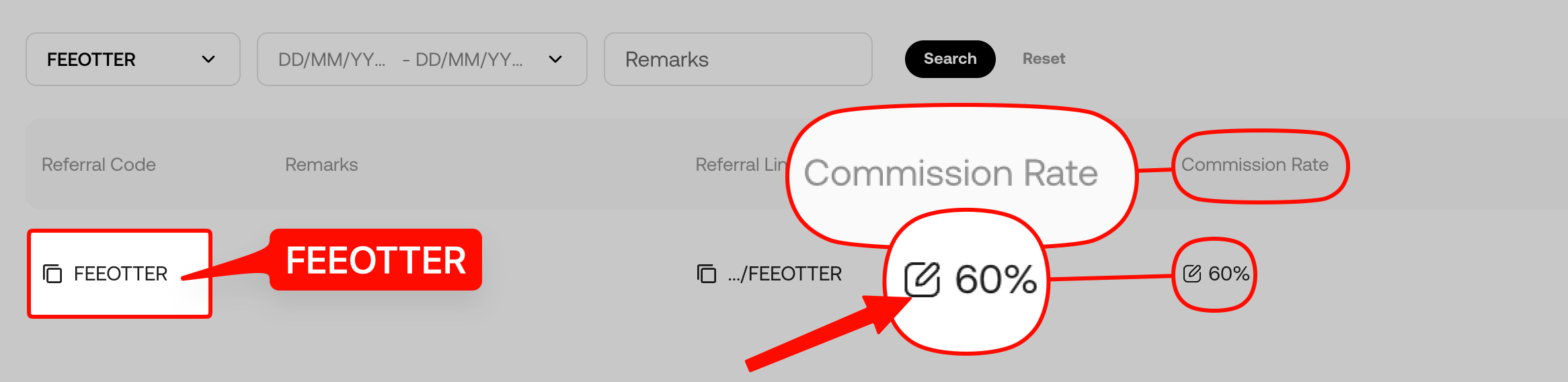
To register on KuCoin and join with our code, you go through six steps, and the account takes a few minutes: open Fee Otter's dedicated link, choose email or phone, confirm the referral code is FEEOTTER (it can only be entered at signup), set a password, complete KYC (required for new users, including a face scan; you can't deposit without it), and bind your UID on Fee Otter. You must be 18 or older, and residents of KuCoin's restricted locations, such as the US, Singapore, mainland China, Hong Kong, Malaysia, France and the Netherlands, can't sign up. With this code KuCoin automatically returns 60% of your fees on spot and futures alike, three times a typical 20% code. Fee Otter adds no extra rebate, so binding your UID is optional (checked October 2026).
Who can register on KuCoin? Age and restricted locations
Under the KuCoin Terms of Use (updated 2026-09-29), individual users must be at least 18, or have full legal capacity under the law where they live. Residents of the "Restricted Locations" listed in the terms can't sign up:
| Region | Restricted locations in KuCoin's terms |
|---|
| Americas | United States (including territories such as Puerto Rico, Guam, the Northern Mariana Islands and American Samoa); Ontario and British Columbia in Canada |
| Asia | Singapore, mainland China, Hong Kong, Malaysia, Kazakhstan, Uzbekistan |
| Europe | France, Netherlands; the Crimea, Donetsk, Luhansk, Zaporizhzhia and Kherson regions of Ukraine |
Checked: 2026-10-18 (KuCoin Terms of Use)
The terms also say KuCoin restricts access from these places by IP address, and you may not hide your location with a VPN or proxy. If you travel to a restricted location, you may be unable to place orders or manage positions. Separately, KuCoin's Invite Friends page says residents of Belgium, France, the Netherlands and other restricted countries can't take part in the referral program.
Number of accounts: each email address or phone number can register only one account, and each person can verify only one account.
What to have ready
- An email address or phone number never used on KuCoin.
- An ID document: ID card, driver's licence, passport or residence permit. Every new KuCoin user must complete identity verification, which includes a face check, so have a phone or webcam ready.
- Our dedicated sign-up link (code FEEOTTER already filled in).
KuCoin sign-up steps
Step 1: Open the sign-up page through the dedicated link
Use the button above or the dedicated link; the referral code fills in automatically.
Step 2: Choose email or phone
Both the website and the app accept email or phone. Signing up with an Apple ID or the Telegram bot is app only. KuCoin's Sign Up and Login Help notes that an email or phone number already used on another account can't be used again.
Step 3: Check that the code is FEEOTTER
Before you submit, check that the referral code field shows FEEOTTER. KuCoin's sign-up help page says the referrer's code should appear while you set your password; if it didn't fill in from the invite link, the link may have expired and you should type the code yourself. The code can only be entered at sign-up and can't be added later.
Step 4: Accept the terms, enter the code you receive, set a password
Tick the box to accept the Terms of Use and select "Create Account and Claim Reward". Enter the verification code you receive, set a login password and select "Confirm". Your account is now created.
Step 5: Complete identity verification (KYC)
Since 31 August 2023 every new KuCoin user must complete identity verification before using the platform (KuCoin identity verification guide). Following KuCoin's web verification guide:
- Go to Account Center → Identity Verification and choose Individual Verification.
- Select your country or region; it must match your document.
- Choose the document type (ID card, driver's licence, passport or residence permit) and upload photos of the front and back.
- Complete the face check, with your whole face in frame and good lighting.
- Confirm the name and ID number the system reads, submit, and wait for the result by email.
One person can verify only one KuCoin account, so make sure this is the account you plan to keep, the one under our code.
KuCoin doesn't publish a review time. Its identity verification guide says that about a minute after the face check a pop-up asks you to confirm your name and ID number, the system then submits it for review, and the result comes by email. An unverified account can't deposit, can't buy crypto and can't open new futures positions.
Step 6: Bind your UID on Fee Otter
Find your UID in your KuCoin account details and bind it on the profile page. We check it against KuCoin's referral list and confirm automatically that your account sits under our code, usually within 5 minutes. This step is optional: KuCoin pays the 60% directly whether you bind or not. For what a UID is and where to find it, see what an exchange UID is.
Joining in the app vs on the website
| Item | Website | App |
|---|
| Signup methods | Email, phone | Email, phone, Apple ID, Telegram bot |
| Referral code | Filled in automatically through our link | Type FEEOTTER yourself if you open the app directly |
| Login | Account and password, or scan a QR code with the app | Account and password; the scan icon on the home screen logs the website in |
Based on KuCoin's official Sign Up and Login Help (updated 2026-07-07), checked 2026-10-18.
Which IDs to prepare for identity verification and how to fix a rejection are covered in the KuCoin KYC guide.
Stuck during KuCoin signup? Common problems and fixes
| Problem | Cause | What to do |
|---|
| Email or phone already in use | It was registered on KuCoin before | Use one that hasn't been registered, or recover the old account with "Forgot Password" |
| No referral code on the password step | The invite link may have expired | Type FEEOTTER yourself, or reopen the link from this page |
| Locked after wrong codes | More than 5 wrong attempts lock the account for 2 hours | Wait 2 hours and try again; a password-reset code is valid for 10 minutes |
| ID photo won't upload | Wrong format or size | Use JPG or PNG under 50 MB; try another browser or later |
| Identity verification failed | The country doesn't match the document, or the photo is blurry | Check the reason on the Identity Verification page and submit again with "Re-Verify" |
| Can't connect or can't place orders | You are in a restricted location | See "Who can register on KuCoin?" above; the terms forbid getting around it with a VPN |
Based on KuCoin's Sign Up and Login Help, identity verification guide (updated 2026-08-14) and Terms of Use, checked 2026-10-18.
How the rebate works after you sign up
KuCoin has one rebate layer: it returns 60% of your fees to your account automatically, on spot and futures alike. Fee Otter adds no extra rebate, and binding your UID doesn't add anything.
Two official rules affect the rebate, so it helps to know them up front:
- API orders earn no rebate: KuCoin's Invite Friends page says "API trading is currently not eligible for commission", so orders placed through the API or outside programs generate no rebate.
- Zero-fee trades and high-tier users: KuCoin's September 2025 affiliate program announcement says zero-fee trades earn no commission, and neither do invitees above a certain level (the same announcement says Level 3 and above in one place and LV4 and above in another). If you are close to that level, ask support first.
KuCoin fees
| Type | Maker | Taker |
|---|
| Spot class A (BTC, ETH and most major coins) | 0.1% | 0.1% |
| Spot class B | 0.2% | 0.2% |
| Spot class C | 0.3% | 0.3% |
| USDT-margined perpetual futures | 0.02% | 0.06% |
These are VIP0 rates. Source: KuCoin's official fee page, with spot rates checked against KuCoin's public API on 5 October 2026 and futures rates on 18 October 2026. Paying spot and margin fees in KCS takes another 20% off; futures are excluded (KuCoin's help page).
Placing your first trade for less
The futures maker fee of 0.02% is a third of the 0.06% taker fee. Use limit orders where you can, then add the rebate: at 60%, maker nets out at 0.008% and taker at 0.024%. On spot, check which class the pair is in first; it also gets 60% back, so class A nets out at 0.04%. The difference is explained in maker and taker fees.
A worked example: 500,000 USDT of futures a month
Assume 70% taker and 30% maker, which gives a blended rate of 0.7 × 0.06% + 0.3 × 0.02% = 0.048%:
- Monthly fees: 500,000 × 0.048% = 240 USDT.
- With FEEOTTER, a 60% rebate (all refunded automatically by KuCoin): 144 USDT back, so you pay 96 USDT.
- With a typical 20% code: 48 USDT back, so you pay 192 USDT. That is 96 USDT a month, or 1,152 USDT a year.
Spot works the same way: a 10,000 USDT Class A spot order costs 10 USDT in fees, 6 USDT comes back, and you pay 4 USDT.
If you are already a VIP on an exchange and want to rebind or sign up on another exchange, contact support. We can help you apply for special trading benefits or a higher rebate rate.
Finish your security settings before the first deposit
On KuCoin you cannot deposit before completing KYC, and changing your password, 2FA, phone or email, or deleting a passkey, pauses withdrawals for 24 hours (see the KuCoin deposit and withdrawal guide). So the order matters:
- Complete KYC.
- Turn on Google 2FA and make sure the phone and email are ones you will keep.
- Then deposit and start trading.
Get the security changes done in one go first, and you will not hit the 24-hour pause just when you want to withdraw. If you are moving funds from another KuCoin account, internal transfers between KuCoin users are free and instant.
Common beginner mistakes on KuCoin
- Not using the dedicated link and submitting with an empty referral code field.
- Signing up first and planning to add the code later: KuCoin doesn't allow it.
- Verifying two accounts as the same person: one person can verify only one KuCoin account, so the second verification won't go through.
- Picking a country that doesn't match the document: the country or region you select must match your ID.
- Trading through the API or an outside program and expecting a rebate: KuCoin says API trading earns no commission.
- Guessing verification codes: more than 5 wrong attempts lock the account for 2 hours.
Already have a KuCoin account?
An existing account can't have a code added, and an account already verified in your name can't be switched by opening a new one. Which cases still have options is covered in the KuCoin rebind guide.
Risks to know before using KuCoin
Before you start trading, know these points:
- US enforcement record: in January 2025 KuCoin pleaded guilty in the US to operating an unlicensed money transmitting business, agreed to pay more than $297 million, and agreed to leave the US market for at least two years (US Department of Justice).
- Don't keep long-term or large balances on the exchange: keep only the funds you are actively trading on KuCoin; withdraw money you aren't trading and anything you hold long term.
- Use a cold wallet for long-term holdings: move large, long-term assets to a hardware cold wallet (such as a Ledger) and keep them offline.
- Futures and high leverage are high risk: KuCoin offers up to 125x on futures. Beginners should avoid high leverage and learn the rules with small amounts first.
FAQ
What is Fee Otter's KuCoin referral code?
FEEOTTER. It is built into the dedicated link.
Can I add a referral code after signing up on KuCoin?
No. The code can only be entered at sign-up.
Do I have to verify my identity on KuCoin?
Yes. Since 31 August 2023 all new users must complete identity verification, including a face check, and one person can verify only one account.
Does binding a UID need an API key?
No. Binding needs only your UID; Fee Otter never asks for an API key or password.
How long does it take to join KuCoin?
Creating the account takes a few minutes. After you submit identity verification, a confirmation window appears in about a minute and the result comes by email; KuCoin doesn't publish a review time.
Which countries can't register on KuCoin?
Under the 2026-09-29 Terms of Use: the US and its territories, Singapore, mainland China, Hong Kong, Malaysia, Kazakhstan, Uzbekistan, Ontario and British Columbia in Canada, France, the Netherlands, and the Crimea, Donetsk, Luhansk, Zaporizhzhia and Kherson regions of Ukraine. The list can change, so the terms are what counts.
For information only, not investment advice. Fees and rebate rates may change; KuCoin's official announcements and the Fee Otter platform are authoritative.



%2C2026-10-05%20%E5%8F%96%E6%A8%A3%3A%0A%20%20%20%20%20%20%20%E5%BA%95%E8%89%B2%20%230E3452%2C%E5%AD%97%E7%AC%A6%20%2303CA9B)%E3%80%82%0A%20%20%20%20%20%20%20%E7%94%A8%20potrace%20%E6%8F%8F%E5%AD%97%E7%AC%A6%E8%BC%AA%E5%BB%93%2C%E6%95%B4%E5%BC%B5%E7%95%AB%E5%B8%83%E7%9B%B4%E6%8E%A5%E6%98%A0%E5%B0%84%E5%88%B0%E9%80%99%E8%A3%A1%E7%9A%84%2032%20%E5%96%AE%E4%BD%8D%20%E2%80%94%E2%80%94%20%E4%B8%8D%E9%87%8D%E6%96%B0%E7%BD%AE%E4%B8%AD%2C%E4%BF%9D%E7%95%99%E5%AE%98%E6%96%B9%E7%9A%84%E7%95%99%E7%99%BD%E6%AF%94%E4%BE%8B%E3%80%82%0A%20%20%20%20%20%20%20%E8%A6%81%E6%94%B9%E8%AB%8B%E9%87%8D%E8%B7%91%E6%8F%8F%E5%9C%96%2C%E4%B8%8D%E8%A6%81%E6%86%91%E5%8D%B0%E8%B1%A1%E8%AA%BF%E3%80%82%20--%3E%0A%20%20%3Crect%20x%3D%221.5%22%20y%3D%221.5%22%20width%3D%2229%22%20height%3D%2229%22%20rx%3D%228%22%20fill%3D%22%230E3452%22%2F%3E%0A%20%20%3Cpath%20fill%3D%22%2303CA9B%22%20d%3D%22M23.02%205.97C22.14%206.02%2021.54%206.07%2021.22%206.1C20.72%206.15%2019.6%206.28%2019.41%206.31C19.31%206.33%2019.1%206.37%2018.94%206.39C18.29%206.5%2017.94%206.57%2017.2%206.73C16.92%206.79%2016%207.03%2015.8%207.09C15.36%207.23%2014.42%207.54%2014.39%207.56C14.38%207.57%2014.3%207.6%2014.23%207.62C13.82%207.76%2012.7%208.28%2012.13%208.6C11.95%208.7%2011.8%208.78%2011.79%208.78C11.7%208.78%2010.42%209.71%209.98%2010.08C9.16%2010.79%208.07%2012.09%207.6%2012.91C7.28%2013.46%207.18%2013.65%207.06%2013.91C6.87%2014.3%206.76%2014.53%206.68%2014.74C6.56%2015.08%206.37%2015.64%206.34%2015.73C6.33%2015.78%206.3%2015.91%206.27%2016C6.06%2016.79%205.93%2017.87%205.94%2018.62L5.95%2019.05L6.69%2019.04C7.78%2019.03%208.57%2018.94%209.73%2018.68C10.18%2018.58%2011.05%2018.33%2011.45%2018.18C11.52%2018.15%2011.7%2018.08%2011.84%2018.03C13.58%2017.38%2015.67%2016.19%2017.55%2014.77C17.8%2014.58%2018.67%2013.89%2018.74%2013.83C18.76%2013.81%2018.94%2013.66%2019.14%2013.48C19.34%2013.31%2019.54%2013.14%2019.58%2013.11C19.61%2013.07%2019.78%2012.92%2019.95%2012.77C20.94%2011.88%2022.24%2010.57%2023.2%209.48C23.68%208.94%2023.69%208.93%2023.86%208.73C23.94%208.63%2024.02%208.54%2024.03%208.53C24.17%208.4%2025.09%207.25%2025.52%206.67C25.67%206.47%2025.81%206.28%2025.83%206.26C25.86%206.23%2025.89%206.19%2025.9%206.16C25.92%206.13%2025.94%206.12%2025.95%206.13C25.98%206.15%2025.3%207.5%2024.99%208.07C24.88%208.28%2024.78%208.45%2024.78%208.46C24.78%208.46%2024.66%208.67%2024.51%208.93C24.24%209.4%2024.17%209.52%2024.07%209.69C24%209.81%2023.72%2010.27%2023.39%2010.8C22.69%2011.91%2021.44%2013.66%2020.74%2014.52C20.25%2015.12%2020.09%2015.31%2019.72%2015.73C19.01%2016.55%2018.19%2017.38%2017.42%2018.08C17.07%2018.39%2016.92%2018.52%2016.5%2018.87C16.37%2018.98%2016.24%2019.09%2016.2%2019.12C15.83%2019.43%2014.7%2020.21%2014.16%2020.54C13.69%2020.82%2012.69%2021.34%2012.41%2021.45C12.33%2021.48%2012.23%2021.52%2012.17%2021.55C12.01%2021.62%2011.45%2021.84%2011.11%2021.95C10.97%2022%2010.05%2022.26%209.84%2022.31C9.23%2022.45%208.97%2022.5%208.56%2022.56C8.43%2022.58%208.25%2022.61%208.16%2022.62C8.06%2022.64%207.79%2022.67%207.56%2022.69C7.32%2022.71%207.12%2022.74%207.12%2022.76C7.12%2022.85%207.58%2023.42%207.97%2023.82C9.2%2025.09%2010.67%2025.8%2012.52%2026.02C16.51%2026.48%2020.99%2024.06%2023.2%2020.25C23.32%2020.05%2023.43%2019.86%2023.46%2019.81C23.51%2019.73%2023.96%2018.81%2024.04%2018.62C24.67%2017.21%2025.19%2015.43%2025.52%2013.67C25.66%2012.9%2025.73%2012.45%2025.81%2011.77C25.99%2010.32%2026.05%209.33%2026.05%207.64C26.05%206.06%2026.04%206.01%2025.97%205.98C25.9%205.95%2023.53%205.94%2023.02%205.97Z%22%2F%3E%0A%3C%2Fsvg%3E%0A)


%2C2026-10-05%20%E5%8F%96%E6%A8%A3%3A%0A%20%20%20%20%20%20%20%E5%BA%95%E8%89%B2%20%23FFFFFF%2C%E5%AD%97%E7%AC%A6%20%235227FF)%E3%80%82%0A%20%20%20%20%20%20%20%E7%94%A8%20potrace%20%E6%8F%8F%E5%AD%97%E7%AC%A6%E8%BC%AA%E5%BB%93%2C%E6%95%B4%E5%BC%B5%E7%95%AB%E5%B8%83%E7%9B%B4%E6%8E%A5%E6%98%A0%E5%B0%84%E5%88%B0%E9%80%99%E8%A3%A1%E7%9A%84%2032%20%E5%96%AE%E4%BD%8D%20%E2%80%94%E2%80%94%20%E4%B8%8D%E9%87%8D%E6%96%B0%E7%BD%AE%E4%B8%AD%2C%E4%BF%9D%E7%95%99%E5%AE%98%E6%96%B9%E7%9A%84%E7%95%99%E7%99%BD%E6%AF%94%E4%BE%8B%E3%80%82%0A%20%20%20%20%20%20%20%E5%AE%98%E6%96%B9%E6%98%AF%E7%99%BD%E5%BA%95%E7%B4%AB%E8%89%B2%E5%AD%97%E7%AC%A6%3B%E7%99%BD%E5%BA%95%E5%8A%A0%E6%B7%A1%E9%82%8A%2C%E5%85%8D%E5%BE%97%E5%9C%A8%E7%99%BD%E8%89%B2%E8%83%8C%E6%99%AF%E4%B8%8A%E6%B6%88%E5%A4%B1%E3%80%82%0A%20%20%20%20%20%20%20%E8%A6%81%E6%94%B9%E8%AB%8B%E9%87%8D%E8%B7%91%E6%8F%8F%E5%9C%96%2C%E4%B8%8D%E8%A6%81%E6%86%91%E5%8D%B0%E8%B1%A1%E8%AA%BF%E3%80%82%20--%3E%0A%20%20%3Crect%20x%3D%221.5%22%20y%3D%221.5%22%20width%3D%2229%22%20height%3D%2229%22%20rx%3D%228%22%20fill%3D%22%23FFFFFF%22%20stroke%3D%22%23E4E4E7%22%2F%3E%0A%20%20%3Cpath%20fill%3D%22%235227FF%22%20d%3D%22M13.31%208.92L13.31%2012.28L9.94%2012.28L6.56%2012.28L6.57%2015.71C6.58%2019.51%206.57%2019.29%206.79%2020.2C7.56%2023.33%2010.21%2025.78%2013.38%2026.31C14.1%2026.43%2014.44%2026.44%2019.24%2026.44L23.91%2026.44L23.91%2023.05L23.91%2019.66L19.2%2019.65L14.48%2019.64L14.28%2019.56C13.89%2019.41%2013.63%2019.16%2013.44%2018.76L13.36%2018.58L13.35%2015.46L13.34%2012.34L18.56%2012.34L23.78%2012.34L23.78%208.95L23.78%205.56L18.55%205.56L13.31%205.56L13.31%208.92Z%22%2F%3E%0A%3C%2Fsvg%3E%0A)

 Telegram · @feeotter