To deposit on Gate, go to Assets → Funds Management → Deposit → Onchain, pick the coin and the same network the sender uses, and copy the address; withdrawals use Withdraw → Onchain on the same menu and need your fund password plus a Google Authenticator code. USDT currently has 20 networks open for both deposits and withdrawals; the minimum withdrawal is 10 USDT on TRC20 and 1 USDT on ERC20, BEP20 and the other networks (Gate official API, checked 2026-10-17).
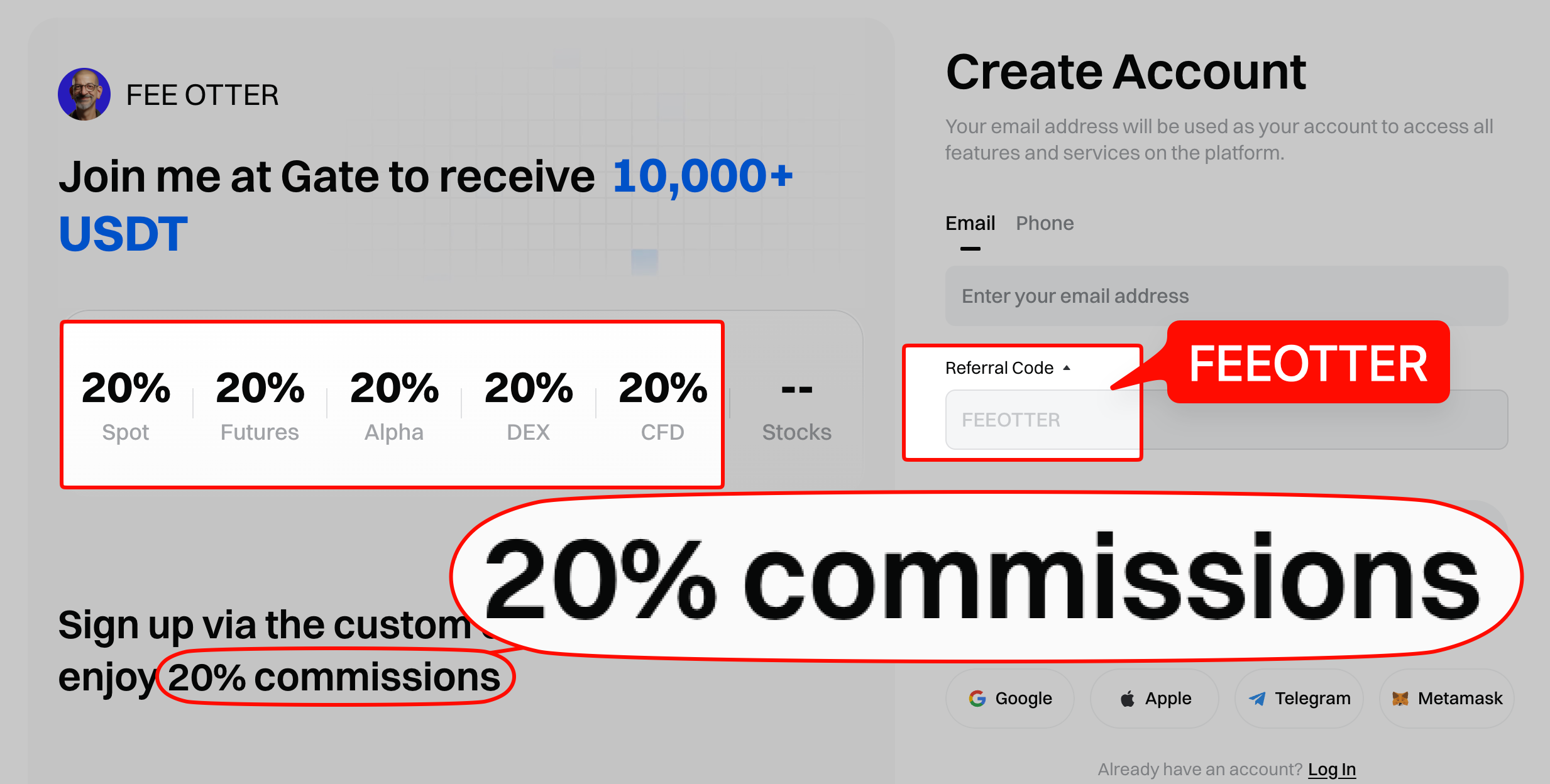
This guide is based on the Gate help center and the official API: deposit and withdrawal steps, which USDT networks are supported, where to see withdrawal fees, what freezes withdrawals for 24 hours, how to request recovery of a wrong-network deposit, and the rules for fiat. Deposits and withdrawals are a fixed cost; trading fees are the biggest cost over time: sign up with our code FEEOTTER and bind through Fee Otter for a 70% Gate futures rebate (20% automatic exchange rebate + 50% extra rebate), 3.5 times a common 20% code.
Key points
- KYC first: Gate's app guide says you cannot deposit or withdraw crypto on-chain without identity verification.
- USDT networks: 20 networks open both ways, including ERC20, BEP20, TRC20, Solana, Arbitrum One and Polygon; Omni (Bitcoin chain) is suspended.
- Withdrawal fees: Gate says they are adjusted every hour based on network conditions and shown on the withdrawal page once you pick a coin and network.
- 24-hour locks: after first-time KYC, changing Google Authenticator, changing your phone number or any other security setting, withdrawals pause for 24 hours.
- Wrong network: some cases can be recovered through Gate's self-service tool for 20 USDT plus a network fee; unsupported tokens or chains cannot be recovered.
How to deposit on Gate
From Gate's on-chain deposit and withdrawal guide (web):
- Log in and go to Assets → Funds Management → Deposit → Onchain.
- Choose the coin, then the network that matches the sending platform.
- Copy the deposit address or save the QR code.
- On the sending exchange or wallet, paste the address (or scan the code), check the network matches, and send.
Arrival time depends on block confirmations. Gate's deposit FAQ says the confirmations each coin needs are listed at the bottom of the deposit page, the system credits the deposit once they are reached, and the process cannot be sped up manually. Click the TXID under Recent Deposits to follow it on a block explorer.
Common mistakes:
- Coins that need a tag or memo: for XRP or EOS, a missing or wrong tag can stop the deposit from being credited; request it through the deposit recovery feature. USDT on TON also needs a memo.
- Suspended coins: deposits sent while a coin is suspended are not processed. Use "Set Reminder" on that coin's deposit page to be told when it resumes.
Which USDT networks does Gate support?
From the Gate official API (wallet/currency_chains?currency=USDT), checked 2026-10-17:
| Status | Networks | Minimum withdrawal |
|---|---|---|
| Deposit and withdraw | Tron (TRC20) | 10 USDT |
| Deposit and withdraw | Ethereum (ERC20), BNB Smart Chain (BEP20), Solana, Arbitrum One, Polygon, Optimism, AVAX C-Chain, Aptos, TON (memo required), NEAR, opBNB, GateChain, Kaia, KAVA EVM, Celo, Polkadot Asset Hub, Plasma, Tezos, MON | 1 USDT |
| Withdraw only | Algorand, EOS | 1 USDT |
| Suspended | Omni (Bitcoin chain), Kusama, 0G | None |
Network status changes; the deposit and withdrawal pages show what is open at the time. BEP20 and ERC20 addresses look the same (both start with 0x), so it is easy to pick BEP20 when the receiver only supports ERC20. Check the receiver's network once more before you send.
How to check Gate withdrawal fees
Gate's beginner FAQ says withdrawal fees are adjusted every hour based on network conditions, differ by coin and network, and appear in real time on the withdrawal page once you choose both. So Gate has no fixed withdrawal fee table and this guide does not list figures; the "Deposit & Withdrawal" tab of the official fee page only loads in a browser and was not retrieved in this check.
From 1 January to 31 March 2025, Gate ran a promotion with no fee on BEP20 withdrawals of 20 or more USDT, USDC or FDUSD (official announcement). It has ended. For USDT withdrawal fees across exchanges, see USDT withdrawal fees compared.
How to withdraw from Gate
- Log in and go to Assets → Funds Management → Withdraw → Onchain.
- Choose the coin and the network that matches the receiving platform, enter the address and amount, and click Withdraw.
- Enter your fund password, then your Google Authenticator code.
- Check the status in the history at the bottom of the withdrawal page.
Gate says a withdrawal cannot be cancelled once submitted and confirmed. If the address is invalid, the funds return to your account and the record shows "Canceled"; failed withdrawals are usually retried or refunded within 24 hours, and if not, you can open a ticket or use live chat (withdrawal FAQ).
Withdrawal limits
The beginner FAQ says your daily withdrawal limit depends on your VIP level and KYC status, and completing KYC raises it. The per-level figures for the global site sit in the "24h Withdrawal Limit" column of the fee page, which did not load in this check. Gate EU's withdrawal limit page lists a separate set of numbers, useful only as a reference: 100,000 USDT initially, 2 million with KYC1, 5 million with KYC2 and 8 million with KYC3 per 24 hours, reset daily at 15:00, with on-chain, Push and GateCode withdrawals counted together. For VIP levels, see Gate VIP levels.
Why can't I withdraw? The 24-hour locks
Gate's withdrawal FAQ and why withdrawals are blocked for 24 hours list these cases:
- First-time KYC just completed: withdrawals pause for 24 hours.
- Security settings changed: setting, changing or resetting any security setting (such as Google Authenticator or your phone number) pauses withdrawals for 24 hours, and the lock cannot be lifted early. Find the time of the change under Account Settings → Security Settings → Security Logs.
- Crypto bought via P2P: it can be withdrawn after 24 hours.
- "KYC Required": withdrawals the risk system flags as suspicious need advanced identity verification first, and the manual review generally takes about half an hour (official explanation).
KYC steps are in the Gate KYC guide.
Wrong network or missing memo
Gate's web guide is blunt: choosing the wrong network can cause permanent loss of funds that may not be recoverable. If the withdrawal network does not match the network the receiver selected, the funds cannot be credited or refunded.
Gate has a self-service Token Recovery tool for deposits of the wrong coin, to the wrong address or on the wrong chain. First confirm the address belongs to Gate, then check whether the chain is supported on the recovery page. From the deposit FAQ:
- Not recoverable: tokens or chains Gate does not support, inscriptions, and NFTs sent to Gate crypto addresses.
- Address not Gate's: contact the receiver or the sending platform's support.
- Request failed: check the reason under Application Records, then contact support.
Gate: each token recovery request is charged a 20 USDT handling fee plus a network fee that varies with network conditions (shown on the recovery page), so keep enough balance in your spot account before applying. (Gate deposit FAQ)
If you withdraw from Gate to another platform without the tag or memo, the transfer may show as complete but not be credited; ask the receiving platform to credit it manually. Before sending a large amount to a new address for the first time, send a small test and wait for it to arrive.
Fiat deposits
Gate's beginner FAQ names Buy Crypto → C2C as the fiat route, with the purchase completed on the C2C page. The app KYC guide says fiat trading is not available without KYC. Crypto bought via P2P can be withdrawn after 24 hours.
Withdrawing your rebate to Gate
Fee Otter pays the extra rebate in USDT on-chain (BNB Smart Chain, BEP20) to your own address, and that can be your Gate USDT deposit address (choose the BNB Smart Chain (BEP20) network). The minimum is 1 USDT per request and you pay the 0.015 USDT network fee. The first-layer 20% automatic rebate is refunded by Gate straight to your Gate account. For rates and settlement, see the Gate fee rebate guide.
Restricted regions
Gate's Restricted Locations page lists places it does not serve, including the United States, mainland China, Singapore, Canada, France, Germany, Hong Kong, Malaysia, Malta, the United Kingdom, the Netherlands, Spain, Austria, Japan, South Korea, Indonesia, Thailand, India, Cambodia, the UAE and Argentina. It says the list is "not limited to" these and may change without notice (checked 2026-10-17). For licensing by country, see exchange licences by country.
If you have not signed up yet, use code FEEOTTER (steps in how to register on Gate), then submit your UID on the Fee Otter rebate platform. Rebates apply only to trading fees; deposit and withdrawal fees are not covered.
 Telegram · @feeotter