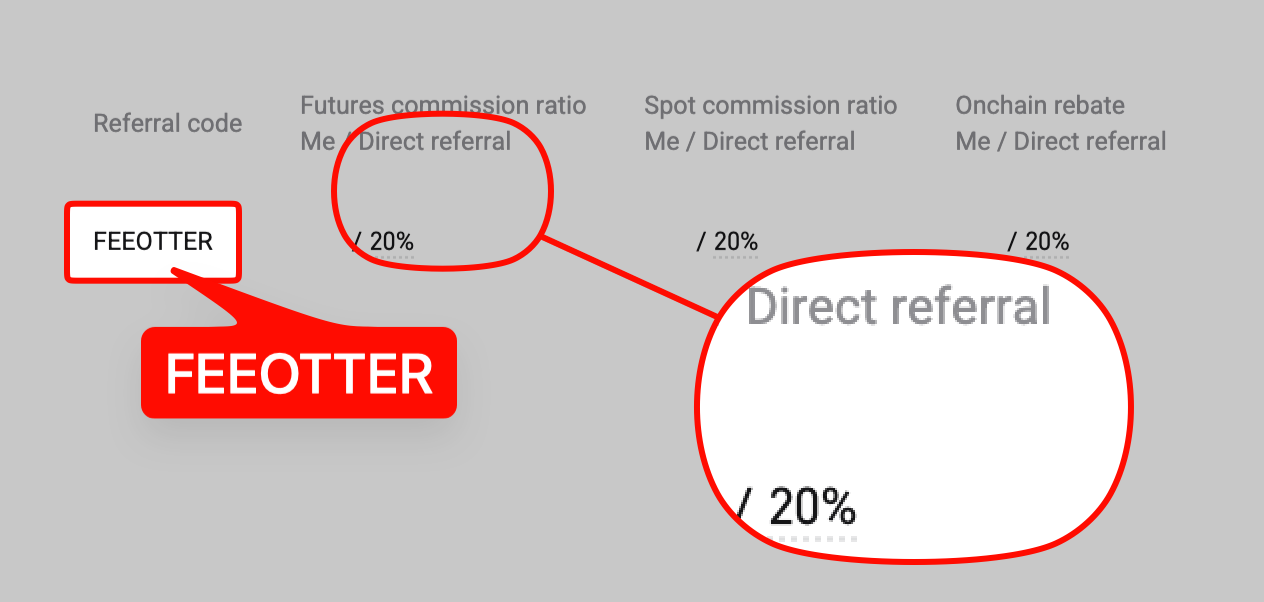
Bitget charges nothing to deposit, and the USDT withdrawal fee depends on the network: 0.01 on BEP20, 0.5 on Solana, 1.5 on TRC20 and 2 USDT on ERC20, with a 10 USDT minimum on each. Pick exactly the same network the sending side uses, and note that withdrawals, paused in stages after the September 2026 hot wallet incident, were open again on every USDT network when we checked on 2026-10-13. Fee Otter's code FEEOTTER gives a 50% futures rebate, and deposits or withdrawals don't affect it (checked October 2026).
Depositing to and withdrawing from Bitget looks like "copy the address, paste, send", but what goes wrong is usually in the details: the wrong network, a missing memo, withdrawing right after a password change, or being pushed to release crypto on P2P before the money arrives. This guide only covers what Bitget's Help Center, public API and official announcements state: minimum deposits, deposit confirmations, withdrawal fees and minimums for USDT and BTC by network; how to request a refund for a wrong deposit; the withdrawal whitelist and the lock after security changes; and the rules for fiat and P2P channels. With our code FEEOTTER, Bitget users get a 50% futures fee rebate, 2.5 times the common 20% referral code. Deposits and withdrawals do not affect your rebate, which depends only on trading fees (see the end of this article).
Current status: the September 2026 hot wallet incident and withdrawal schedule
At 18:31 UTC on 2026-09-24, Bitget announced unauthorized transfers from part of its hot wallets, initially estimated at about USD 351.6 million, and paused withdrawals for a security review. On 2026-09-25 it revised the figure to about USD 387.5 million (adding assets on Zcash and TRON). Bitget says account balances are accurate and user assets are protected, the loss is covered by its User Protection Fund, and trading and deposits continue to operate (incident notice, update). On 2026-09-26 Bitget published a planned phased withdrawal schedule (resumption notice):
| Scheduled (UTC) | UTC+8 | Asset | Networks |
|---|---|---|---|
| Sep 28, 08:00 | Sep 28, 16:00 | BTC | Bitcoin |
| Sep 29, 08:00 | Sep 29, 16:00 | ETH | Ethereum, BSC, Arbitrum, Base, Optimism |
| Sep 30, 08:00 | Sep 30, 16:00 | USDT | Ethereum, BSC, Solana, Tron |
| Oct 2, 08:00 | Oct 2, 16:00 | Other tokens, fiat, P2P | n/a |
The table is the schedule Bitget announced, not a record of completed steps. Bitget says users do not need to take any action and withdrawal availability will show directly on the platform. When we checked again on 2026-10-13, Bitget's public API showed withdrawals enabled again on every USDT network, with deposits working as normal. Bitget's official announcements prevail for the actual progress.
Withdrawals resume by asset and by network: for USDT, the notice schedules only Ethereum, BSC, Solana and Tron for Sep 30, with other networks scheduled for Oct 2. Check Bitget's official announcements and withdrawal page for the latest status, and ignore any private message offering "priority withdrawals".
Deposits: networks, confirmations and minimums
Bitget does not charge deposit fees; you only pay the network fee on the sending side (official deposit guide). The network you pick must match exactly the one used by the sending wallet or exchange, and you can choose to credit the deposit to your Spot or Funding account. The table shows what Bitget's public API (coin info endpoint) returned for the main USDT networks on 2026-09-28:
| USDT network | Min deposit | Deposit confirmations | Withdrawal fee | Min withdrawal |
|---|---|---|---|---|
| TRC20 (Tron) | 0.01 | 3 | 1.5 | 10 |
| ERC20 (Ethereum) | 0.5 | 12 | 2 | 10 |
| BEP20 (BSC) | 0.01 | 15 | 0.01 | 10 |
| Solana | 0.01 | 5 | 0.5 | 10 |
| Arbitrum One | 0.01 | 12 | 0.1 | 10 |
| TON | 0.01 | 10 | 0.15 | 10 |
| Polygon | 0.01 | 60 | 0.07 | 10 |
| Plasma | 0.1 | 10 | 0.012 | 10 |
All figures are in USDT; the API also lists Optimism, Avalanche C-Chain, Aptos and Morph for USDT. For BTC on the Bitcoin mainnet, the minimum deposit is 0.00001, deposits need 1 confirmation, the withdrawal fee is 0.00002 and the minimum withdrawal is 0.0005 (all in BTC); a BEP20 version of BTC is also listed, and the API currently shows Lightning deposits as disabled. These fees and minimums are what we saw on 2026-09-28; they change with network conditions, so the amount on the withdrawal page is what counts.
Which coins need a memo or tag
The same API has a "needs tag" field: USDT on every network, BTC and ETH do not need one; XRP and EOS do. In its uncredited deposit refund guide, Bitget notes that networks such as EOS require a memo and a missing or wrong memo means the deposit is not credited automatically. Bitget may also generate new deposit addresses periodically, so copy the address currently shown on the deposit page every time you deposit instead of reusing one from your history.
Wrong network, unsupported coin or missing memo: self-service refund
On the website, the deposit page has a "Refund of uncredited deposit" entry on the right, with three issue types:
- Coin or network not supported: unlisted or delisted coins, or a network Bitget does not support, are not credited. You provide the network, the token contract address (look it up with your TxID in a block explorer; it is not your deposit address), the address you sent from (assets are returned to that on-chain address) and the TxID.
- Missing or wrong memo/tag: you provide the coin, network and TxID.
- Other / not sure: if the sending platform still shows the order as processing or failed, Bitget never received the funds and you need the sending platform. If it shows completed, causes can include a wrong memo or a withdrawal from Bitget to another exchange that bounced back; submit a ticket with transaction proof.
Bitget says not every deposit is eligible, recovery is not guaranteed, processing can take up to 10 working days, and success depends on the network, the asset and whether the funds can be retrieved. On-chain transfers cannot be cancelled or reversed, so the cheapest insurance is still a small test transfer before a large one.
Withdrawals: requirements, limits and security settings
According to the official withdrawal guide, you must complete identity verification (KYC) and set up Google Authenticator before withdrawing; email or phone verification is also mandatory. The withdrawal page shows the fee for the chosen coin and network and the amount you will receive. After submitting, check the status under Assets → Deposit/Withdrawal: processing, successful, failed, or cancelled if you cancelled within the first minute.
Withdrawal limits depend on your VIP level: after verification, VIP 0 can withdraw 3 million USDT per 24 hours, VIP 1 4 million and VIP 3 8 million (official identity verification FAQ). Unverified accounts cannot deposit or trade; for a side-by-side view of KYC levels see our exchange KYC comparison.
Four withdrawal security settings
Under Security Settings → Withdrawal Settings, Bitget offers four features (official withdrawal settings guide):
- Whitelisting: withdrawals only go to addresses saved in your address book.
- Passwordless withdrawals: small withdrawals under a USDT limit you set can skip the password, but only to trusted addresses configured in advance.
- Cancel withdrawals: cancel within one minute of submitting, useful when you spot a wrong address or amount.
- Cross-device withdrawal verification: an address entered on the website must be confirmed again in the app, protecting against address hijacking such as clipboard malware.
There is also a Fund Code, used for sensitive actions such as withdrawals, P2P trades and security changes, set separately from your login password (official guide).
No withdrawals for 24 hours after a password change
Bitget's password change guide states that after you change your login password, withdrawals and P2P trading are disabled for 24 hours, and the restriction lifts automatically. If you plan to cash out soon, withdraw first and change the password afterwards, or change it a day early.
Transfers between Bitget users: free internal transfers
On the withdrawal page, choose Internal Transfer and enter the recipient's email, phone number or UID to send to another Bitget user. Bitget says these transfers are instant and free, but they cannot be cancelled once confirmed, and a wrong recipient cannot be reversed (official internal transfer guide).
Fiat channels: bank, card, third party and P2P
Bitget lists four fiat entry points, each with different conditions and fees:
| Channel | Official conditions and fees | Available fiat |
|---|---|---|
| Bank deposit/withdrawal | KYC required; EUR (SEPA) deposit free, withdrawal 1 EUR; USD (SWIFT) deposit free, withdrawal 30 USD | See the supported list |
| Credit/debit card | Visa, Mastercard, Apple Pay, Google Pay; card must be in your own name | Available currencies shown on the page |
| Third-party payment | Simplex, Mercuryo, AlchemyPay, Banxa and others; the provider charges a fee, Bitget adds none | Depends on the provider |
| P2P | KYC and a linked phone number required; no Bitget fee | See the supported list |
Sources: bank deposit regions, bank deposit and withdrawal fees, card purchase guide, third-party purchase guide.
Bitget's bank channel supports EUR, USD, BRL, PLN, CZK, DKK, AUD, CAD, NOK, SEK, CHF, HUF, ZAR and VND; for P2P, see the official P2P supported currencies list, and the fiat menu on Bitget's P2P page showed 74 currencies when we checked on 2026-09-28. Card and third-party currencies are set by the providers, so check what the app shows for your account to see whether your currency is available.
Official P2P rules
- Eligibility: KYC completed and a phone number linked (P2P introduction).
- Escrow: the seller's crypto is locked when an order is placed and released only when both sides meet the terms; Bitget charges no P2P fee, but your bank or payment provider may.
- Own-name accounts only: the payment account name must match your KYC name, and paying from third-party accounts may get your account restricted (P2P buying guide). Keep crypto-related words out of payment remarks; do not click "paid" before paying, and do not cancel before you get a refund.
- Limits: the same for users and merchants, a daily buy limit of 3,000,000 USDT and 30,000,000 USDT per week and per rolling 30 days; the day runs 00:00 to 23:59 UTC+8 (P2P limit guide).
- Merchant filters: merchants can require a minimum number of completed orders, account age, assets, a 30-day completion rate and a KYC nationality; Bitget states that users from most countries can only trade in the fiat currency matching their KYC nationality (counterparty requirements). On verification ads tagged "T&C", buyers must upload documents such as an ID, a selfie or a bank statement before seeing the seller's payment details (verification ads).
- Disputes: when an order is Pending Release, wait about 10 minutes (a countdown is shown) before clicking Submit Appeal. The appeal needs a video showing your login, your payment account name and number, the transaction date and amount, the seller's name and account number, and today's date; a P2P specialist then joins the chat (P2P dispute guide).
Licensing and compliance
Registration and licensing rules differ by region. For how the exchanges compare in the main jurisdictions, see exchange licences compared.
Scam prevention: the three most common lines
- "Deposit to this address": Bitget's deposit addresses only appear on the deposit page after you log in to the official app or website, and they may change; never use an address sent by "support", a group chat or a private message.
- "Pay an unfreezing fee, deposit or tax before you can withdraw": scammers often lure people into buying virtual assets with lines like "guaranteed profit" and "high return, low risk", then demand unfreezing fees, deposits or taxes before returns can be withdrawn.
- "I've paid, release first": Bitget reminds P2P sellers to release crypto only after confirming the payment in their own bank or wallet account.
There is only one way assets leave your Bitget account: a withdrawal from your own account to an address you control. Anyone asking you to send money first "so you can withdraw" is not describing an exchange process.
How deposits and withdrawals relate to your rebate
Rebates are calculated on trading fees. Deposits, withdrawals, internal transfers and P2P trades generate no trading fees, so they neither add to nor reduce your rebate; only the fees from the spot or futures trades you place afterwards count. With our code FEEOTTER on Bitget, the futures rebate is 50%. For examples see the Bitget fee rebate guide, for the code see Bitget invite code, and if you already have an account see the Bitget rebind guide.
FAQ
Can I withdraw from Bitget now?
Per the 2026-09-26 notice, the planned schedule is BTC on Sep 28, ETH on Sep 29, USDT (Ethereum, BSC, Solana, Tron) on Sep 30, and other tokens plus fiat/P2P on Oct 2, each phase at 16:00 UTC+8. This is the schedule Bitget announced; the official announcements and the withdrawal page prevail for the actual progress.
Which network is cheapest for withdrawing USDT?
Based on Bitget's API on 2026-09-28, BEP20 costs 0.01 USDT and Plasma 0.012 USDT, versus 1.5 USDT on TRC20 and 2 USDT on ERC20; the minimum is 10 USDT on every network. The receiving side must support the same network.
Can I recover a deposit sent on the wrong network?
Submit a request through "Refund of uncredited deposit" on the website's deposit page. Processing can take up to 10 working days, and Bitget does not guarantee recovery.
Why can't I withdraw after changing my password?
It is a security measure: withdrawals and P2P are disabled for 24 hours after a login password change and restored automatically.
Which fiat currencies does Bitget P2P support?
The official P2P currency list is authoritative; the P2P page's fiat menu showed 74 currencies when we checked on 2026-09-28. Check what the app shows for your account.
Further reading
- Bitget fee rebate guide
- How to register on Bitget
- Bitget copy trading rules
- MEXC deposits and withdrawals
- Exchange KYC comparison
This article is for information only and is not investment advice. Fees, minimums, limits and fiat channels are set by Bitget and may change at any time; the official pages are authoritative. Rebate rates are set by the exchanges and may change; see the Fee Otter rebate rates page.
Data verified: 2026-09-28
ⓘ Rates shown are for futures; spot: Bitget 45%.