You submit XT.COM KYC under "Profile → KYC Verification". Most countries go through Sumsub (ID upload plus a face liveness check); where Sumsub is not available, XT.COM uses a manual channel (ID photos plus a video of you reading out numbers). Review usually takes up to 2 business days. You can trade and withdraw without KYC: an unverified account can withdraw 200,000 USDT a day, and personal verification raises that to 10,000,000 USDT (checked 2026-10-17).
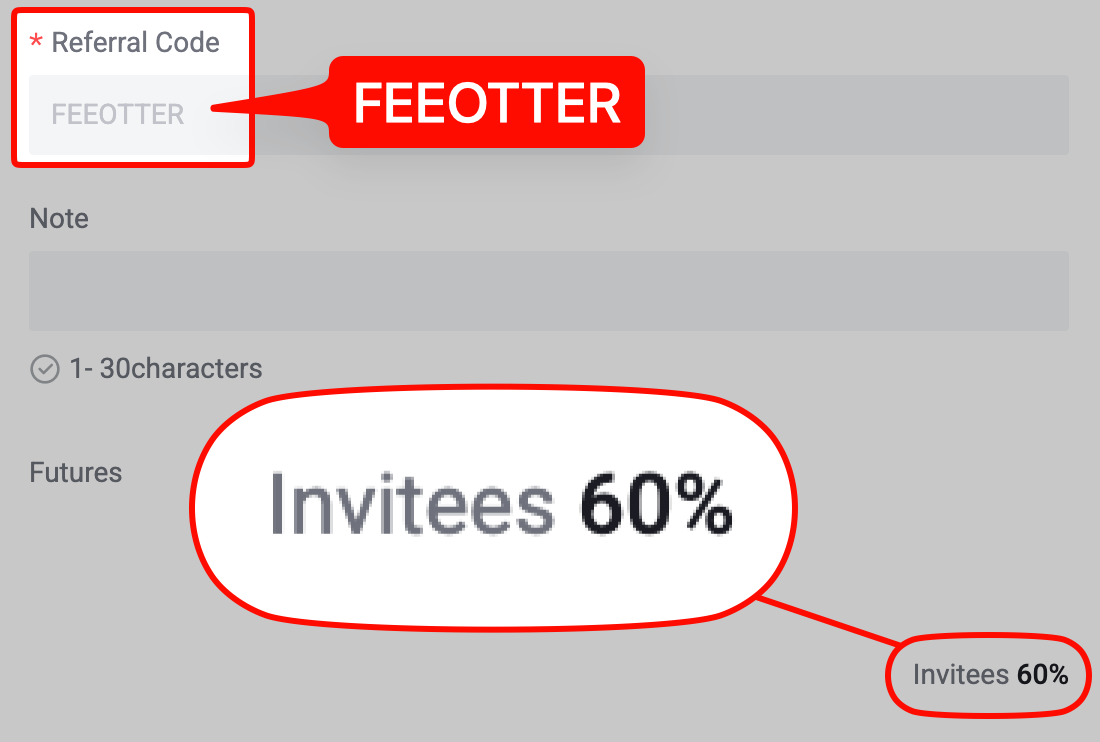
This guide is based on the XT.COM help center articles on identity verification, rejection reasons, the verification FAQs and the withdrawal limit guide. It covers which features need KYC, the web and app steps, the six kinds of rejection XT.COM lists, how many accounts one ID can verify, how the daily limit resets, entity verification and resetting your verification. KYC decides how much you can withdraw and whether you can use fiat and P2P. Your rebate depends on the referral code you sign up with: register on XT.COM with our code FEEOTTER for a 70% futures rebate (60% automatic exchange rebate + 10% extra rebate), 3.5 times a common 20% code.
Key points
- Where to submit: "Profile → KYC Verification" on the website; in the app, open your profile from the top left and tap "Identity Verification".
- Two channels: Sumsub (ID plus liveness check) or manual (ID photos plus a video reading numbers on screen). The country or region you pick decides which one you get.
- Review time: usually within 2 business days for personal verification, 7 business days for entities.
- Limits: daily crypto withdrawal limit of 200,000 USDT unverified, 10,000,000 USDT with personal verification, 15,000,000 USDT with entity verification, reset daily at 00:00 UTC.
- One ID, one account: an ID can verify only one XT.COM account, and a verified identity cannot be moved to another account.
Is KYC mandatory on XT.COM?
The official Withdrawal Limit Guide has an "Unverified" column with a 200,000 USDT daily withdrawal limit, so an account without KYC can withdraw. XT.COM lists three things KYC unlocks: higher daily withdrawal limits, fiat transactions and P2P merchant applications.
The article Why do I need to complete Identity Verification, updated in September 2026, also says verification is mandatory where the law of your location requires it, and the KYC guide adds that some locations or payment channels may need extra checks. Whether you can use everything unverified depends on what your account page shows. You will need KYC in these cases:
- Buying crypto with fiat, or fiat deposits and withdrawals.
- Applying to be a P2P merchant.
- Withdrawing more than 200,000 USDT a day.
- Becoming a copy trading lead trader: the Copy Trading FAQs require identity verification first.
KYC on the website
From the official website guide for personal verification (checked 2026-10-17):
- Log in, go to "Profile" and select "KYC Verification".
- Choose your country or region from the dropdown at the top right and click "Verify Now".
- Sumsub channel: read the consent and privacy notice, click "Agree and Continue", then "Start Verification". Pick the document type, choose whether to continue on this device or on your phone, photograph the document and complete the liveness check.
- Manual channel: pick the document type, enter your full name and ID number exactly as on the document, upload JPG, JPEG or PNG photos (5 MB each at most), then record a video reading the code or numbers on screen (MP4, OGG, WEBM, 3GP or MOV, up to 50 MB) and click "Submit".
- The status changes to "Reviewing". You get the result by email or site message. Do not refresh the browser while submitting.
The separate KYC verification guide says you can try the Sumsub channel three times; after three rejections, XT.COM reviews your case manually.
KYC in the app
- Log in to the XT.COM app and tap the top left corner to open your profile.
- The top says "Not Verified". Tap the arrow on the right, then "Identity Verification".
- Choose your country or region. XT.COM says limits and channels differ by country, so follow the prompt for Sumsub or manual.
- Sumsub: choose your place of residence, tap "verify now", select the issuing country and document type, photograph the ID and place your face in the circle. Do not refresh the app during upload.
- Manual: fill in your details, upload the ID photos and the video, then enter the code sent to your email and tap "Confirm".
Review time and the six rejection reasons
Personal verification usually finishes within 2 business days. If it takes longer, XT.COM asks you to contact support with your UID. A rejection notice by email or site message states the reason. From Common reasons for Identity Verification rejection:
| Reason | Typical problem | Fix |
|---|---|---|
| Personal details do not match | Missing or wrong name or ID number; name format, spelling or language differs from the document | Type everything exactly as it appears on the ID |
| Poor document photos | Blurry, dark, cropped, covered or black-and-white images | Retake clear colour photos without editing |
| Invalid or incomplete document | Expired or unsupported ID, only one side of a two-sided ID, corners cut off | Use a valid ID, upload every side, keep all four corners in frame |
| Face check or video failed | Bad light or camera, face covered, unclear audio or video, code not read out clearly | Redo it in good light with a steady camera and read the numbers exactly |
| Eligibility or region | Submitting from a restricted country or region; outside the age range (at least 18 and under 70); identified as a politically exposed or sanctioned person | Check that your location and age qualify |
| Duplicate ID | The ID is already verified on another account | Only your own, unused ID will pass |
Accepted documents are government-issued: passport, national ID card, driver's licence and residence permit.
One ID can verify only one account
The Identity Verification FAQs are blunt: each user can verify only one XT.COM account. If you need several trading accounts, open sub-accounts under your verified main account; they share its verification. Once your identity is verified on one account, the same identity cannot be reused on or transferred to another account, and the verification cannot be deleted on its own: to stop using that identity you have to delete the whole account. XT.COM keeps the verification data after deletion as data protection law requires. The official pages do not say whether the same ID can then verify a new account.
This matters if you rebind. An XT.COM referral code can only be entered at sign-up, so rebinding means registering a new account with a new phone number or email. If your old account is already verified, the new one cannot use the same ID. Think it through first: an unverified new account can still withdraw 200,000 USDT a day, which is enough for many people who do not need fiat or P2P. If you need fiat or higher limits, ask XT.COM support how they would handle it before you switch. The rebind steps are in the XT.COM rebind guide, and KYC transfer rules across exchanges are in KYC identity transfer and rebates.
XT.COM daily withdrawal limits
From the Withdrawal Limit Guide and the Identity Verification FAQs (checked 2026-10-17):
| Verification | Daily crypto withdrawal limit | Daily fiat withdrawal limit |
|---|---|---|
| Unverified | 200,000 USDT | Not applicable (fiat needs KYC) |
| Personal verification | 10,000,000 USDT | 500,000 USD |
| Entity verification | 15,000,000 USDT | 500,000 USD |
The limit is counted in USDT. XT.COM's example: with BTC at 100,000 USDT and a 100,000 USDT limit, you can withdraw 1 BTC a day. Check your own limit under "Overview → Identity Verification → Current Amount Limit". Each coin and network also has a minimum withdrawal shown on the withdrawal page; fees and network rules are in XT.COM deposits and withdrawals.
Worked example: how long to withdraw 500,000 USDT unverified?
XT.COM resets the daily limit at 00:00 UTC (08:00 in UTC+8). It resets by date, not 24 hours after your last withdrawal. Say an unverified account needs to move 500,000 USDT:
- Day 1: withdraw 200,000 USDT at 23:00 UTC.
- Day 2: the limit resets at 00:00 UTC, so an hour later you withdraw another 200,000 USDT.
- Day 3: after the next 00:00 UTC reset, withdraw the last 100,000 USDT.
That spans three UTC days and takes about 25 hours at the fastest. With personal verification (10,000,000 USDT a day) it is one withdrawal.
If you hold more than 200,000 USDT and might need to move it at short notice, finish KYC before you need it: review usually takes 2 business days, weekends can add time, and a rejection means another round.
Entity verification
According to How to complete Entity Verification, it is only available on the website, not the app: click "Switch to Entity Verification" on the KYC Verification page. You need board meeting documents, bylaws or operating rules, the registration certificate, registers of shareholders and directors, passports of directors, authorised representatives, management and every beneficial owner with 25% or more, an ownership chart and a dated screenshot of the company record on a government website. Review usually takes up to 7 business days, and you cannot edit the application once it shows "Reviewing".
Expired ID or a name change: resetting verification
When your ID is renewed, expires or your details change, resubmit through the Reset Portal (How to Reset Identity Verification): choose the reason, enter the document type and number, upload both sides and record a video reading the number on screen (up to 50 MB). XT.COM says review takes 1 to 2 business days and your trading history and assets are not affected. The FAQs add that the account may show as unverified during the reset until the new verification is approved.
Does KYC affect the rebate?
No. The rebate depends on the referral code used at sign-up, not on KYC. Binding to Fee Otter only needs your UID, never an API key or your ID. Sign up on XT.COM with code FEEOTTER for a 70% futures rebate (60% automatic exchange rebate + 10% extra rebate): XT.COM pays the 60% straight into your exchange account, and Fee Otter settles the other 10% daily. Screenshots are on the rebate rates page. Sign-up steps are in how to register on XT.COM; afterwards, submit your UID on the Fee Otter rebate platform. KYC rules across exchanges are compared in exchange KYC compared.
Where XT.COM operates
Section 3.3.4 of the XT.COM User Agreement (checked 2026-10-17) bars users located in the United States, Canada, mainland China, Cuba, North Korea, Singapore, Sudan, Venezuela and Crimea, and says the list is non-exclusive and can change without specific notice. Singapore IP addresses have been blocked since 20 June 2025 (official notice). KYC submitted from a restricted region is rejected, and the agreement lets XT.COM close accounts and positions if you hide or misstate your region, nationality or residence. Licensing by country is covered in exchange licences by country.
Risks to keep in mind
KYC hands your ID and face scan to the exchange and to a third-party verification provider (Sumsub), and XT.COM says it keeps the data for a legally required period even after you delete your account. Only submit through the official XT.COM website or app. Anyone who messages you offering to "handle verification" or "unfreeze your account", or asks for ID photos or a fee, is not following an official process. Funds held on any exchange carry platform risk; XT.COM's reserve figures and how to check them yourself are in XT.COM proof of reserves.
 Telegram · @feeotter