Binance's personal KYC level is "Verified": choose your residence and document type, upload the front and back of your ID, and complete a liveness check. Binance says documents are usually reviewed within 48 hours. Every new user must reach Verified before depositing or trading; existing users who haven't verified are switched to "Withdraw Only", which allows only withdrawals, order cancellation, position closing and redemption (from Binance's official FAQ, checked 2026-10-17).
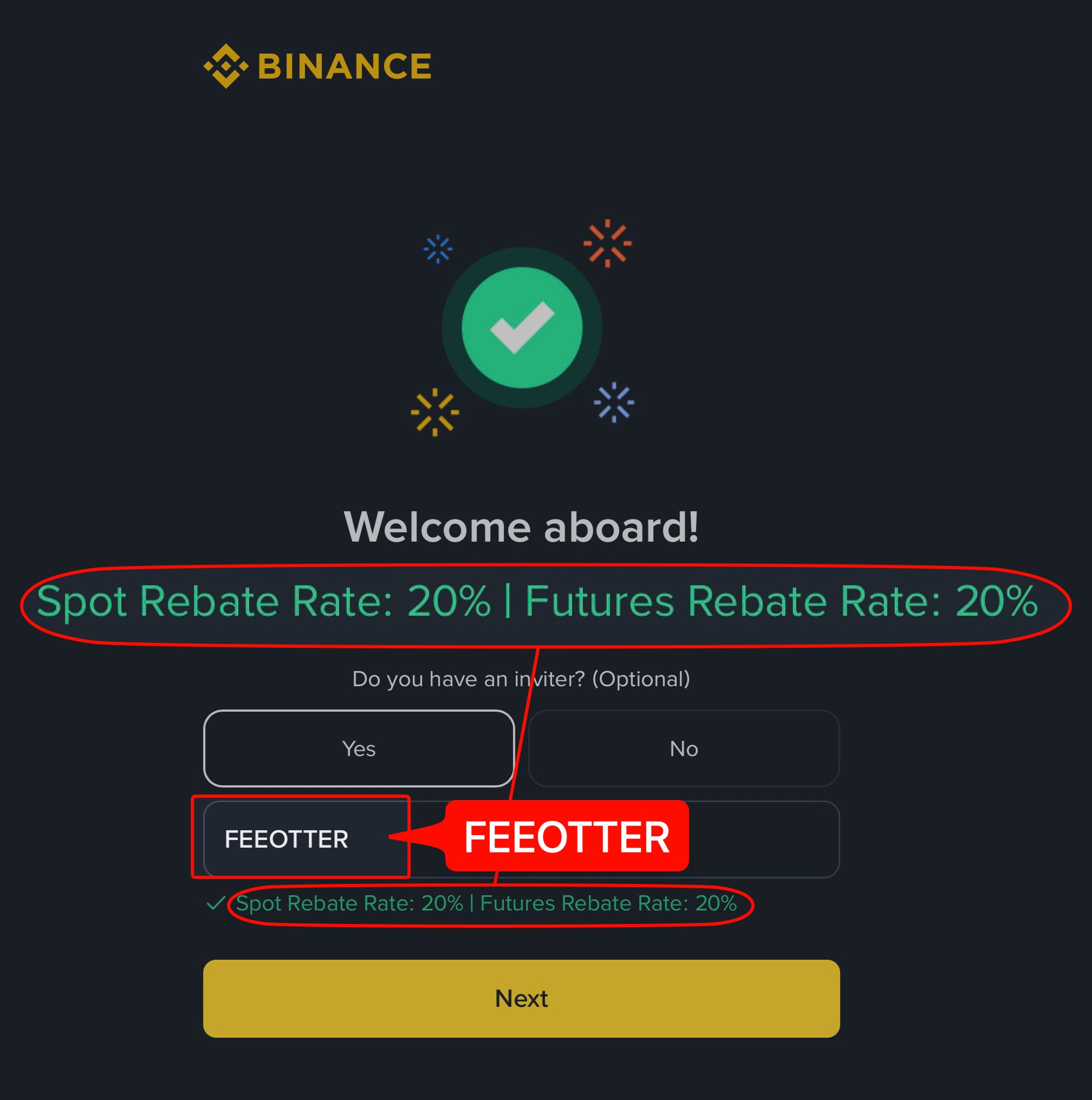
This guide follows Binance's help center article "How to Complete Identity Verification for a Personal Account?" and its official list of prohibited countries: who has to verify, the web and app steps, what to watch with photos and the liveness check, review times, how to update your details, how many accounts one person can verify, and how KYC relates to your rebate. KYC decides whether you can trade and how much you can withdraw; your rebate depends on the referral code you signed up with. Register on Binance with our code FEEOTTER and your fee rebate is 40% (20% automatic exchange rebate + 20% extra rebate), 2× a common 20% code.
Key points
- Mandatory: new users must complete Verified to deposit, trade and use other services.
- Unverified existing accounts: switched to "Withdraw Only": you can withdraw, cancel orders, close positions and redeem, but not deposit or open new positions.
- Documents: most users can use a passport, ID card or driver's licence; the options depend on the country.
- Review time: usually within 48 hours, longer in some cases.
- One personal account per person: you can't verify two personal accounts with the same identity; to separate funds, Binance points to sub-accounts or a separate entity account.
- Withdrawal limits: the FAQ gives no figures; check the Identification page in your account.
Why it's mandatory: Verified and "Withdraw Only"
Binance's How to Complete Identity Verification for a Personal Account? (updated 2026-06-05) says all new users must complete the Verified level to access deposits, trading and other services. Existing users who haven't will have their account permissions temporarily changed to "Withdraw Only", limited to withdrawals, order cancellation, position closing and redemption.
The same article says that depending on your region or chosen payment channels, such as fiat deposits and withdrawals or Binance Card, you may need a higher verification level. Verified is the minimum for trading, not a pass for every feature; for fiat or card services, follow what the page asks for.
Steps on the website
- Log in to Binance, hover over the profile icon at the top right, then click Account → Identification → Get Verified.
- Select your residence, the document's issuing country or region, and the document type.
- Upload the document from your current device, or scan the QR code to use your phone; manual upload depends on the country.
- Upload the front and back of the document and continue.
- Allow camera access and complete the liveness check as instructed on screen.
- Confirm your personal information and continue. Binance says everything must match your ID, and nothing can be changed after you confirm.
- Wait for the review; you'll be notified when it's done. Don't refresh the browser during the process.
Steps in the app
- Log in to the Binance app and tap Verify Now on the home screen, or open the Account Center and tap Unverified.
- Select your residence, the document's issuing country or region, and the document type, then continue.
- Choose how to submit the document and upload the front and back.
- Do the liveness check: keep your whole face clearly visible and centred, with your eyes open.
- Confirm your personal information, check it matches your ID, and continue; it can't be changed afterwards.
- Wait for the review; you'll get an email when it's complete. Don't refresh or quit the app during the process.
Photos and the liveness check: what Binance warns about
- Documents: upload both the front and the back; the document types offered depend on the issuing country.
- Liveness check: no hats, glasses or filters, and make sure the lighting is good.
- Matching details: your name and ID number must match the document exactly, because you can't change them after confirming.
- Don't interrupt: refreshing the page or leaving the app mid-process can mean starting again.
The FAQ gives no file format, size or resolution limits and no list of rejection reasons. If you're rejected, follow the explanation in the notification or email, fix it and resubmit.
How long does review take? Plan backwards
Binance says usually within 48 hours, longer in some cases. Working backwards from that: if you want to start trading on Friday evening, submit KYC by Wednesday evening so you aren't stuck waiting. Without Verified you can't deposit, so the order is: register, submit KYC, and move funds in once you're approved.
Updating your details or an expired document
The FAQ lists the cases where you can update your verification: an expired document; a change of name, ID number or nationality; or document requirements for fiat channels or Binance Card. Go to the Identification page, click Update Identity and resubmit as prompted.
How many Binance accounts can one identity verify?
The FAQ says you can't verify two personal accounts. To keep funds apart, you can open a separate entity account or use the sub-account feature (the FAQ says up to five sub-accounts under one personal account). You also can't transfer your account to someone else or use another person's ID.
This rule matters if you want to rebind for a better rebate: your old account already uses your identity, so work out what to do with it before opening a new one. See Binance rebind guide, and for other exchanges' rules on moving KYC to a new account, KYC identity transfer and rebates. We found no official Binance help article on transferring KYC to another account this time.
Where to find your withdrawal limit
The FAQ doesn't list limits. It says to "refer to the Identification page for the most updated withdrawal limits" and that Binance reviews its products and services on an ongoing basis. To see how much you can withdraw per day, log in and check Account → Identification. For withdrawal fees, networks and arrival times, see Binance deposits and withdrawals.
Service regions: where you can't open a Binance account
From Binance's List of Prohibited Countries (updated 2026-01-05):
- United States: you can't register if you are located, incorporated, established or resident in the US, a US citizen, or operating there.
- Canada and the Netherlands: you can't register if you are located, incorporated, established or resident there.
- Cuba, North Korea, Iran, Crimea, and the so-called Donetsk and Luhansk People's Republics: you can't register if you are located, incorporated, established or resident there.
The list says Binance may update it at its discretion without prior notice. The residence and document country you choose in KYC are checked against it. For licence status by country, see exchange licences compared.
Account security and risks
Submit KYC only on the Identification page of Binance's official website or app. Ignore anyone asking you to send ID photos or selfies over LINE, Telegram or a third-party site to "handle verification" for you. Binance's FAQ also says you can't transfer your account to someone else or use another person's ID. If you borrow or buy an account and its funds are frozen, proving they're yours is hard.
Exchange accounts carry platform risk, so consider moving assets you aren't trading to your own wallet. For Binance's reserve ratios and what they leave out, see Binance proof of reserves.
Does KYC affect your rebate?
Not directly. The rebate rate depends on the referral code you signed up with, not your KYC level, and binding to Fee Otter only needs your UID, not an API key or password. Register on Binance with our code FEEOTTER and the fee rebate is 40% (20% automatic exchange rebate + 20% extra rebate): Binance pays the 20% straight into your account, and Fee Otter settles the other 20% daily and pays it out on request as USDT on BEP20, minimum 1 USDT per request, with the 0.015 USDT network fee paid by you. The rebate covers trading fees only, not funding or liquidations.
On 1,000 USDT of monthly fees, a common 20% code returns 200 USDT and ours returns 400 USDT. If you forgot the code at sign-up, you can still add it within 30 days, before your first deposit or trade; see Binance referral code. For the full sign-up flow, see how to register on Binance; for KYC requirements side by side, exchange KYC compared.
 Telegram · @feeotter