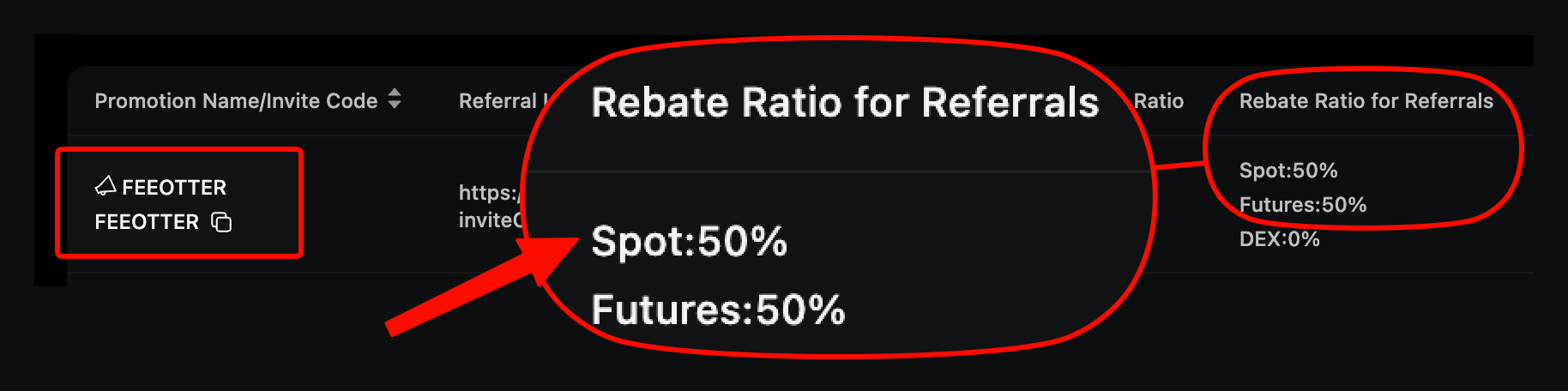
Copy trading on Ourbit is futures copy trading: you fund it with USDT from your spot account, pick a trader, and choose Smart Ratio, Fixed Amount or Fixed Multiplier, with a stop-loss you can set between 3% and 75%. The trader's maximum profit share is whatever the platform page shows, and the copy trading account pays the same fee rates as your main account (checked October 2026). If your main account signed up with Fee Otter's referral code FEEOTTER, the futures rebate is 70%.
This guide follows Ourbit's Copy Trading Guide for Followers: what to prepare, how the three modes calculate size, what each setting does, why a copy sometimes fails, and how to stop. Futures fees, liquidation and funding are covered in the Ourbit futures guide.
Before you start
- USDT in your spot account: copy trading is funded from spot. Check the balance on the assets page.
- Enough equity and free margin: if your balance is small, the calculated order can fall below the contract's minimum size and the copy will not open.
- Know the futures risks: you are copying leveraged futures positions, and the losses land in your account.
- Decide on mode, leverage and TP/SL: these set how big each copy is and where it stops.
Choosing a trader
On the Ourbit copy trading homepage you can compare traders by performance, trading frequency, drawdown, style and history, then click [Copy] and fill in the settings. Ourbit's own warning: past performance does not guarantee future results, so do not pick a trader on a single number.
Traders may receive part of their followers' profits under the platform rules. The guide says the maximum profit-sharing ratio is whatever the platform displays and gives no fixed figure, so check the ratio on the trader's page before you copy.
The three copy modes
| Mode | How it works | Ourbit's example | Good for |
|---|---|---|---|
| Smart Ratio | Copy ratio = trader's margin for this position ÷ trader's equity; estimated copy margin = copy ratio × your equity | Trader has 10,000 USDT and opens with 500 USDT, a 5% ratio. With 2,000 USDT equity you copy with about 100 USDT | Following the trader's share of funds |
| Fixed Amount | Every copy uses the amount you set, whatever the trader uses | Set 100 USDT; whether the trader opens with 20 or 200 USDT, you use 100 USDT | Controlling the size of each copy |
| Fixed Multiplier | Trader's margin for this position × your multiplier | Set 3x; trader uses 10 USDT, you use 30 USDT; trader uses 50 USDT, you use 150 USDT | Scaling copies up or down, if you can take the risk |
None of these examples include trading fees, funding or PnL. The actual amount depends on your equity, minimum order size, leverage, risk limits and market conditions, and can be lower than the estimate.
Margin mode and leverage
- Margin mode: Follow Trader (default), Isolated or Cross. You cannot change it while you have active copy positions.
- Isolated margin settings: only for isolated copy positions. Options are Do Not Adjust Margin (default), Auto-Add Margin, or Follow Trader's Adjustments.
- Leverage: follow the trader's leverage, or set your own, separately for longs and shorts.
Risk controls: TP/SL, liquidation handling and slippage
- TP/SL (optional): applies to later copy positions. The stop-loss ratio can be from 3% to 75%. In fast markets, thin liquidity or price gaps, it may fill away from the expected price or not trigger at all.
- Liquidation handling (required): with Follow Close, if the trader is liquidated the system tries to close your copy as well. With Do Not Follow Close, your position stays open and you get a notification to manage it yourself.
- Slippage control: with custom slippage on, the system places a limit order at the trader's entry price adjusted by your slippage. With 1% on BTCUSDT and a trader going long at 20,000 USDT, your order price is 20,200 USDT and must fill at or below it; for a short it is 19,800 USDT, filling at or above. Without a slippage setting the copy goes in at market.
Why a copy sometimes fails
The reasons Ourbit lists:
| Reason | What happens |
|---|---|
| Order below the minimum opening amount | Smart Ratio or Fixed Multiplier works out a margin too small to place the order |
| Not enough available margin | Your equity is too low, or margin is tied up in other positions |
| Custom slippage limit | The price moves outside your range and the limit order does not fill |
| Leverage or risk control limits | Leverage caps, maximum position size, risk limits or account-level controls block all or part of the copy |
| Fast markets or thin liquidity | The trader moves quickly or depth is limited, so you cannot get the same price or size |
| Contract unavailable | The contract is in settlement, maintenance or otherwise paused |
Ourbit gives three examples. A trader with 10,000 USDT opens with 10 USDT, a 0.1% ratio; with 500 USDT equity, Smart Ratio gives you 0.5 USDT, below the minimum, so the copy fails. You can add equity or switch to Fixed Amount or Fixed Multiplier. With 1% slippage and a trader going long at 20,000 USDT, if the price shoots past 20,200 USDT your order does not fill. And if a trader holding 100 ETH closes 60 ETH while you hold 10 ETH, the system tries to close 6 ETH of yours.
So your entry, exit, size and return can all differ from the trader's. Your own fill records are what count.
Managing and stopping copies
- Current copies: My Copy Trading → Current shows positions, margin, PnL and the trader. You can close at market or change TP/SL for a position.
- History: My Copy Trading → History lists each copied order with margin, order ID, trader and trading fees.
- Stop copying: you must close all copy positions with that trader first. Unused funds in the copy trading account then return to your main account's spot account.
Fees and rebates on copy trades
Ourbit's FAQ says the copy trading account uses the same fee rates as the main account. Ourbit futures currently charge 0.02% maker and 0.04% taker, so every copied trade pays futures fees.
Accounts registered with our code FEEOTTER get a 70% futures rebate: 50% returned automatically by Ourbit, plus 20% from Fee Otter once you bind your UID. Whether fees from copy trades are included depends on the rebate settlement details; ask our support if in doubt. On 300 USDT of futures fees a month, a common 20% code returns 60 USDT; ours returns 210 USDT. If you are already a VIP on an exchange and want to rebind or sign up elsewhere, contact our support; we can help apply for special trading benefits or a higher rebate rate.
The code is in Ourbit referral code and the numbers are in the Ourbit fee rebate guide. Ourbit does not allow adding a code after sign-up; existing users should read the Ourbit rebind guide.
 Telegram · @feeotter