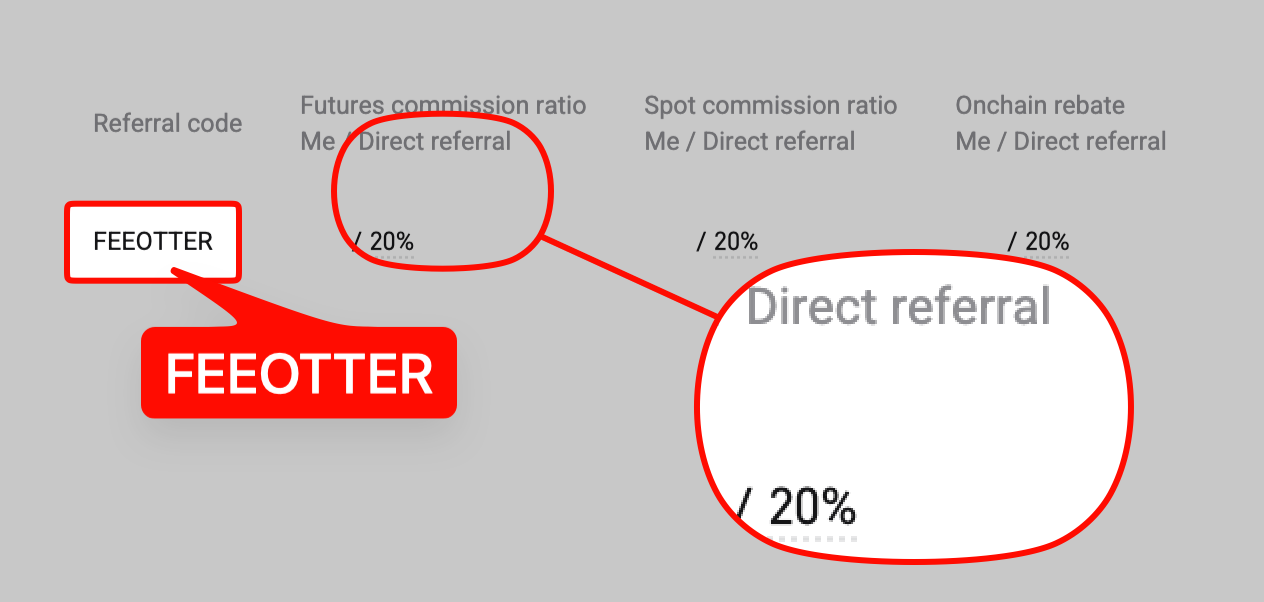
Create a Bitget API key under API Key Management on the website and you get three credentials: APIKey, SecretKey and Passphrase. New strategies should use the V3 interface of the Unified Trading Account (UTA), with only the permissions they need and bound IPs; orders are limited to 10 per second. Bind with Fee Otter's code FEEOTTER for a 50% futures rebate, but VIPs with 30-day volume of at least 50 million USDT spot or 100 million USDT futures and an API share of 20% or more don't qualify for platform rebates (checked October 2026).
In 2026 Bitget's API centres on the V3 interface of the Unified Trading Account (UTA), with the classic account in maintenance mode. This guide follows Bitget's official API documentation and Help Center (verified 2026-09-28) in the order you would actually integrate: choose the account mode, create an API key with its three credentials, set permissions and IPs, understand signing and rate limits, run on demo trading, and finally the part most people miss: Bitget states in writing that high-volume users trading mostly by API can lose eligibility for platform rebates. Bind Bitget to Fee Otter with our referral code FEEOTTER and you get a 50% futures rebate, 2.5 times the common 20% referral code, a difference that adds up every month for a program that trades often.
Choose the account mode first: unified or classic
Bitget now has two sets of API documentation. The classic account docs open by recommending the Unified Trading Account and state that the classic account is in maintenance mode, receiving only essential updates (Classic Introduction). The difference:
- Unified Trading Account (UTA): spot, margin, and USDT, USDC and coin-margined futures share one margin pool, and one V3 interface (paths under
/api/v3/...) usescategoryto choose the product. - Classic account: assets sit in separate spot, futures and other accounts (for example USDT must be in the futures account to trade futures), using the V2 interface.
Write new strategies against UTA; existing V2 code on a classic account keeps working, but the classic account only receives essential updates, and some features, such as the automatic cancel-on-disconnect below, are UTA only. How you integrate does not affect your rebate: binding only needs your UID, never an API key.
A Bitget API key comes with three credentials
Log in on the website and create it under API Key Management. According to the official Quick Start (Quick Start), you end up with three items:
| Name | What it is | Watch out for |
|---|---|---|
| APIKey | Identifies your API trading, randomly generated | Sent in every request header |
| SecretKey | System-generated private key used to sign | Never share it |
| Passphrase | API password you set yourself | Cannot be changed; if lost, delete and recreate the key |
Bitget's risk warning is blunt: leaking any one of the three may cause loss of assets, and a leaked key should be deleted as soon as possible. Each UID can create up to 50 API keys, each set to read-only or read-write.
Subaccount keys: virtual and standard subaccounts can create and manage their own API keys, provided the main account enables the API Key Management permission for that subaccount, which is off by default; the main account can view, edit or delete subaccount keys at any time. One strategy per subaccount means a problem stays contained.
Permissions and IP binding
The official quick start lists two UTA permission groups, trade and management, each with read-only and read-write; withdrawal permission is specified separately on the withdrawal endpoint:
| Permission | What it allows | For a strategy |
|---|---|---|
| UTA trade (read-only) | View trade information | Monitoring and bookkeeping |
| UTA trade (read-write) | Place and cancel orders | Needed to trade |
| UTA management (read-only) | View account information and fee rates | Needed for balances and fees |
| UTA management (read-write) | Account settings such as leverage and holding mode | Only if the strategy adjusts leverage |
| UTA withdrawal | Call the withdrawal endpoint (on-chain and internal transfers) | Leave off |
The withdrawal permission is the one marked "Permission: UTA withdrawal" on the official /api/v3/account/withdrawal endpoint (Deposit/Withdrawal docs). A trading strategy never needs to withdraw; enable it and a leaked key goes from "unwanted orders" to "assets gone".
IP binding: the Quick Start says twice, in its security tip and risk warning, that binding an IP address when creating an API key is strongly recommended. Per the subaccount key endpoint, one key can bind up to 30 IPs, IPv4 only. As for whether keys without an IP expire, as of 2026-09-28 we found no statement in Bitget's official API docs or Help Center, so go by what the creation page shows; either way, if your server has a fixed outbound IP, bind it.
Signing, timestamps and an example
Every REST request carries four headers: ACCESS-KEY, ACCESS-SIGN, ACCESS-TIMESTAMP and ACCESS-PASSPHRASE. The signature is HMAC-SHA256 with the SecretKey over timestamp + uppercase method + request path + (? and query string, if any) + body, then Base64-encoded; RSA signing is also supported. WebSocket login timestamps expire after 30 seconds, and Bitget recommends syncing your host clock with the server.
This snippet uses the read-only management permission to fetch your futures fee rate, which also proves your signing works. Keys come from environment variables:
import base64, hmac, os, time, requests

KEY = os.environ["BITGET_KEY"]
SECRET = os.environ["BITGET_SECRET"]
PASSPHRASE = os.environ["BITGET_PASSPHRASE"]

path = "/api/v3/account/fee-rate"
query = "category=USDT-FUTURES&symbol=BTCUSDT"   # keys sorted A-Z
ts = str(int(time.time() * 1000))
prehash = ts + "GET" + path + "?" + query
sign = base64.b64encode(
    hmac.new(SECRET.encode(), prehash.encode(), "sha256").digest()
).decode()

r = requests.get("https://api.bitget.com" + path + "?" + query, headers={
    "ACCESS-KEY": KEY, "ACCESS-SIGN": sign, "ACCESS-TIMESTAMP": ts,
    "ACCESS-PASSPHRASE": PASSPHRASE, "Content-Type": "application/json",
})
print(r.json(), r.headers.get("x-mbx-used-remain-limit"))
The response header x-mbx-used-remain-limit shows the remaining allowance for that endpoint, so your code can slow down. For demo trading, see the demo section below.
Rate limits: REST and WebSocket share one allowance
The general rules in the Quick Start: requests that are too frequent return 429 Too Many Requests; each endpoint's limit is listed on its own page and counted separately; REST and WebSocket share the same rate limit quota; and the common domain has an overall cap of 6,000 requests per IP per minute. Common trading endpoints (UTA, Order Management docs, verified 2026-09-28):
| Endpoint | Purpose | Limit | Notes |
|---|---|---|---|
| /api/v3/trade/place-order | Place order | 10/s per UID | Stock tokens (rToken) have a separate 5/s |
| /api/v3/trade/place-batch | Batch orders | 5/s per UID | Up to 20 orders per batch |
| /api/v3/trade/modify-order | Amend order | 10/s per UID | No repeat until the result returns |
| /api/v3/trade/cancel-order | Cancel order | 10/s per UID | |
| /api/v3/trade/cancel-batch | Batch cancel | 5/s per UID | Up to 20 per batch; partial success allowed |
| /api/v3/trade/cancel-symbol-order | Cancel all by symbol | 5/s per UID | |
| /api/v3/trade/unfilled-orders | Open orders | 20/s per UID | Up to 400 open orders each for futures and spot |
| /api/v3/account/fee-rate | Fee rate | 3/s per UID | |
| /api/v3/account/withdrawal | Withdraw | 1/s per UID | Needs withdrawal permission |
WebSocket rules (the same in the UTA and classic docs):
- Up to 300 connection requests per IP per 5 minutes, and at most 100 connections per IP.
- Up to 240 subscription requests per hour per connection and 1,000 channels per connection; Bitget strongly recommends fewer than 50 channels per connection for stability.
- Send the string "ping" every 30 seconds and reconnect if no "pong" comes back; the server disconnects after 2 minutes without a ping.
- Each connection accepts up to 10 messages per second (pings, logins, subscriptions); exceed it and you are disconnected, and IPs disconnected repeatedly may be blocked.
Bitget's best-practice guide recommends subscribing to the order channel over WebSocket before placing orders and setting your own clientOid; a successful order response only means the exchange received the request and assigned an ID, and whether it reached matching shows up in the order channel.
Extra options for large accounts: countdown cancel-all (countdown-cancel-all, which cancels all orders if no heartbeat arrives within a 5 to 60 second window) is UTA only and must be requested through Bitget's business team; the VIP line and the low-latency Lo-La line are also for VIP and institutional users on application. From 2026-09-03, market maker and PRO users on UTA moved to a new institutional rate limit framework: up to 600 requests per second per account and up to 120,000 per second across a master account and its subaccounts, with classic accounts unchanged (official announcement).
Demo trading: run it on a demo API key first
Bitget's demo trading uses virtual funds against real market prices. The Help Center gives 50,000 USDT as an example and lists USDT-M perpetuals such as BTCUSDT and ETHUSDT, coin-margined BTCUSD and ETHUSD, and USDC-M BTCUSDC and ETHUSDC; virtual funds cannot be withdrawn or moved to your live account, and every user has access by default (What Is Demo Trading on Bitget Futures). To use it through the API (official Quick Start):
- Log in and switch to Demo mode.
- Go to Personal Center, then API Key Management, and create a Demo API key.
- Send REST requests to api.bitget.com as usual, but with the demo key and the header
paptrading: 1. - Connect WebSocket to
wss://wspap.bitget.com/v3/ws/publicandwss://wspap.bitget.com/v3/ws/private.
Unlike Bybit's separate demo domain, Bitget demo REST uses the same domain as live trading, and only the paptrading header tells them apart, so make paptrading an explicit setting in your code to avoid test runs hitting your live account. The Help Center also notes demo prices mirror the real market but may lag slightly due to network latency.
Fees and the rebate rules for API trading
Fees: Bitget's fee schedule is set by VIP level, with VIP0 at 0.1% / 0.1% on spot and 0.02% maker / 0.06% taker on futures, and no separate API rate; check your actual rate with /api/v3/account/fee-rate above. Thresholds and rates by level are in Bitget VIP levels.
Rebates: Bitget's affiliate program defines the rebate as net fees × rebate ratio, where net fees are what you actually paid after deductions; it does not mention API orders separately, so for ordinary users whether API-generated fees count is determined by the settlement records. But Bitget has three API-related exceptions in writing:
- High-volume VIPs with API ≥ 20%: the Bitget fee page states that VIP users with 30-day spot volume of 50 million USDT or more, or futures volume of 100 million USDT or more, whose API trading is 20% or more of total volume, are not eligible for the platform rebate (Bitget fee page).
- PRO users: PRO requires both volume and an API ratio of at least 20%; PRO1 is 30-day spot volume above 50 million or futures volume above 100 million USDT, and the API ratio is (API spot volume + API futures volume) ÷ (total spot + total futures volume). The PRO rules say "No upstream commission", so the referrer receives no fee share from that user; PRO and market maker users are also not eligible for other platform fee discounts or rebates (Bitget PRO explainer).
- Institutional users: Bitget states the VIP system and its rules apply only to non-institutional users.
Reaching PRO through API volume brings lower listed fees and higher rate limits, but the platform rebate stops. If your account trades close to 100 million USDT a month mostly by API, work out whether PRO fees or VIP fees plus rebate leave you paying less.
Algo users below those thresholds follow the normal rules: Fee Otter's Bitget futures rebate is 50%. In money terms: 3 million USDT of monthly futures volume, all taker, is about 1,800 USDT in fees, so 50% puts about 900 USDT back each month; a common 20% code returns 360 USDT. See the Bitget fee rebate guide, the Bitget rebind guide for existing accounts, and fee rebates for high-volume traders.
If you are already an exchange VIP or trade large volume and want to rebind or sign up on another exchange, contact Fee Otter support. We work directly with the exchange's official team and can help you apply for special trading benefits (such as a VIP level trial) or a higher rebate rate, subject to the exchange's approval.
 Telegram · @feeotter