Is Fee Otter safe?
Fee Otter only needs your exchange UID. We never ask for your password, API keys or any access to funds. The rebate comes in two parts. The exchange auto-rebate is paid by the exchange, straight into your exchange account, because you signed up with our invite code. The Fee Otter extra rebate settles daily, and when you withdraw it a public smart contract on BNB Smart Chain pays you in USDT. Every one of those payments can be looked up on BscScan. Below are answers to the usual questions, each with a place where you can check it yourself.
Data as of 2026-11-19 14:58 (UTC+8)
- Paid by the contract (USDT)since 2026-10-31
- 3,067.951604
- Payouts
- 32
- Median automatic payout
- 3 s
- Manual review, average
- 6.5 h
These figures are read from the payout database when this page is generated, the same source as the on-chain payout proof page. The median covers the latest 100 automatically approved withdrawals. The manual review average is the time from request to payment for withdrawals above 250 USDT received or ones that need a manual check.
What you can check yourself
| What | How to check | Link |
|---|---|---|
| What you hand over to link | Only your exchange UID. Section 4 of the Terms says we never ask for your exchange password, verification codes, withdrawal permission or an API key that can trade. | Terms, section 4 |
| Whether the exchange auto-rebate arrived | Look at the funding records in the exchange app. Binance: USDⓈ-M Futures → Transaction History, type "Referal Kickback". OKX: Funding account → History, type "Fee rebate". Bitget: Spot → Transaction history → "Other" tab, type "Other - Rebate rewards". | On-chain payout proof (rebate receipts) |
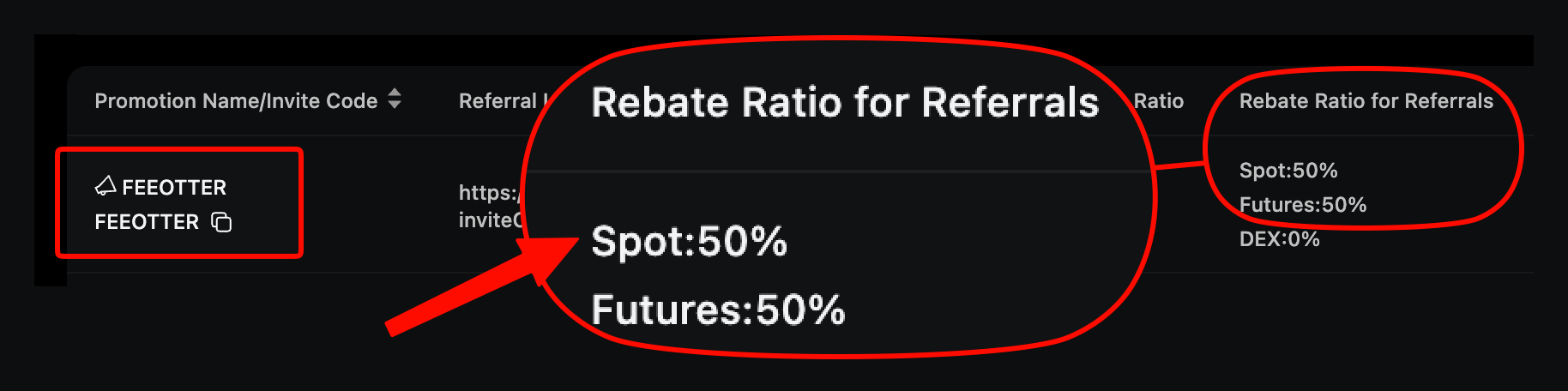
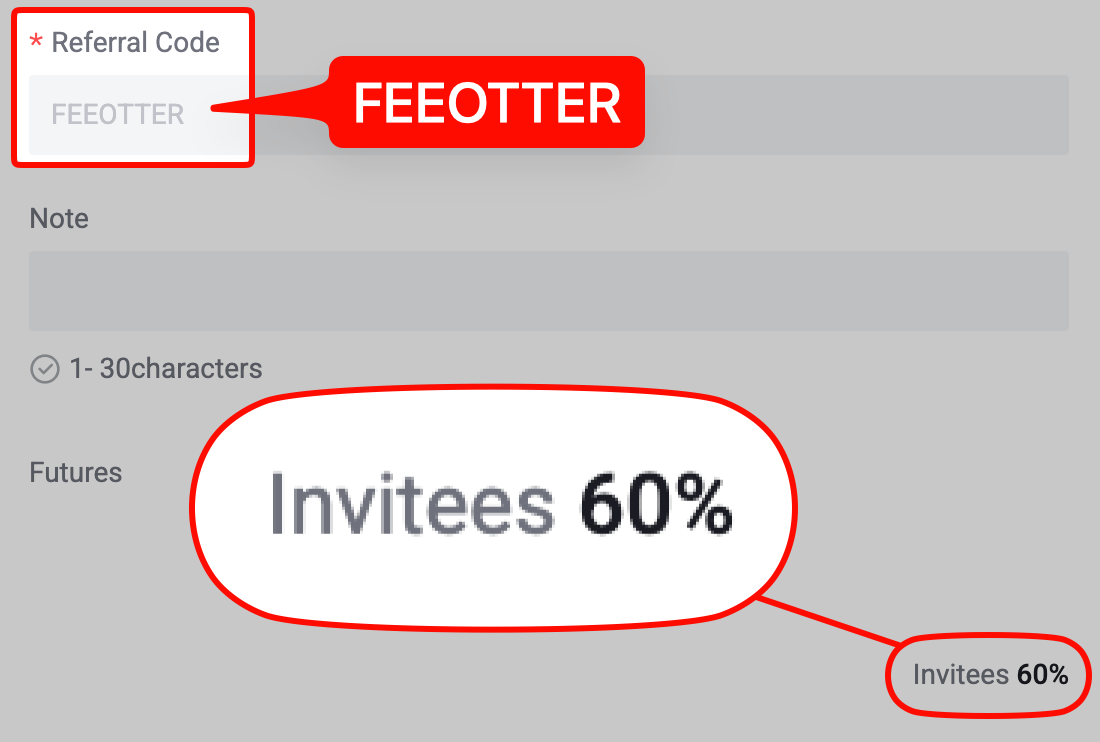
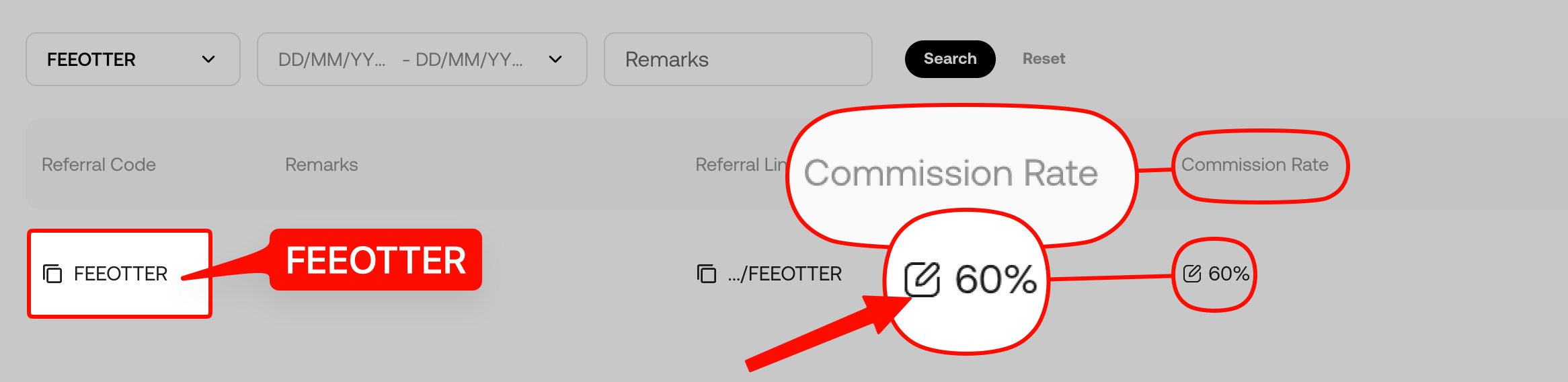
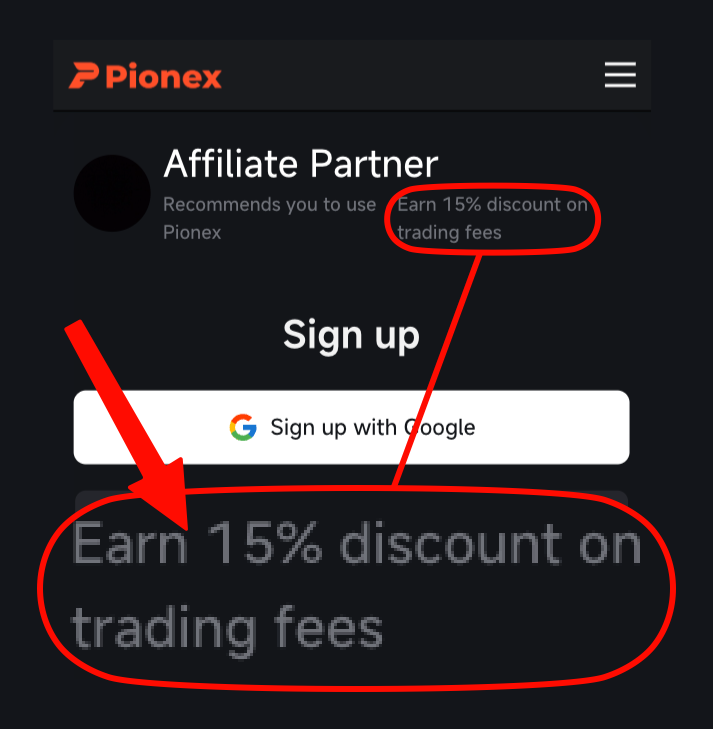
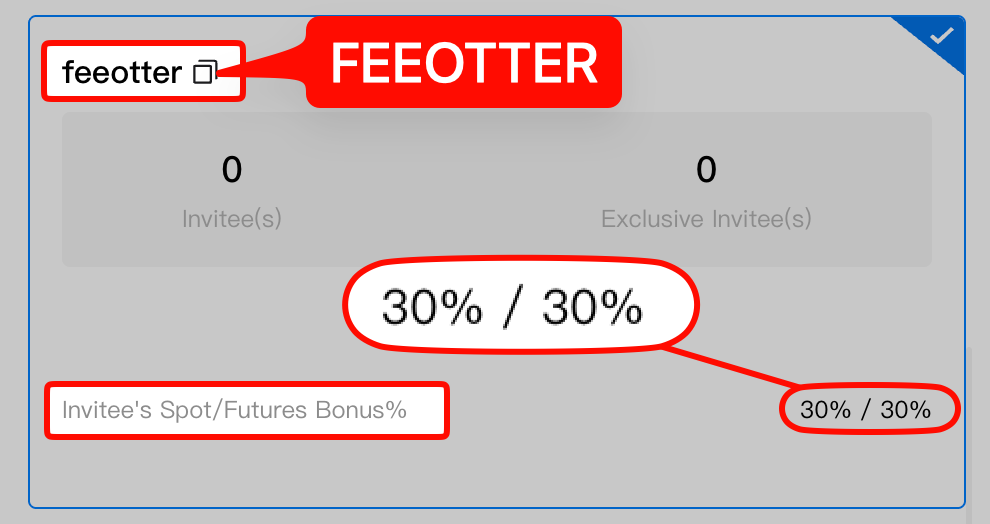
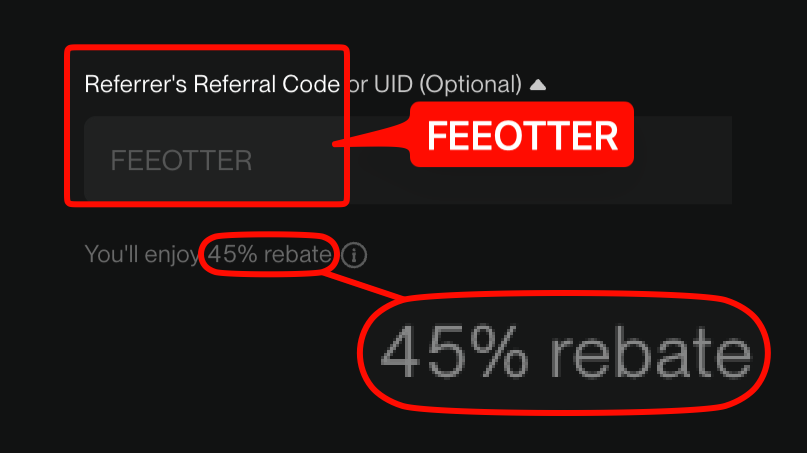
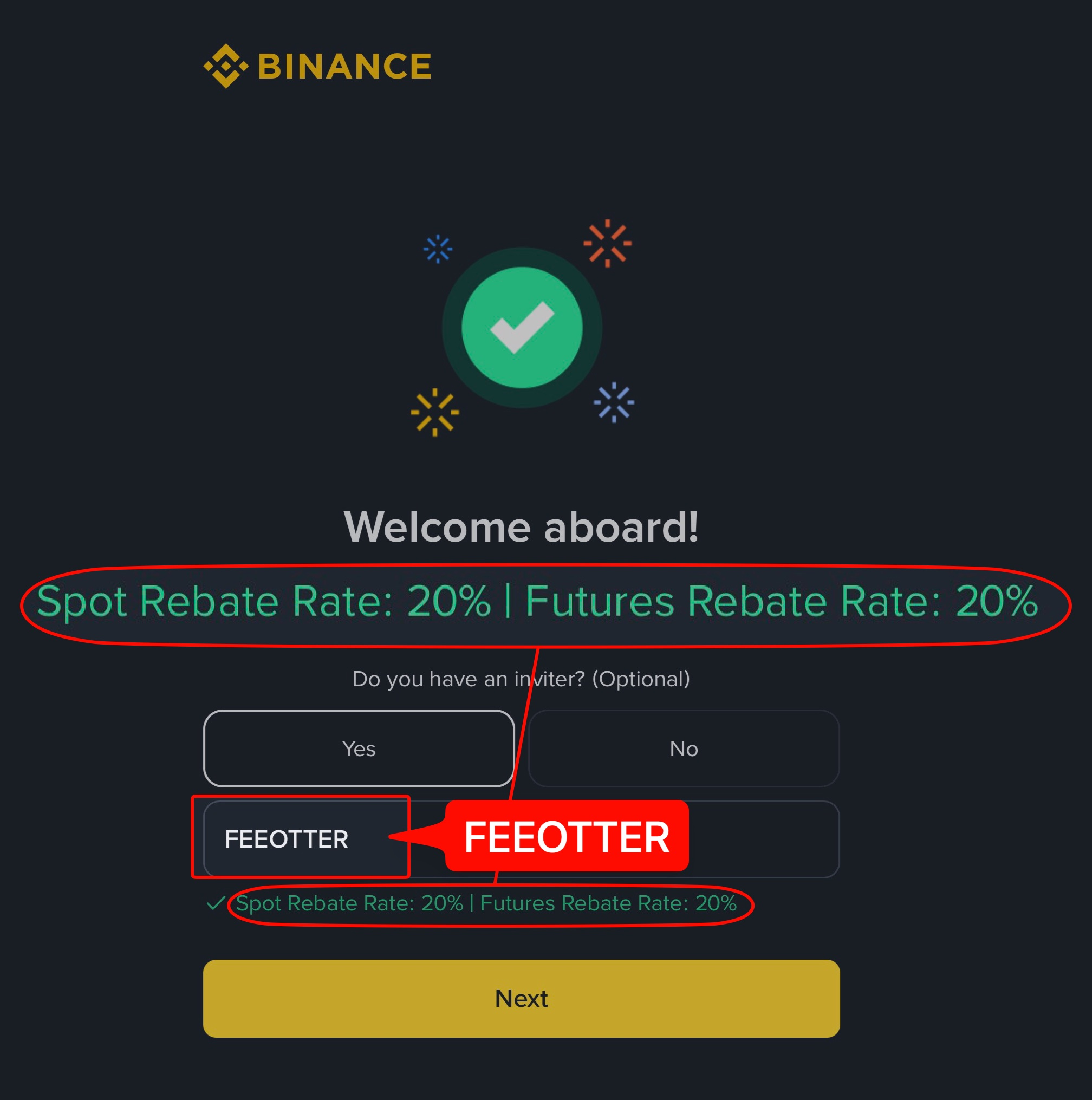
| Who pays which part of each rate | The rebate rate table lists "paid by the exchange" and "paid by Fee Otter" separately. The exchange part comes with a screenshot of the signup page opened with our code, or of the affiliate backend. | Invite codes and rebate rates |
| Whether the payout contract is public | Open the contract's "Contract" tab on BscScan: it shows a green check and "Contract Source Code Verified". Contract address: 0x14f598f1f949714fa3f15af0c8ec56d5aef9874c. | Contract source on BscScan |
| Every payment the contract has made | The contract's "Token Transfers" tab lists every USDT transfer out. We also publish the full history with CSV and JSON downloads. | BscScan Token Transfers · Full payout history · CSV · JSON |
| Your own payout | Enter the full transaction hash or your receiving address to see the matching payout. Your withdrawal history in the member area also shows the hash of each one. | Look up your payout |
| How much settles each day | Data refreshes daily at around 08:00 (UTC) and then settles. The rebate dashboard lists every fee, rate and amount line by line, to four decimals. | Rebate dashboard |
| Where fee figures come from | Only the exchange's official fee page, official support articles or public API, each marked with the date we checked it. | Methodology |
How the extra rebate is paid: a public smart contract
The Fee Otter extra rebate is paid in USDT (BEP20) by a single contract on BNB Smart Chain. Its source code is verified on BscScan and it cannot be upgraded. It pays only to the address you linked, and it pays each withdrawal once. Here are the latest payouts, each linked to its transaction on BscScan.
Latest payouts
Times in UTC+8
| Time | Recipient | Time taken | Amount (USDT) | Transaction |
|---|---|---|---|---|
| 2026-11-19 02:41:34 | 0x986a****be56 | 3 s | 99.985 | 0xe772f04b…3ff793 |
| 2026-11-18 22:43:22 | 0x593c****926b | 3 s | 96.985 | 0x40cffacc…59c3f4 |
| 2026-11-18 17:57:18 | 0xdebf****ea9d | 2 s | 10.7103 | 0x2ba93a51…cb8b74 |
| 2026-11-17 01:30:09 | 0x986a****be56 | 4 s | 56.985 | 0x6b6dad14…4dbdb5 |
| 2026-11-16 22:55:24 | 0xe57c****6a07 | 2 s | 13.5276 | 0xac3650a8…8d5e36 |
Full payout history → Look up your payout → Download: CSV · JSON
Proof of each invite code's rate
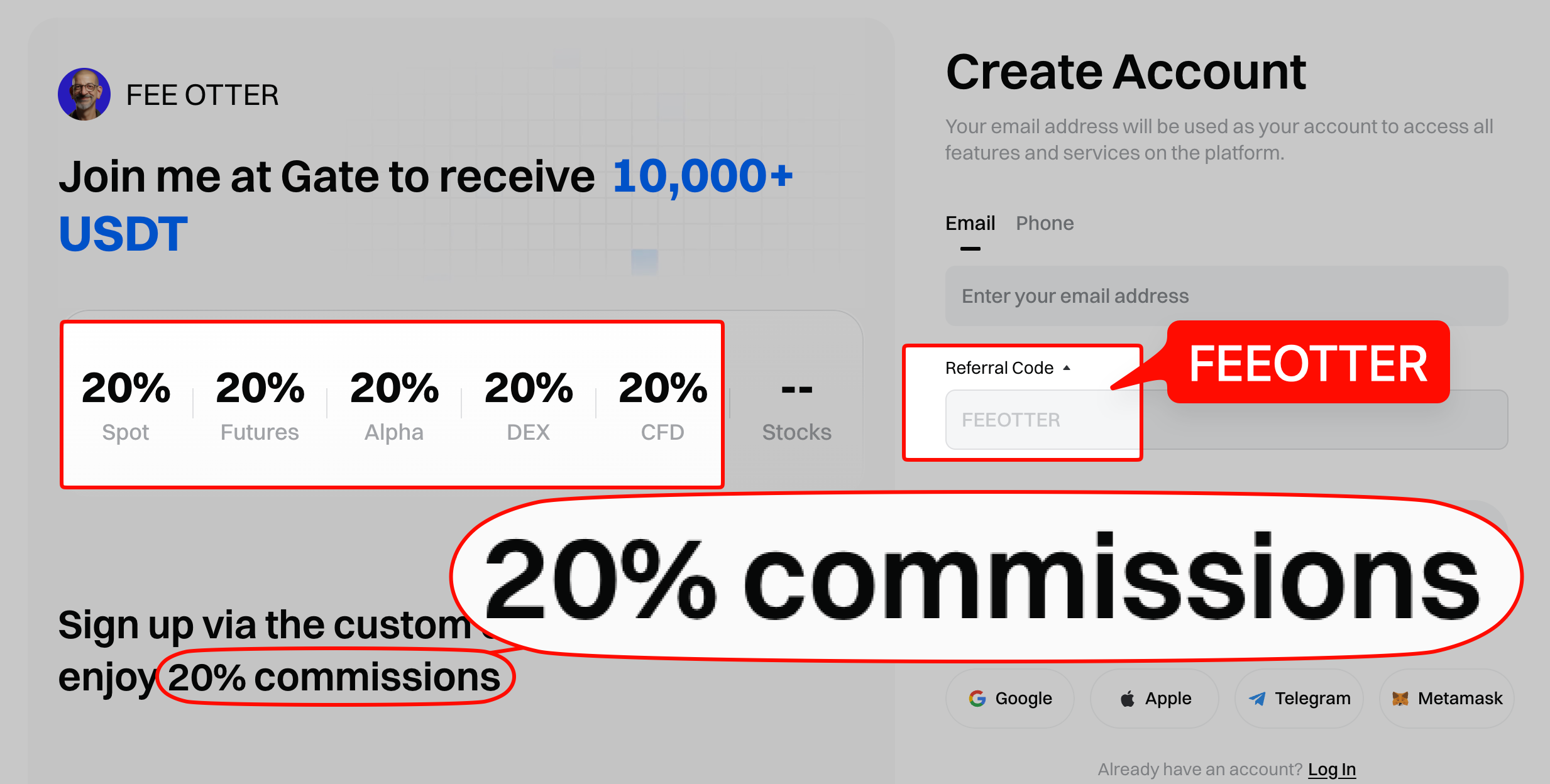
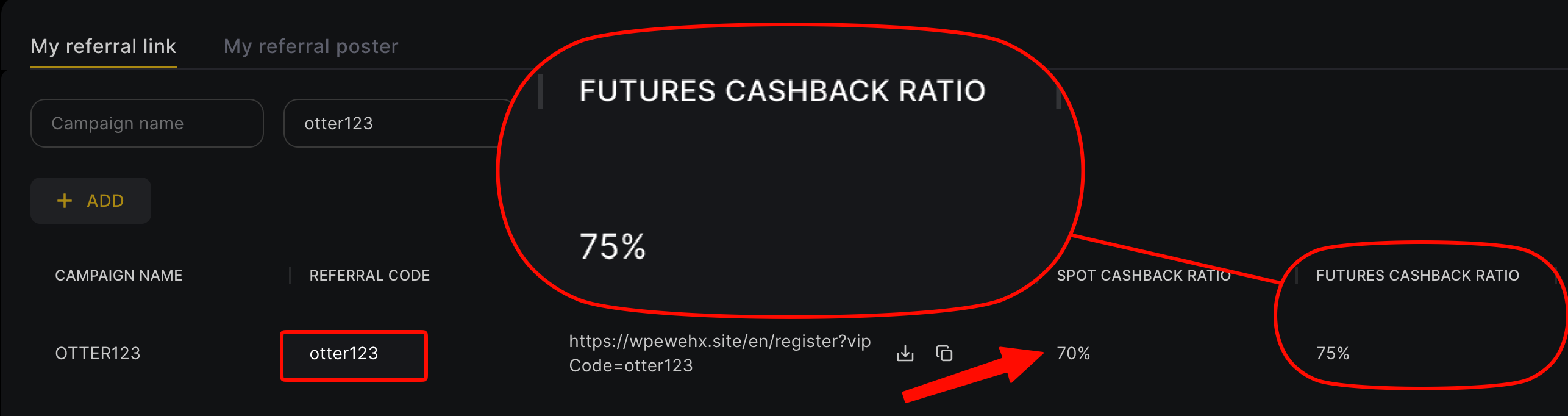
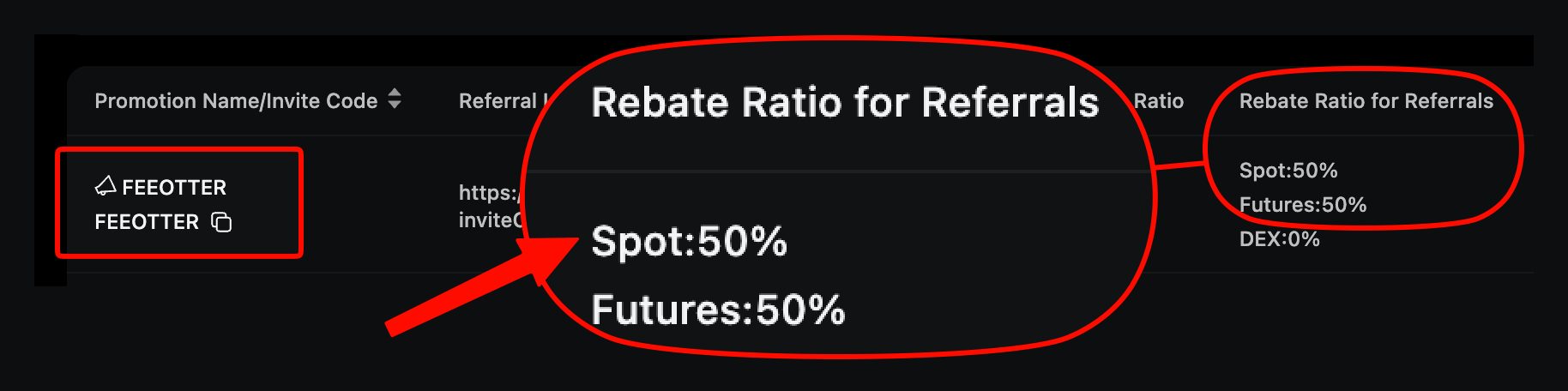
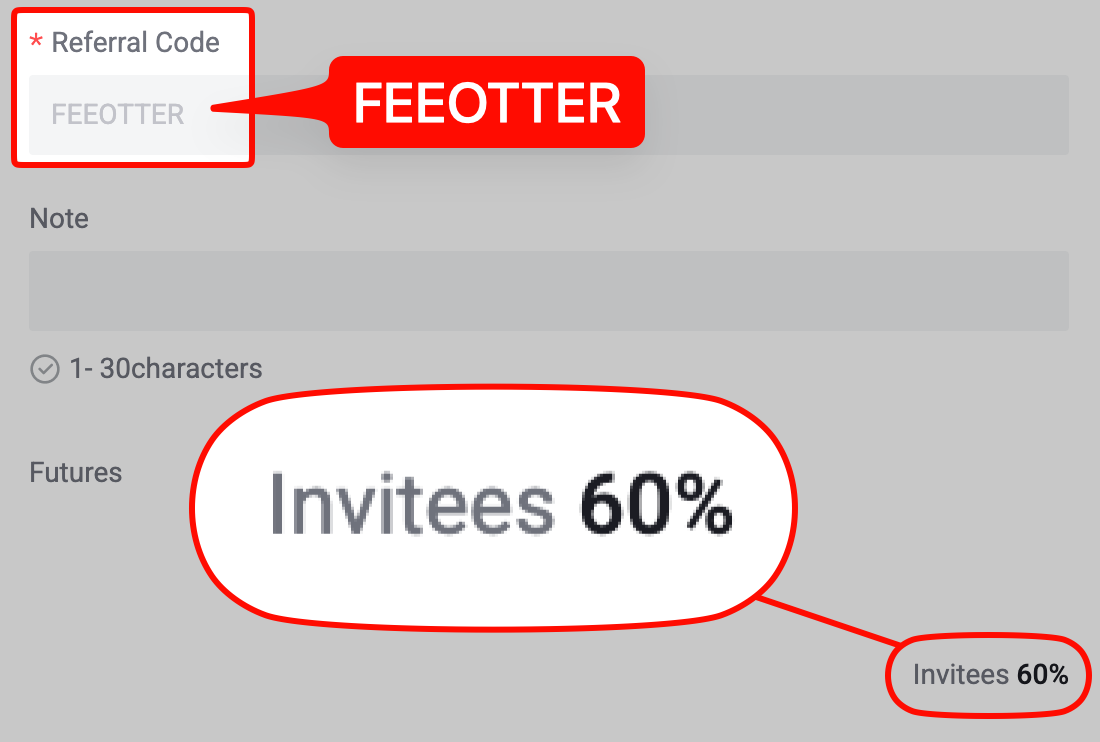
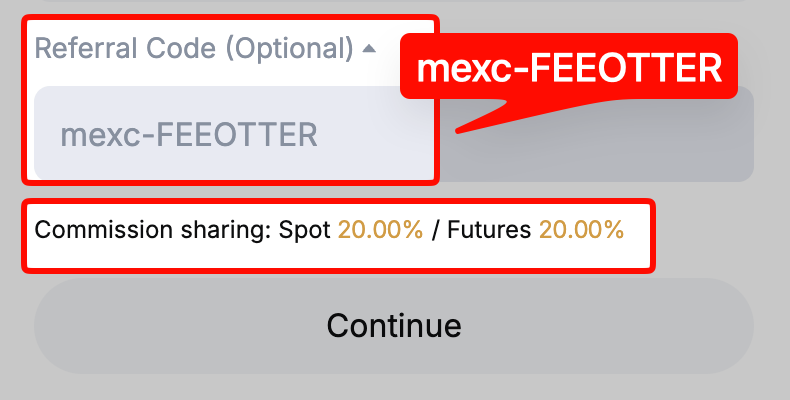
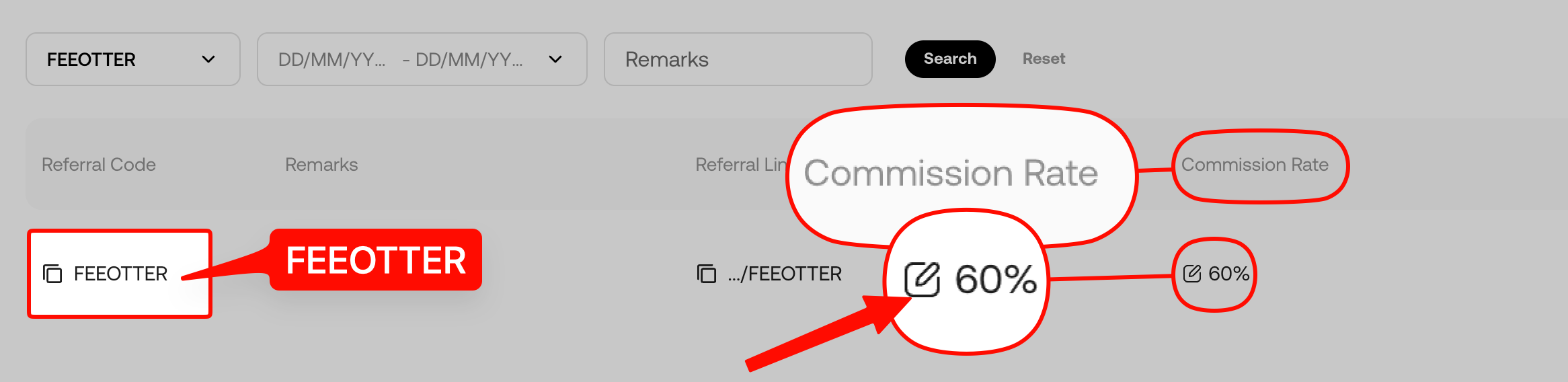
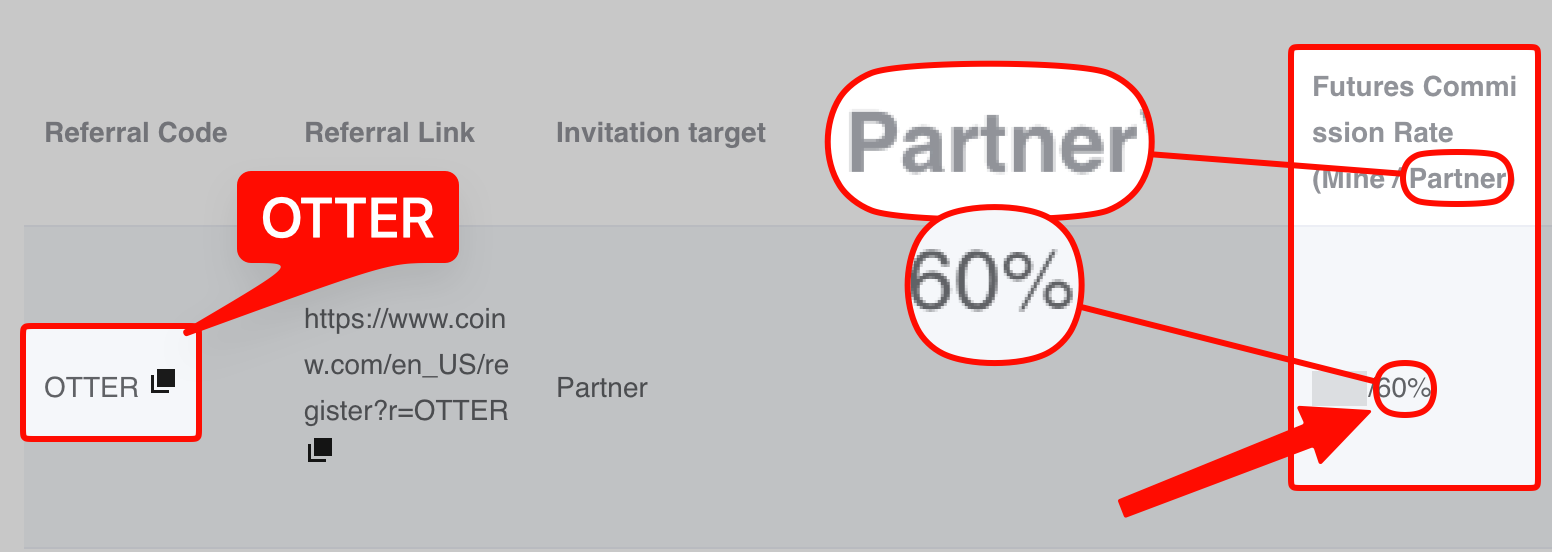
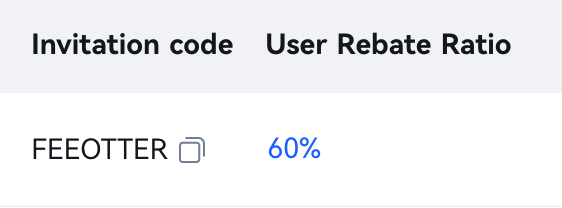
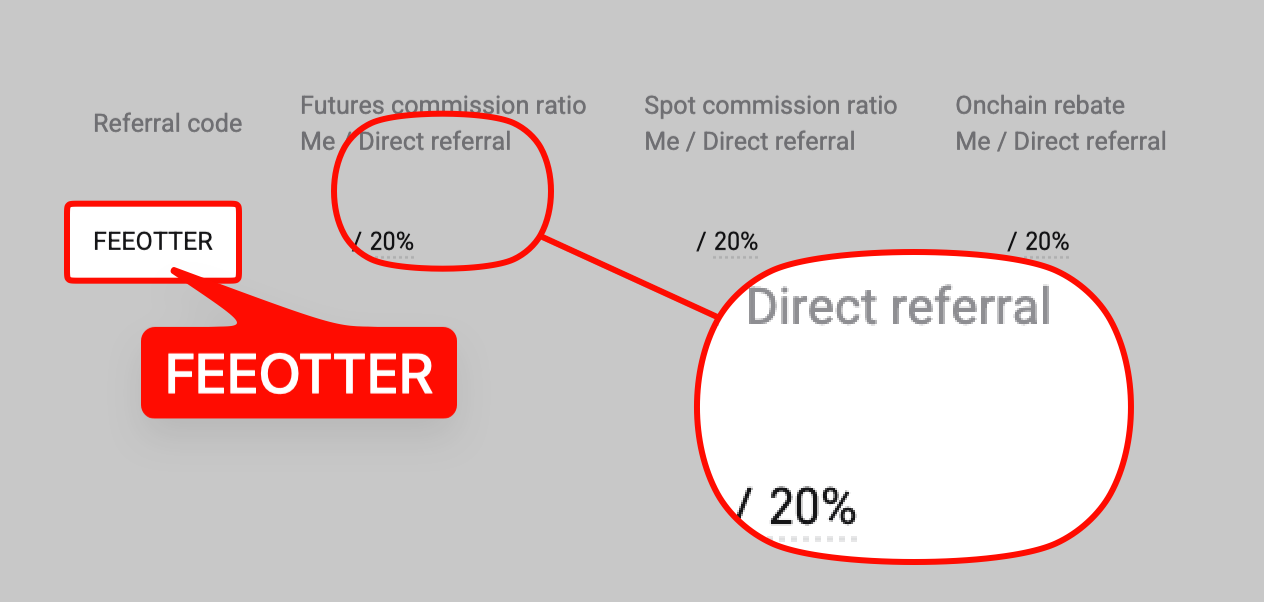
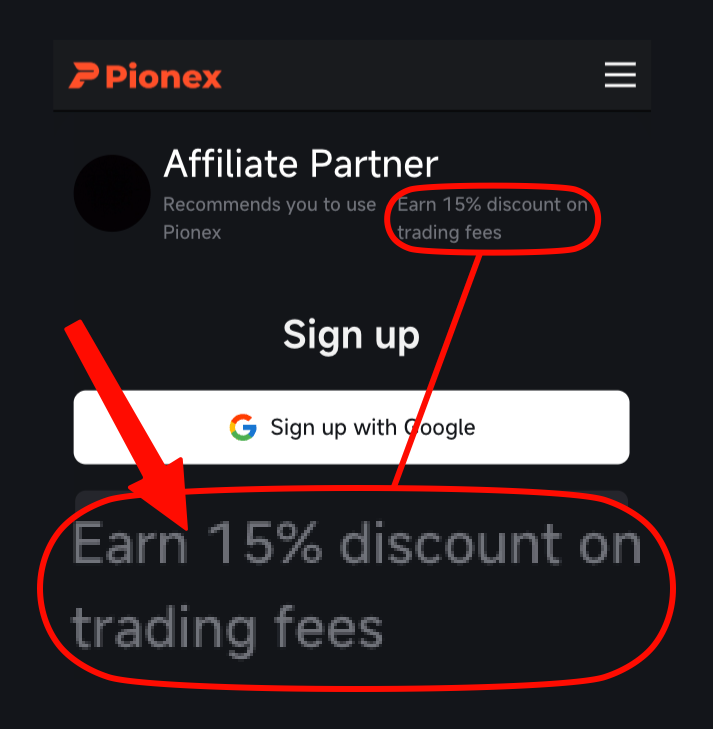
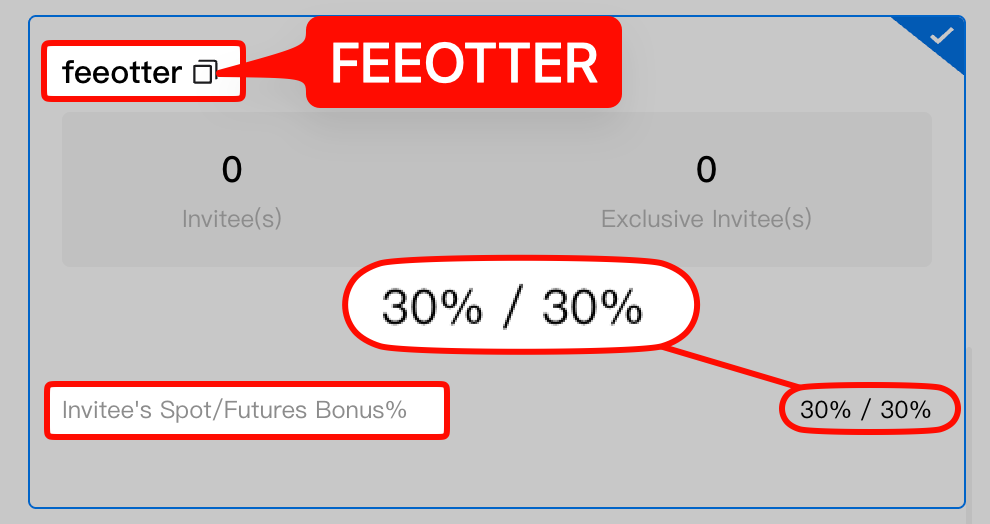
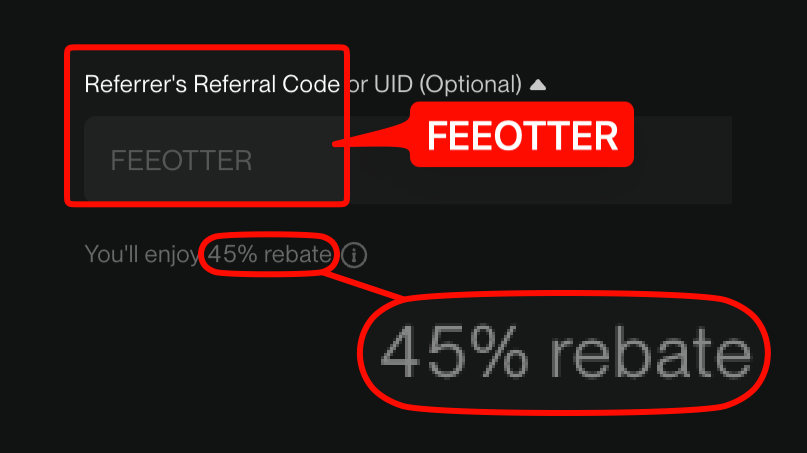
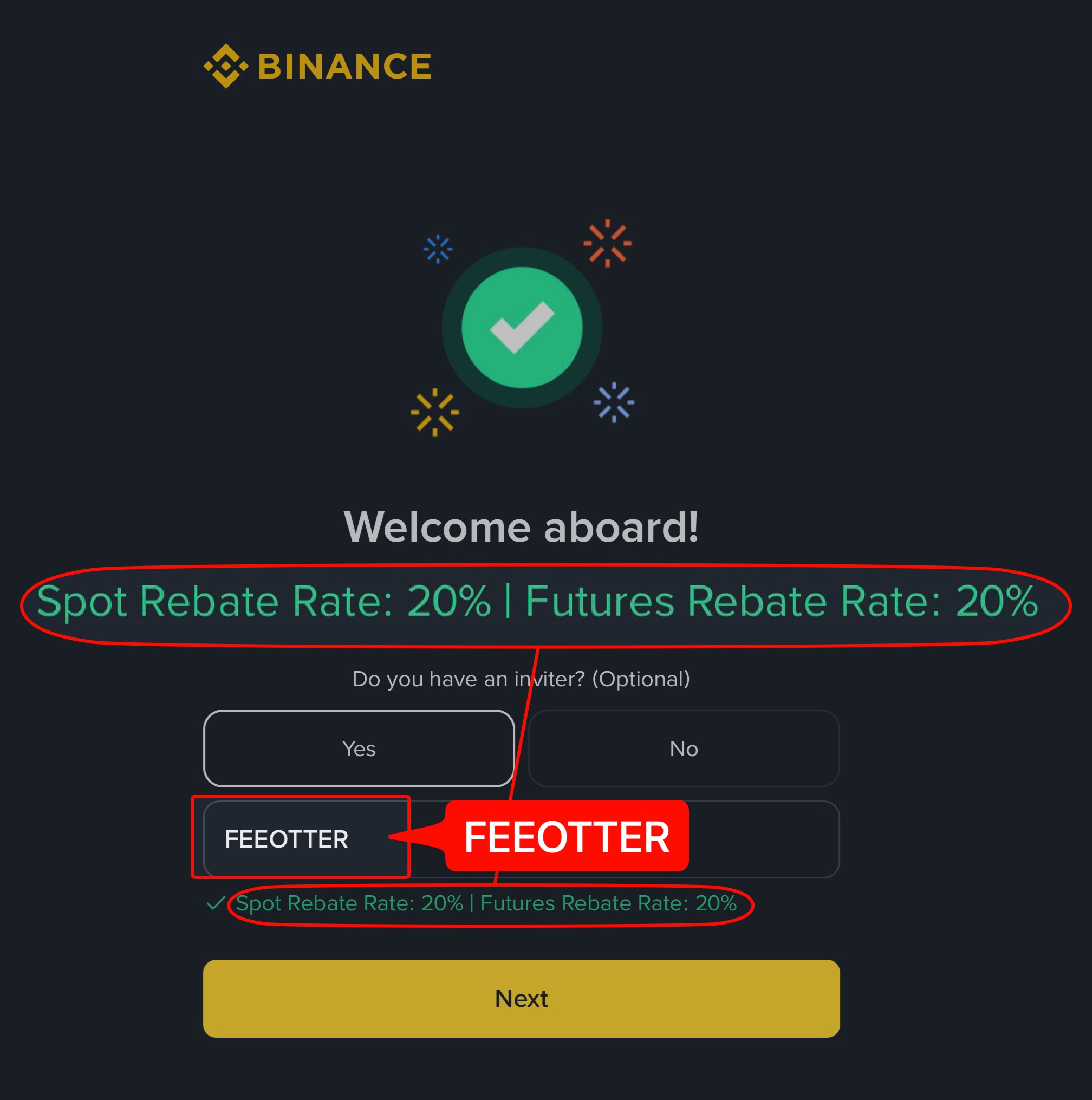
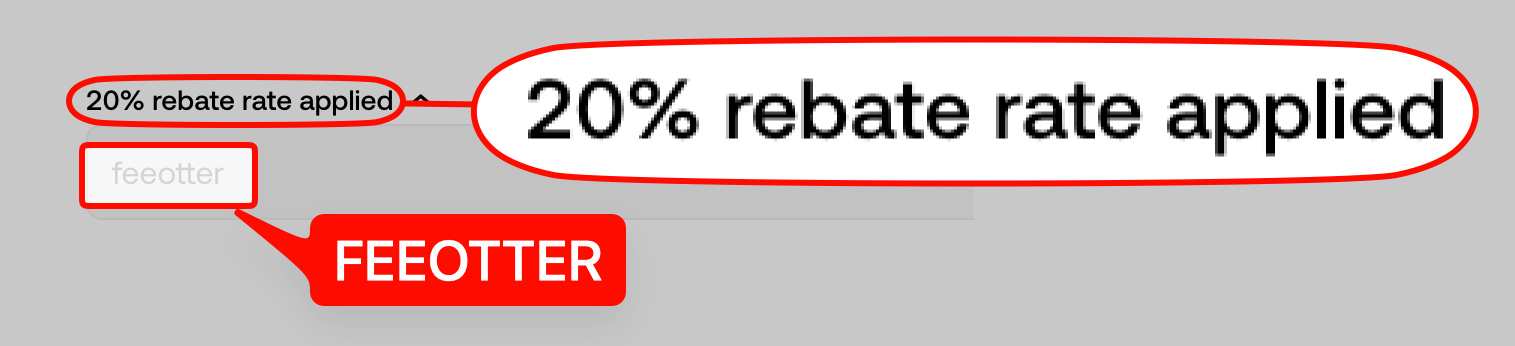
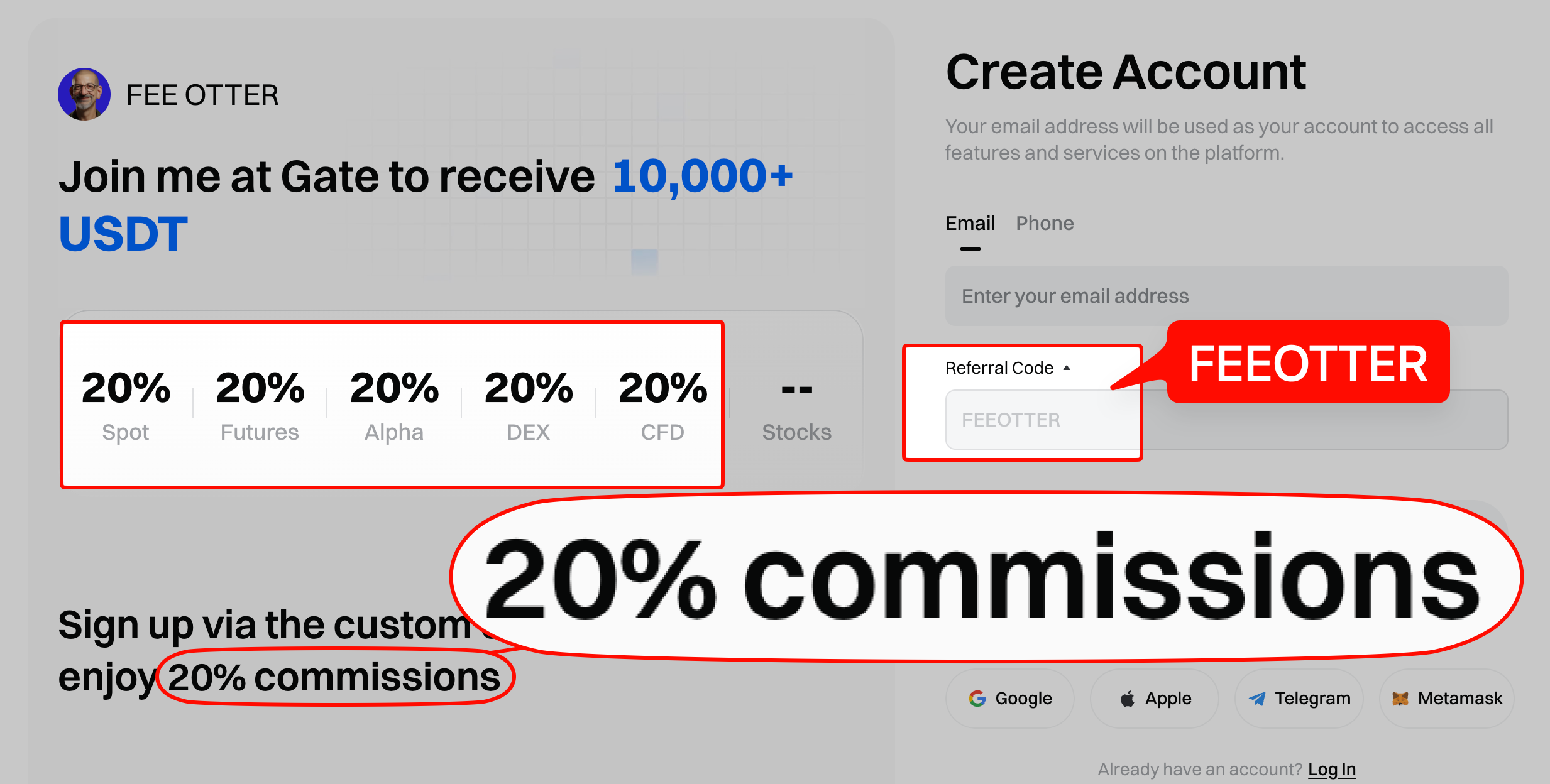
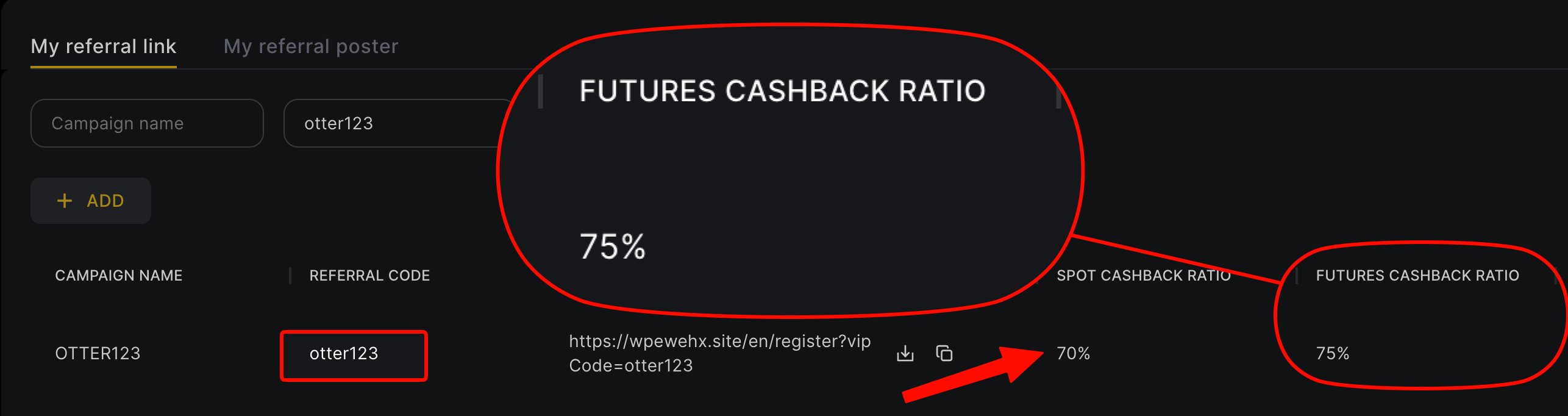
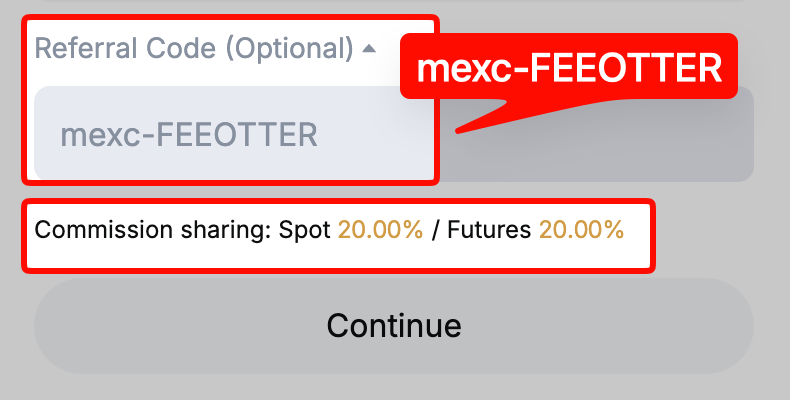
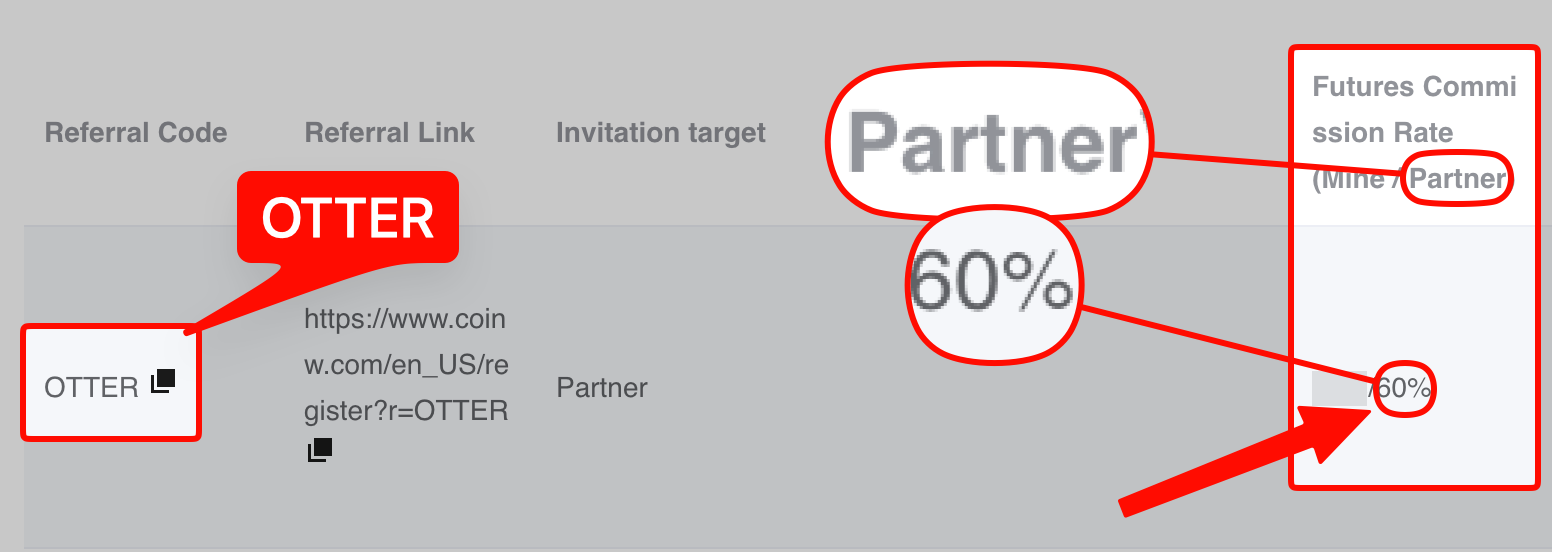
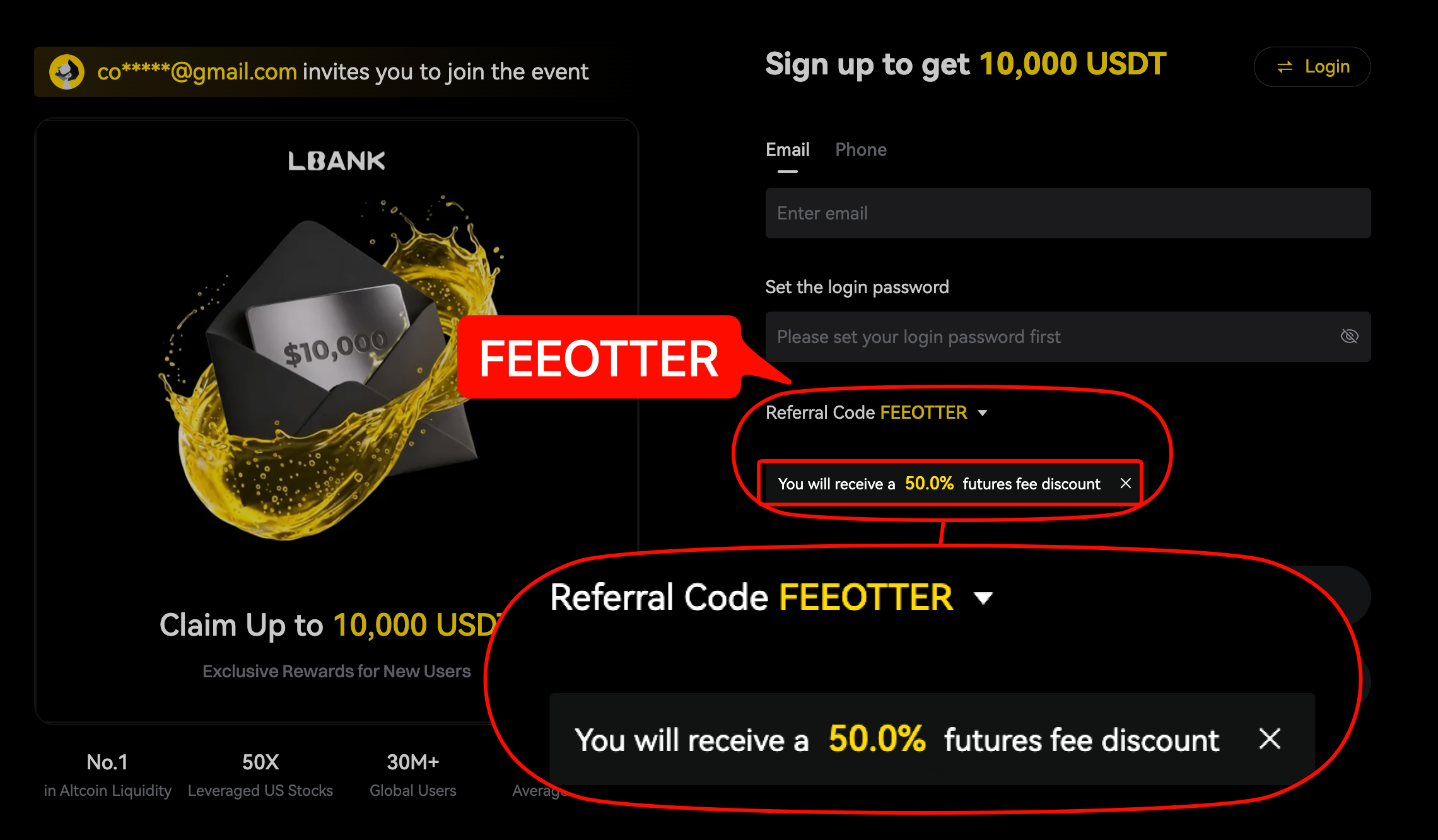
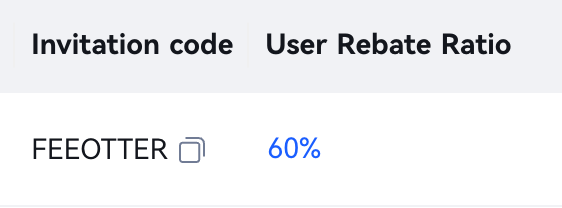
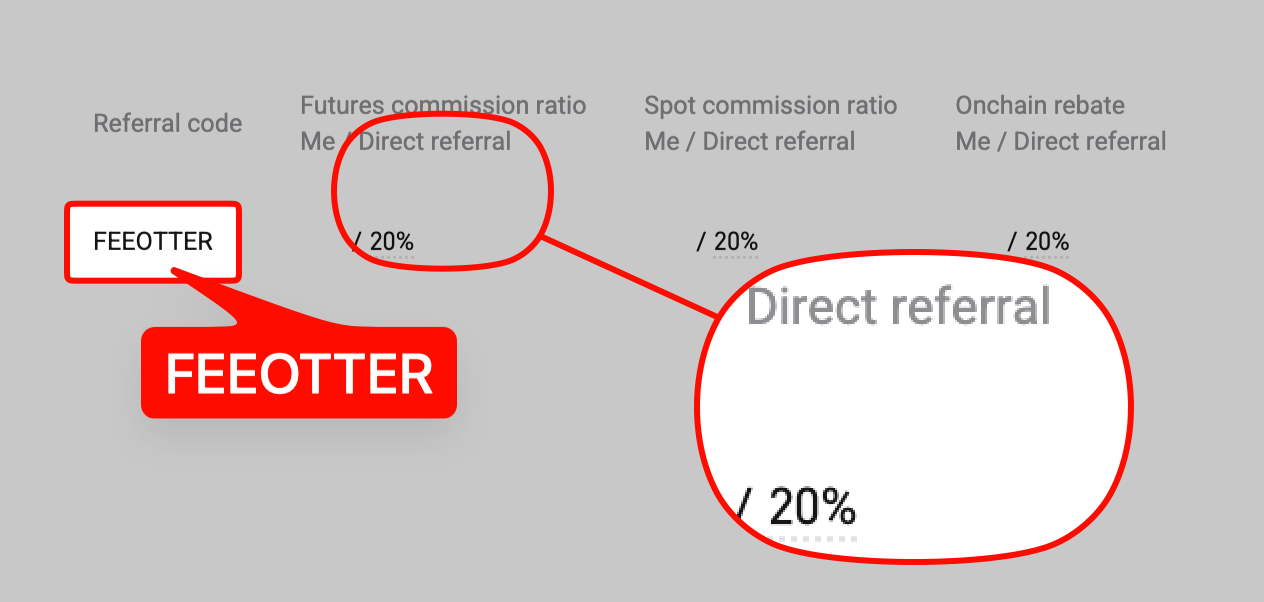
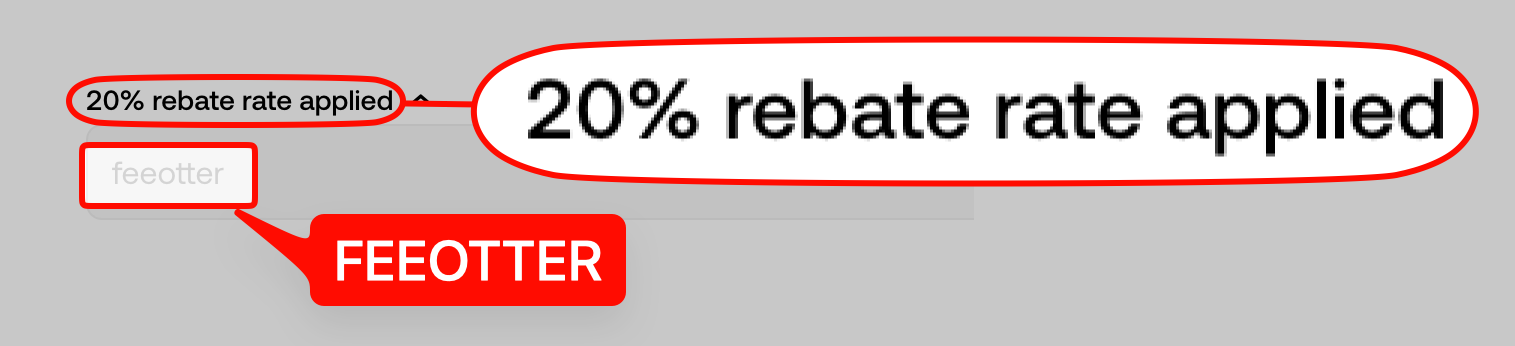
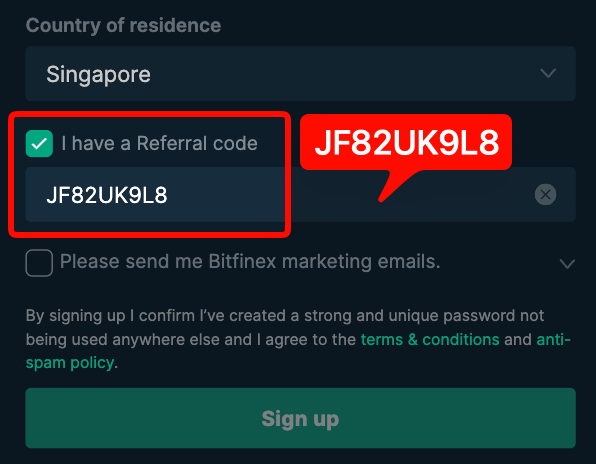
The exchange pays the auto-rebate part, and the rate is shown on the signup page opened with Fee Otter's invite code, or on that code's settings screen in the affiliate backend. Tap a thumbnail for the full image, or the exchange name for the full evidence in the rate table.
-
-
-
-
-
-
-
-

-
-
-
-
-
-
-
 Bybit No exchange auto-rebate; Fee Otter pays the 40%
-
-

 Gate
 WEEX
 Ourbit
 XT.COM
 MEXC
 KuCoin
%2C2026-10-05%20%E5%8F%96%E6%A8%A3%3A%0A%20%20%20%20%20%20%20%E5%BA%95%E8%89%B2%20%23FFFFFF%2C%E5%AD%97%E7%AC%A6%20%235227FF)%E3%80%82%0A%20%20%20%20%20%20%20%E7%94%A8%20potrace%20%E6%8F%8F%E5%AD%97%E7%AC%A6%E8%BC%AA%E5%BB%93%2C%E6%95%B4%E5%BC%B5%E7%95%AB%E5%B8%83%E7%9B%B4%E6%8E%A5%E6%98%A0%E5%B0%84%E5%88%B0%E9%80%99%E8%A3%A1%E7%9A%84%2032%20%E5%96%AE%E4%BD%8D%20%E2%80%94%E2%80%94%20%E4%B8%8D%E9%87%8D%E6%96%B0%E7%BD%AE%E4%B8%AD%2C%E4%BF%9D%E7%95%99%E5%AE%98%E6%96%B9%E7%9A%84%E7%95%99%E7%99%BD%E6%AF%94%E4%BE%8B%E3%80%82%0A%20%20%20%20%20%20%20%E5%AE%98%E6%96%B9%E6%98%AF%E7%99%BD%E5%BA%95%E7%B4%AB%E8%89%B2%E5%AD%97%E7%AC%A6%3B%E7%99%BD%E5%BA%95%E5%8A%A0%E6%B7%A1%E9%82%8A%2C%E5%85%8D%E5%BE%97%E5%9C%A8%E7%99%BD%E8%89%B2%E8%83%8C%E6%99%AF%E4%B8%8A%E6%B6%88%E5%A4%B1%E3%80%82%0A%20%20%20%20%20%20%20%E8%A6%81%E6%94%B9%E8%AB%8B%E9%87%8D%E8%B7%91%E6%8F%8F%E5%9C%96%2C%E4%B8%8D%E8%A6%81%E6%86%91%E5%8D%B0%E8%B1%A1%E8%AA%BF%E3%80%82%20--%3E%0A%20%20%3Crect%20x%3D%221.5%22%20y%3D%221.5%22%20width%3D%2229%22%20height%3D%2229%22%20rx%3D%228%22%20fill%3D%22%23FFFFFF%22%20stroke%3D%22%23E4E4E7%22%2F%3E%0A%20%20%3Cpath%20fill%3D%22%235227FF%22%20d%3D%22M13.31%208.92L13.31%2012.28L9.94%2012.28L6.56%2012.28L6.57%2015.71C6.58%2019.51%206.57%2019.29%206.79%2020.2C7.56%2023.33%2010.21%2025.78%2013.38%2026.31C14.1%2026.43%2014.44%2026.44%2019.24%2026.44L23.91%2026.44L23.91%2023.05L23.91%2019.66L19.2%2019.65L14.48%2019.64L14.28%2019.56C13.89%2019.41%2013.63%2019.16%2013.44%2018.76L13.36%2018.58L13.35%2015.46L13.34%2012.34L18.56%2012.34L23.78%2012.34L23.78%208.95L23.78%205.56L18.55%205.56L13.31%205.56L13.31%208.92Z%22%2F%3E%0A%3C%2Fsvg%3E%0A) CoinW
 LBank
 BTCC
 Bitget
 Pionex
 HTX
 BingX
 Binance
 OKX
%2C2026-10-05%20%E5%8F%96%E6%A8%A3%3A%0A%20%20%20%20%20%20%20%E5%BA%95%E8%89%B2%20%230E3452%2C%E5%AD%97%E7%AC%A6%20%2303CA9B)%E3%80%82%0A%20%20%20%20%20%20%20%E7%94%A8%20potrace%20%E6%8F%8F%E5%AD%97%E7%AC%A6%E8%BC%AA%E5%BB%93%2C%E6%95%B4%E5%BC%B5%E7%95%AB%E5%B8%83%E7%9B%B4%E6%8E%A5%E6%98%A0%E5%B0%84%E5%88%B0%E9%80%99%E8%A3%A1%E7%9A%84%2032%20%E5%96%AE%E4%BD%8D%20%E2%80%94%E2%80%94%20%E4%B8%8D%E9%87%8D%E6%96%B0%E7%BD%AE%E4%B8%AD%2C%E4%BF%9D%E7%95%99%E5%AE%98%E6%96%B9%E7%9A%84%E7%95%99%E7%99%BD%E6%AF%94%E4%BE%8B%E3%80%82%0A%20%20%20%20%20%20%20%E8%A6%81%E6%94%B9%E8%AB%8B%E9%87%8D%E8%B7%91%E6%8F%8F%E5%9C%96%2C%E4%B8%8D%E8%A6%81%E6%86%91%E5%8D%B0%E8%B1%A1%E8%AA%BF%E3%80%82%20--%3E%0A%20%20%3Crect%20x%3D%221.5%22%20y%3D%221.5%22%20width%3D%2229%22%20height%3D%2229%22%20rx%3D%228%22%20fill%3D%22%230E3452%22%2F%3E%0A%20%20%3Cpath%20fill%3D%22%2303CA9B%22%20d%3D%22M23.02%205.97C22.14%206.02%2021.54%206.07%2021.22%206.1C20.72%206.15%2019.6%206.28%2019.41%206.31C19.31%206.33%2019.1%206.37%2018.94%206.39C18.29%206.5%2017.94%206.57%2017.2%206.73C16.92%206.79%2016%207.03%2015.8%207.09C15.36%207.23%2014.42%207.54%2014.39%207.56C14.38%207.57%2014.3%207.6%2014.23%207.62C13.82%207.76%2012.7%208.28%2012.13%208.6C11.95%208.7%2011.8%208.78%2011.79%208.78C11.7%208.78%2010.42%209.71%209.98%2010.08C9.16%2010.79%208.07%2012.09%207.6%2012.91C7.28%2013.46%207.18%2013.65%207.06%2013.91C6.87%2014.3%206.76%2014.53%206.68%2014.74C6.56%2015.08%206.37%2015.64%206.34%2015.73C6.33%2015.78%206.3%2015.91%206.27%2016C6.06%2016.79%205.93%2017.87%205.94%2018.62L5.95%2019.05L6.69%2019.04C7.78%2019.03%208.57%2018.94%209.73%2018.68C10.18%2018.58%2011.05%2018.33%2011.45%2018.18C11.52%2018.15%2011.7%2018.08%2011.84%2018.03C13.58%2017.38%2015.67%2016.19%2017.55%2014.77C17.8%2014.58%2018.67%2013.89%2018.74%2013.83C18.76%2013.81%2018.94%2013.66%2019.14%2013.48C19.34%2013.31%2019.54%2013.14%2019.58%2013.11C19.61%2013.07%2019.78%2012.92%2019.95%2012.77C20.94%2011.88%2022.24%2010.57%2023.2%209.48C23.68%208.94%2023.69%208.93%2023.86%208.73C23.94%208.63%2024.02%208.54%2024.03%208.53C24.17%208.4%2025.09%207.25%2025.52%206.67C25.67%206.47%2025.81%206.28%2025.83%206.26C25.86%206.23%2025.89%206.19%2025.9%206.16C25.92%206.13%2025.94%206.12%2025.95%206.13C25.98%206.15%2025.3%207.5%2024.99%208.07C24.88%208.28%2024.78%208.45%2024.78%208.46C24.78%208.46%2024.66%208.67%2024.51%208.93C24.24%209.4%2024.17%209.52%2024.07%209.69C24%209.81%2023.72%2010.27%2023.39%2010.8C22.69%2011.91%2021.44%2013.66%2020.74%2014.52C20.25%2015.12%2020.09%2015.31%2019.72%2015.73C19.01%2016.55%2018.19%2017.38%2017.42%2018.08C17.07%2018.39%2016.92%2018.52%2016.5%2018.87C16.37%2018.98%2016.24%2019.09%2016.2%2019.12C15.83%2019.43%2014.7%2020.21%2014.16%2020.54C13.69%2020.82%2012.69%2021.34%2012.41%2021.45C12.33%2021.48%2012.23%2021.52%2012.17%2021.55C12.01%2021.62%2011.45%2021.84%2011.11%2021.95C10.97%2022%2010.05%2022.26%209.84%2022.31C9.23%2022.45%208.97%2022.5%208.56%2022.56C8.43%2022.58%208.25%2022.61%208.16%2022.62C8.06%2022.64%207.79%2022.67%207.56%2022.69C7.32%2022.71%207.12%2022.74%207.12%2022.76C7.12%2022.85%207.58%2023.42%207.97%2023.82C9.2%2025.09%2010.67%2025.8%2012.52%2026.02C16.51%2026.48%2020.99%2024.06%2023.2%2020.25C23.32%2020.05%2023.43%2019.86%2023.46%2019.81C23.51%2019.73%2023.96%2018.81%2024.04%2018.62C24.67%2017.21%2025.19%2015.43%2025.52%2013.67C25.66%2012.9%2025.73%2012.45%2025.81%2011.77C25.99%2010.32%2026.05%209.33%2026.05%207.64C26.05%206.06%2026.04%206.01%2025.97%205.98C25.9%205.95%2023.53%205.94%2023.02%205.97Z%22%2F%3E%0A%3C%2Fsvg%3E%0A) Bitfinex
Who founded Fee Otter?
Fee Otter was founded by Chang Xu, who also writes the site's rebate guides, exchange comparisons and rebinding guides. The About page introduces him and lists our official accounts (Telegram channel, X, Threads, YouTube), so you can confirm you are talking to us. The most direct check is whether the money goes out as promised: the contract address and every payout are public on-chain.
Check: About us · On-chain payout proof
Where is the company registration?
The site publishes its Terms of Service and Privacy Policy. Section 21 of the Terms sets Swiss law as the governing law and the courts of Zug, Switzerland, as the court of first instance. Registration documents are not on the site yet. What you can check today is the payout contract's source code, the full payout history, and the whole flow end to end with a small withdrawal.
How big is the team?
We have not published a headcount. The people you will deal with are support staff: questions about linking, rebinding and withdrawals are answered by real people on Telegram @FeeOtterBot or by email at contact(at)feeotter.com. Withdrawals above 250 USDT received are signed off by the team on a Ledger hardware wallet, then paid by the same contract. Sending us one question before you sign up is the quickest way to see how fast we reply.
Check: About us (contact) · On-chain payout proof (how the contract protects your money)
Can I see reserves or financial statements?
We do not publish a reserve report. What you can check is the money already paid out: every USDT transfer from the contract is on BscScan, so anyone can add up the total. You also do not have to let your withdrawable balance build up. The minimum is 1 USDT per withdrawal, with no limit on how many (one at a time), and you can request one whenever you like. On the contract side, a monitor key compares on-chain payments with our books every 5 minutes and pauses the contract at once if they do not match.
Check: BscScan Token Transfers · Rebate rate table (withdrawal rules)
There are few user reviews. How do I judge?
Fee Otter was founded in 2026 and started paying through the smart contract on 2026-10-31. We do not post testimonials. Every payout is a public on-chain transaction, and as of 2026-11-19 the contract has made 32 payments. A more reliable test than other people's reviews is to try it yourself: sign up with the invite code, link your UID, and once you have a rebate, withdraw a small amount of 1 USDT or more and confirm on BscScan that our contract paid you.
Check: Full payout history · Look up your payout
How long will Fee Otter be around?
Fee Otter is a contracted affiliate partner of the exchanges, so the rates do not vanish because one person missed a target or left. Payout status on the proof page: Payouts have run without a pause or a delayed payment since they began on 2026-10-31. A track record only builds with time. Meanwhile, the exchange auto-rebate you get after signing up is paid by the exchange straight into your exchange account; that part never passes through Fee Otter.
Check: About us (why you can trust us) · On-chain payout proof (status)
Who counts the totals on the home page?
Total volume and total paid are summed live from our database, and amounts are rounded down. Volume comes from the referral reports the exchanges provide to us; where a report has no volume, it is estimated from the fees. Total paid can be checked independently on-chain: the contract's Token Transfers tab lists every transfer out, and they add up to the total. You can also download the CSV or JSON and do the sum yourself. Your own volume and rebates are listed line by line in the rebate dashboard.
Check: About us (our scale) · BscScan Token Transfers · CSV
Fee Otter pays the extra rebate. What if I never get it?
The total rebate has two parts, paid by different parties. The exchange auto-rebate goes straight back into your exchange account without any claim; at KuCoin, BTCC, BingX and Bitfinex the whole rate is currently this part. The Fee Otter extra rebate is credited daily in the rebate dashboard and paid by the contract when you withdraw. Bybit has no exchange auto-rebate, so Fee Otter pays the full 40%. The contract pays only USDT, only to the address you linked, and each withdrawal only once. Per-payment and daily automatic limits are written into the contract, and its source code is public, verified and cannot be upgraded.
Check: Invite codes and rebate rates · On-chain payout proof (how the contract protects your money)
Tips for your first time
-
Sign up with the invite code. Enter Fee Otter's invite code when you register (usually FEEOTTER; mexc-FEEOTTER at MEXC; all of them are on the rebate page). If you already have an account, follow that exchange's rebinding guide.
-
Link your UID early. Submit your UID in the rebate dashboard. The extra rebate starts accruing on the day you link (UTC+8), so the earlier the better. Data refreshes the next day at around 08:00 (UTC), and you are approved automatically if you paid fees the day before.
-
Check the exchange part first. After a few trades, find the rebate in the exchange's funding records. Where to look is shown in the rebate receipts.
-
Add a receiving address and withdraw a small amount. Link your own USDT (BEP20) address and withdraw a small amount first, 1 USDT or more. If you receive at an exchange deposit address, pick the BSC (BEP20) network and make sure the amount is above that exchange's minimum deposit.
-
Verify it on BscScan. Click the transaction hash in your withdrawal history and check that the sender is the contract 0x14f598f1f949714fa3f15af0c8ec56d5aef9874c, the receiver is your address and the amount is what you received.
FAQ
Does using an invite code make my fees higher?
No. You pay the exchange's normal fee rate, and the rebate is the part refunded afterwards. The rates on this site do not include VIP tiers or platform token discounts such as BNB or GT; those discounts stack on top.
Can Fee Otter touch the money in my exchange account?
No. We only get your UID and the fee records the exchange reports under its referral program. We have no API access and no access to funds. Your orders, fee rate and assets stay in your own exchange account.
If someone takes over my Fee Otter account, can they withdraw my rebate?
Withdrawals only go to the receiving address you linked. The first address works right away; any address added later has a 24-hour wait, and every new address triggers a confirmation email with a link to freeze withdrawals. So even if someone logs in and adds an address, you have 24 hours to see the email, freeze withdrawals and contact support.
How long does a withdrawal take, and what does it cost?
For automatically approved withdrawals, the median time from request to payment is 3 s. Withdrawals above 250 USDT received, or ones that need a manual check, take longer (average 6.5 hours as of 2026-11-19). Fee Otter charges no service fee. Each withdrawal only has a 0.015 USDT network fee and a 1 USDT minimum; the withdrawal page shows the current figures.
What rebate do I get at OKX?
Sign up at OKX with the invite code FEEOTTER for a 20% auto-rebate plus exclusive rewards. OKX pays the auto-rebate straight into your Funding account. After you link your UID, log in to the Fee Otter rebate site to see your exclusive rewards.
Who do I contact if a rebate amount looks wrong?
Contact a real person in support: Telegram @FeeOtterBot, or email contact(at)feeotter.com. Under the Terms, raise it with supporting details within 30 days after that rebate settles and we will help check it.